O modelo de imagem para vídeo Wan gera vídeos fluidos a partir de uma imagem do primeiro quadro, uma imagem do último quadro e um prompt de texto opcional.
Especificações de vídeo: Duração fixa de 5 segundos e resolução personalizada (480P/720P/1080P).
Capacidades adicionais: Reescrita de prompt e marca d'água.
É necessário ter o DashScope Python SDK ≥ 1.25.8 antes de executar o código abaixo. Versões mais antigas podem apresentar erros do tipo "url error, please check url!". Instale o SDK.
Copy
import osfrom http import HTTPStatusfrom dashscope import VideoSynthesisimport dashscope# The following URL is for the Singapore region. When calling, replace {WorkspaceId} with your actual workspace ID. URLs vary by region. Get your URL: https://www.alibabacloud.com/help/en/model-studio/image-to-video-by-first-and-last-frame-api-referencedashscope.base_http_api_url = 'https://{WorkspaceId}.ap-southeast-1.maas.aliyuncs.com/api/v1'# API keys differ by region. Get your API key: https://www.alibabacloud.com/help/en/model-studio/get-api-keyapi_key = os.getenv("DASHSCOPE_API_KEY", "YOUR_API_KEY")print('please wait...')rsp = VideoSynthesis.call(api_key=api_key, model="wan2.2-kf2v-flash", prompt="A cute blue monster with a slightly sad expression stands in the rain. The camera slowly zooms in and stops on the moment it looks up at the sky.", first_frame_url="https://help-static-aliyun-doc.aliyuncs.com/file-manage-files/zh-CN/20260126/ixdxvt/wan-kf2v-blue-1.png", last_frame_url="https://help-static-aliyun-doc.aliyuncs.com/file-manage-files/zh-CN/20260126/nhtdrc/wan-kf2v-blue-2.png", duration=5, # Fixed at 5 seconds. Do not change. prompt_extend=True, watermark=True)print(rsp)if rsp.status_code == HTTPStatus.OK: print("video_url:", rsp.output.video_url)else: print('Failed, status_code: %s, code: %s, message: %s' % (rsp.status_code, rsp.code, rsp.message))
É necessário ter o DashScope Java SDK ≥ 2.22.6 antes de executar o código abaixo. Versões mais antigas podem apresentar erros do tipo "url error, please check url!". Instale o SDK.
Copy
import com.alibaba.dashscope.aigc.videosynthesis.VideoSynthesis;import com.alibaba.dashscope.aigc.videosynthesis.VideoSynthesisParam;import com.alibaba.dashscope.aigc.videosynthesis.VideoSynthesisResult;import com.alibaba.dashscope.exception.ApiException;import com.alibaba.dashscope.exception.InputRequiredException;import com.alibaba.dashscope.exception.NoApiKeyException;import com.alibaba.dashscope.utils.JsonUtils;import com.alibaba.dashscope.utils.Constants;public class Image2Video { static { // The following URL is for the Singapore region. When calling, replace {WorkspaceId} with your actual workspace ID. URLs vary by region. Get your URL: https://www.alibabacloud.com/help/en/model-studio/image-to-video-by-first-and-last-frame-api-reference Constants.baseHttpApiUrl = "https://{WorkspaceId}.ap-southeast-1.maas.aliyuncs.com/api/v1"; } // If you have not set an environment variable, replace the line below with: apiKey="sk-xxx" // API keys differ by region. Get your API key: https://www.alibabacloud.com/help/en/model-studio/get-api-key static String apiKey = System.getenv("DASHSCOPE_API_KEY"); public static void image2video() throws ApiException, NoApiKeyException, InputRequiredException { VideoSynthesis vs = new VideoSynthesis(); VideoSynthesisParam param = VideoSynthesisParam.builder() .apiKey(apiKey) .model("wan2.2-kf2v-flash") .prompt("A cute blue monster with a slightly sad expression stands in the rain. The camera slowly zooms in and stops on the moment it looks up at the sky.") .firstFrameUrl("https://help-static-aliyun-doc.aliyuncs.com/file-manage-files/zh-CN/20260126/ixdxvt/wan-kf2v-blue-1.png") .lastFrameUrl("https://help-static-aliyun-doc.aliyuncs.com/file-manage-files/zh-CN/20260126/nhtdrc/wan-kf2v-blue-2.png") .resolution("720P") .promptExtend(true) .watermark(true) .build(); System.out.println("please wait..."); VideoSynthesisResult result = vs.call(param); System.out.println(JsonUtils.toJson(result)); } public static void main(String[] args) { try { image2video(); } catch (ApiException | NoApiKeyException | InputRequiredException e) { System.out.println(e.getMessage()); } System.exit(0); }}
Etapa 1: Crie uma tarefa para obter o ID da tarefa
Copy
curl --location 'https://{WorkspaceId}.ap-southeast-1.maas.aliyuncs.com/api/v1/services/aigc/image2video/video-synthesis' \ -H 'X-DashScope-Async: enable' \ -H "Authorization: Bearer $DASHSCOPE_API_KEY" \ -H 'Content-Type: application/json' \ -d '{ "model": "wan2.2-kf2v-flash", "input": { "first_frame_url": "https://help-static-aliyun-doc.aliyuncs.com/file-manage-files/zh-CN/20260126/ixdxvt/wan-kf2v-blue-1.png", "last_frame_url": "https://help-static-aliyun-doc.aliyuncs.com/file-manage-files/zh-CN/20260126/nhtdrc/wan-kf2v-blue-2.png", "prompt": "A cute blue monster with a slightly sad expression stands in the rain. The camera slowly zooms in and stops on the moment it looks up at the sky." }, "parameters": { "resolution": "720P", "prompt_extend": true, "watermark": true }}'
Etapa 2: Obtenha o resultado usando o ID da tarefaSubstitua {task_id} pelo valor de task_id retornado pela chamada de API anterior. O task_id permanece válido para consultas por 24 horas.
Copy
curl -X GET https://{WorkspaceId}.ap-southeast-1.maas.aliyuncs.com/api/v1/tasks/{task_id} \--header "Authorization: Bearer $DASHSCOPE_API_KEY"
Saída de exemplo
A video_url expira após 24 horas. Baixe o vídeo imediatamente.
Os modelos suportados variam conforme a região. Os recursos são isolados entre regiões. Para verificar os modelos suportados em cada região, consulte o console do Model Studio.
Ao fazer uma chamada, certifique-se de que seu modelo, URL do endpoint e chave de API pertençam à mesma região. Chamadas entre regiões falham.
Os códigos de exemplo neste tópico aplicam-se à região de Singapore.
Modelos suportados: Todos os modelos.Gera vídeos fluidos a partir das imagens do primeiro e do último quadros.Parâmetros:
first_frame_url: Obrigatório. Forneça a imagem do primeiro quadro.
last_frame_url: Obrigatório. Forneça a imagem do último quadro.
prompt: Opcional (recomendado). Controla como o vídeo muda ao longo do tempo.
Prompt
Primeiro quadro
Último quadro
Vídeo de saída
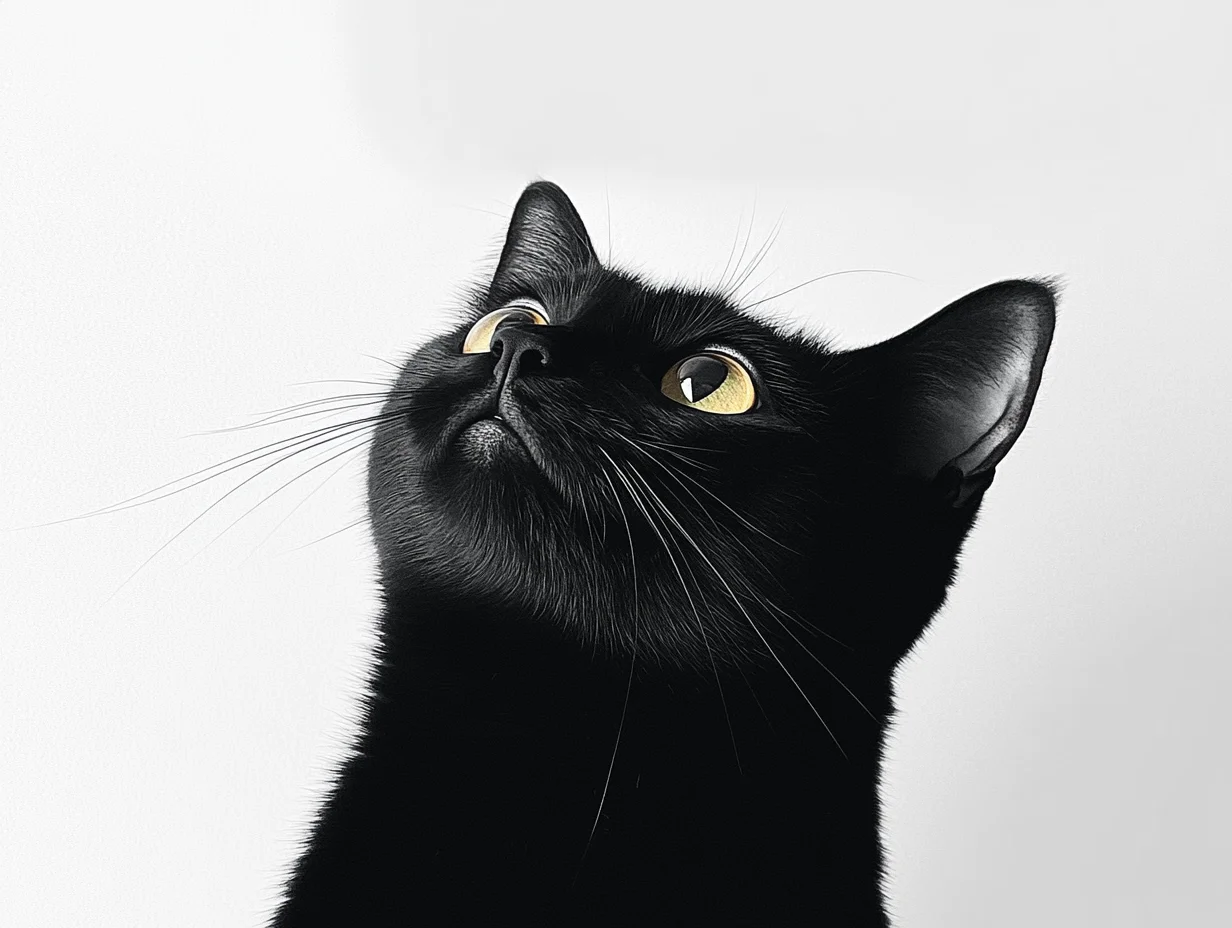
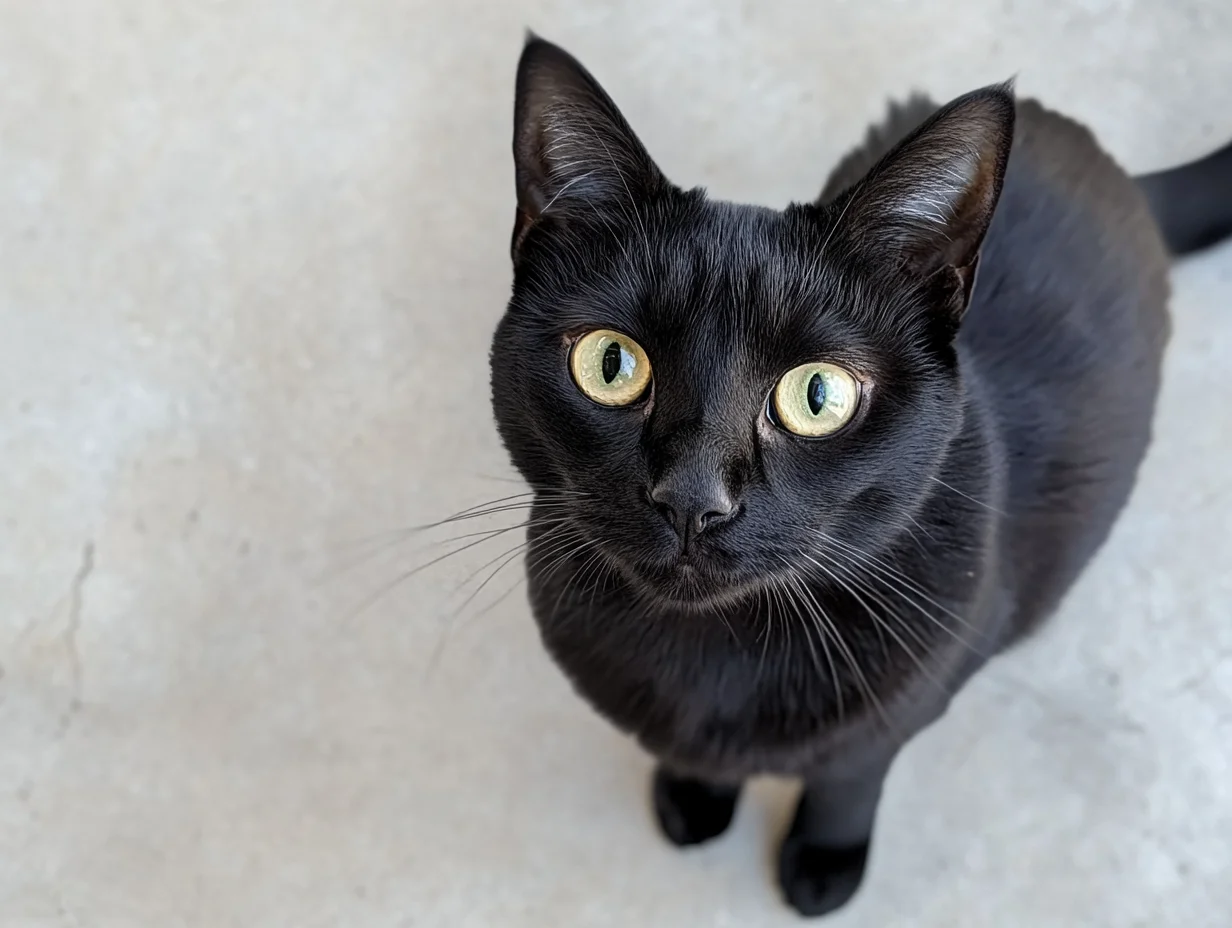
Estilo realista. Um gatinho preto curioso olha para o céu. A câmera começa na altura dos olhos e sobe gradualmente até capturar o olhar curioso do gatinho de cima.
import osfrom http import HTTPStatusfrom dashscope import VideoSynthesisimport dashscope# The following URL is for the Singapore region. When calling, replace {WorkspaceId} with your actual workspace ID. URLs vary by region. Get your URL: https://www.alibabacloud.com/help/en/model-studio/image-to-video-by-first-and-last-frame-api-referencedashscope.base_http_api_url = 'https://{WorkspaceId}.ap-southeast-1.maas.aliyuncs.com/api/v1'# API keys differ by region. Get your API key: https://www.alibabacloud.com/help/en/model-studio/get-api-keyapi_key = os.getenv("DASHSCOPE_API_KEY", "YOUR_API_KEY")def sample_async_call_kf2v(): # Asynchronous call returns a task_id rsp = VideoSynthesis.async_call(api_key=api_key, model="wan2.2-kf2v-flash", prompt="Realistic style. A curious black kitten looks up at the sky. The camera starts at eye level and gradually rises until it captures the kitten’s curious gaze from above.", first_frame_url="https://wanx.alicdn.com/material/20250318/first_frame.png", last_frame_url="https://wanx.alicdn.com/material/20250318/last_frame.png", duration=5, # Fixed at 5 seconds. Do not change. prompt_extend=True, watermark=True) print(rsp) if rsp.status_code == HTTPStatus.OK: print("task_id: %s" % rsp.output.task_id) else: print('Failed, status_code: %s, code: %s, message: %s' % (rsp.status_code, rsp.code, rsp.message)) # Wait for asynchronous task to complete rsp = VideoSynthesis.wait(task=rsp, api_key=api_key) print(rsp) if rsp.status_code == HTTPStatus.OK: print(rsp.output.video_url) else: print('Failed, status_code: %s, code: %s, message: %s' % (rsp.status_code, rsp.code, rsp.message))if __name__ == '__main__': sample_async_call_kf2v()
import com.alibaba.dashscope.aigc.videosynthesis.VideoSynthesis;import com.alibaba.dashscope.aigc.videosynthesis.VideoSynthesisParam;import com.alibaba.dashscope.aigc.videosynthesis.VideoSynthesisResult;import com.alibaba.dashscope.exception.ApiException;import com.alibaba.dashscope.exception.InputRequiredException;import com.alibaba.dashscope.exception.NoApiKeyException;import com.alibaba.dashscope.utils.JsonUtils;import com.alibaba.dashscope.utils.Constants;public class Image2Video { static { // The following URL is for the Singapore region. When calling, replace {WorkspaceId} with your actual workspace ID. URLs vary by region. Get your URL: https://www.alibabacloud.com/help/en/model-studio/image-to-video-by-first-and-last-frame-api-reference Constants.baseHttpApiUrl = "https://{WorkspaceId}.ap-southeast-1.maas.aliyuncs.com/api/v1"; } // If you have not set an environment variable, replace the line below with: apiKey="sk-xxx" // API keys differ by region. Get your API key: https://www.alibabacloud.com/help/en/model-studio/get-api-key static String apiKey = System.getenv("DASHSCOPE_API_KEY"); public static void image2video() throws ApiException, NoApiKeyException, InputRequiredException { VideoSynthesis vs = new VideoSynthesis(); VideoSynthesisParam param = VideoSynthesisParam.builder() .apiKey(apiKey) .model("wan2.2-kf2v-flash") .prompt("Realistic style. A curious black kitten looks up at the sky. The camera starts at eye level and gradually rises until it captures the kitten’s curious gaze from above.") .firstFrameUrl("https://wanx.alicdn.com/material/20250318/first_frame.png") .lastFrameUrl("https://wanx.alicdn.com/material/20250318/last_frame.png") .resolution("720P") .promptExtend(true) .watermark(true) .build(); // Asynchronous call VideoSynthesisResult task = vs.asyncCall(param); System.out.println(JsonUtils.toJson(task)); System.out.println("please wait..."); // Get result VideoSynthesisResult result = vs.wait(task, apiKey); System.out.println(JsonUtils.toJson(result)); } public static void main(String[] args) { try { image2video(); } catch (ApiException | NoApiKeyException | InputRequiredException e) { System.out.println(e.getMessage()); } System.exit(0); }}
Etapa 1: Crie uma tarefa para obter o ID da tarefa
Copy
curl --location 'https://{WorkspaceId}.ap-southeast-1.maas.aliyuncs.com/api/v1/services/aigc/image2video/video-synthesis' \ -H 'X-DashScope-Async: enable' \ -H "Authorization: Bearer $DASHSCOPE_API_KEY" \ -H 'Content-Type: application/json' \ -d '{ "model": "wan2.2-kf2v-flash", "input": { "first_frame_url": "https://wanx.alicdn.com/material/20250318/first_frame.png", "last_frame_url": "https://wanx.alicdn.com/material/20250318/last_frame.png", "prompt": "Realistic style. A curious black kitten looks up at the sky. The camera starts at eye level and gradually rises until it captures the kitten’s curious gaze from above." }, "parameters": { "resolution": "720P", "prompt_extend": true, "watermark": true }}'
Etapa 2: Obtenha o resultado usando o ID da tarefaSubstitua {task_id} pelo valor de task_id retornado pela chamada de API anterior. O task_id permanece válido para consultas por 24 horas.
Copy
curl -X GET https://{WorkspaceId}.ap-southeast-1.maas.aliyuncs.com/api/v1/tasks/{task_id} \--header "Authorization: Bearer $DASHSCOPE_API_KEY"
Código de exemplo: Múltiplos métodos de entrada de imagem
Python SDK
Copy
import osfrom http import HTTPStatus# DashScope SDK >= 1.23.4from dashscope import VideoSynthesisimport dashscopedashscope.base_http_api_url = 'https://{WorkspaceId}.ap-southeast-1.maas.aliyuncs.com/api/v1'# Get the DashScope API key (which is your Model Studio API key) from an environment variable.api_key = os.getenv("DASHSCOPE_API_KEY")# ========== Image input method (choose one) ==========# [Method 1] Use a public image URLfirst_frame_url = "https://wanx.alicdn.com/material/20250318/first_frame.png"last_frame_url = "https://wanx.alicdn.com/material/20250318/last_frame.png"# [Method 2] Use a local file path (file:// + file path)# Use an absolute path:# first_frame_url = "file://" + "/path/to/your/first_frame.png" # Linux/macOS# last_frame_url = "file://" + "C:/path/to/your/last_frame.png" # Windows# Or use a relative path:# first_frame_url = "file://" + "./first_frame.png" # Use your actual path.# last_frame_url = "file://" + "./last_frame.png" # Use your actual path.def sample_sync_call_kf2v(): print('please wait...') rsp = VideoSynthesis.call(api_key=api_key, model="wan2.2-kf2v-flash", prompt="Realistic style, a small black cat looks up at the sky curiously, the camera gradually rises from eye level, and finally captures its curious gaze from a top-down view.", first_frame_url=first_frame_url, last_frame_url=last_frame_url, resolution="720P", prompt_extend=True) print(rsp) if rsp.status_code == HTTPStatus.OK: print(rsp.output.video_url) else: print('Failed, status_code: %s, code: %s, message: %s' % (rsp.status_code, rsp.code, rsp.message))if __name__ == '__main__': sample_sync_call_kf2v()
Dimensões: Determinadas pela imagem do primeiro quadro e pela configuração de resolution.
O modelo preserva a proporção do primeiro quadro e ajusta a contagem total de pixels para o alvo. As dimensões de saída são ajustadas automaticamente para serem divisíveis por 16 (requisito de codificação).
Exemplo: Uma entrada de 750×1000 (3:4) com resolution="720P" (alvo ≈920K pixels) pode resultar em uma saída de 816×1104 (proporção ≈0.739, ≈900K pixels, ambos divisíveis por 16).
P: Como gero um vídeo com uma proporção específica (como 3:4)?
R: A API não suporta controle direto da proporção — apenas de resolution.O parâmetro resolution controla a contagem de pixels, não a proporção. O modelo preserva a proporção do primeiro quadro (first_frame_url) com pequenos ajustes para codificação (as dimensões devem ser múltiplos de 16). Para um vídeo 3:4, envie uma imagem de primeiro quadro na proporção 3:4.
Exemplo: Uma entrada de 750×1000 (3:4) com resolution="720P" (alvo ≈920K pixels) pode resultar em uma saída de 816×1104 (proporção ≈0.739, ≈900K pixels, ambos divisíveis por 16).
P: Por que recebo um erro “url error, please check url!” ao executar o código do SDK?
R: Certifique-se de que sua versão do SDK atenda ao requisito mínimo: DashScope Python SDK ≥ 1.25.8 ou DashScope Java SDK ≥ 2.22.6. Versões mais antigas podem apresentar erros do tipo "url error, please check url!". Atualize o SDK.