If you encounter incomplete knowledge retrieval or inaccurate content with the retrieval-augmented generation (RAG) feature in Alibaba Cloud Model Studio, refer to the suggestions and examples in this topic to improve RAG performance.
1. RAG workflow
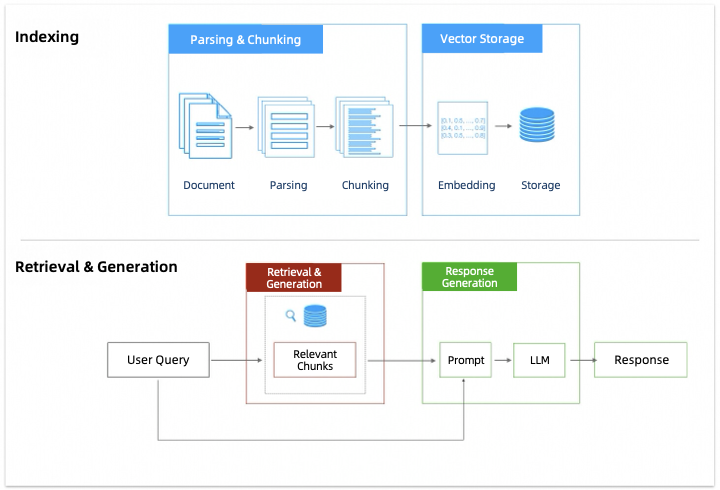
RAG (Retrieval-Augmented Generation) is a technique that combines information retrieval with text generation. It allows a model to use relevant information from an external knowledge base when generating answers.
Its workflow includes several key stages, including parsing and chunking, vector storage, retrieval and recall, and answer generation.
2. Optimize RAG performance
2.1 Preparation
First, ensure that the documents you import into the Model Studio knowledge base meet the following requirements:
- Include relevant knowledge: If the knowledge base lacks relevant information, the model may fail to answer related questions. To resolve this,update the knowledge base and add the necessary knowledge.
-
Use Markdown format (recommended): PDF files often have complex layouts, which can lead to poor parsing results. Convert PDFs to a text format such as Markdown, DOC, or DOCX first. For example, use DashScopeParse to convert a PDF to Markdown, then use a model to clean up the formatting. See the RAG chapter of the Alibaba Cloud large model ACP course.
How should I handle illustrations in documents?
The knowledge base cannot currently parse video or audio content in documents.
- Use clear wording, a reasonable structure, and no special styles: Your document's layout also significantly affects RAG performance. For details, see How should documents be formatted to benefit RAG?.
- Match the prompt language: If user prompts are primarily in one language, such as English, ensure your document content is in the same language. If necessary, such as for technical terms in the document, you can use two or more languages.
-
Entity disambiguation: Unifies different expressions for the same entity in a document. For example, "ML" and "Machine Learning" can be standardized as "Machine Learning".
You can input the document into a model and ask it to standardize the terms. If the document is long, you can split it into multiple parts and input them one by one.
2.2 Parsing and chunking
This section describes only the configuration items in Model Studio for optimizing the RAG chunking stage.First, the knowledge base parses and chunks the documents you import. The main purpose of chunking is to reduce noise during the subsequent vectorization process while preserving semantic integrity. Therefore, the document chunking strategy you select when you create a knowledge base has a significant impact on RAG performance. If the chunking method is unsuitable, it may lead to the following problems:
Short chunks | Long chunks | Semantic truncation |
|---|---|---|
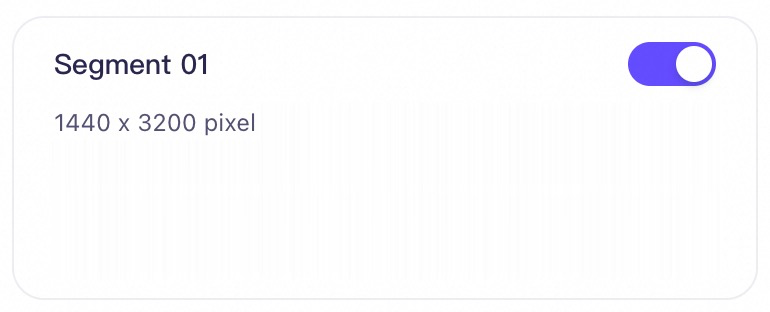 | 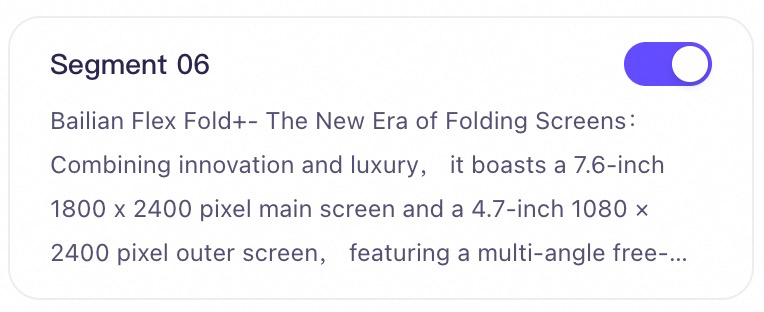 | 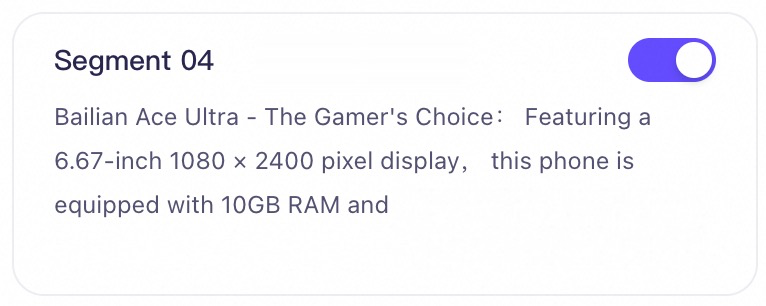 |
Short chunks may lack semantic information, causing retrieval to fail. | Long chunks may include irrelevant topics, causing the recall process to return noisy or irrelevant information. | Forced semantic truncation can cause missing content during recall. |
- When you create a knowledge base, select intelligent chunking for the document chunking method.
- After you successfully import documents into the knowledge base, manually review and correct the content of the text chunks.
2.2.1 Intelligent chunking
Choosing the optimal text chunk length for your knowledge base can be challenging because it depends on multiple factors, such as:
- Document type: For professional literature, longer chunks often help retain more context. For social media posts, shorter chunks can capture semantics more precisely.
- Prompt complexity: Generally, if a user's prompt is complex and specific, you may need longer chunks. Otherwise, shorter chunks might be more appropriate.
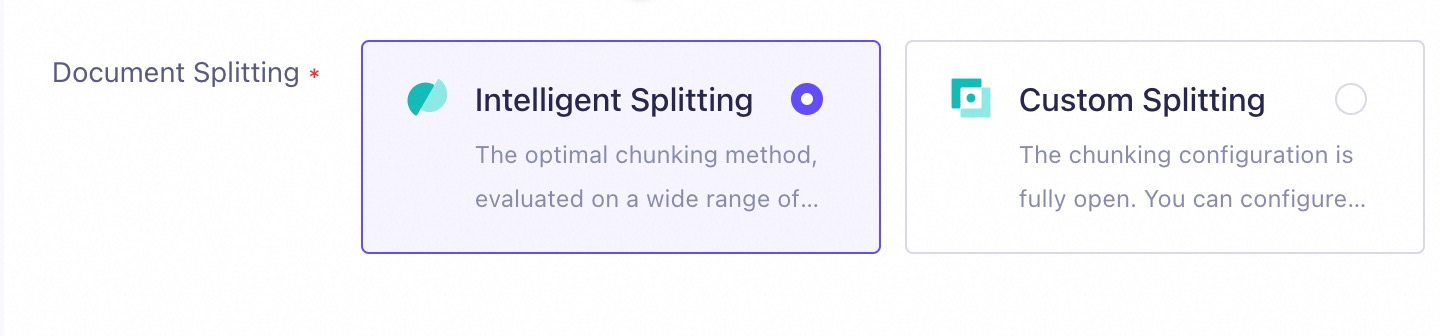
- First uses built-in sentence delimiters to divide the document into paragraphs.
- Based on the divided paragraphs, adaptively selects chunk boundaries based on semantic relevance (semantic chunking), instead of using a fixed length.
2.2.2 Correct chunk content
Of course, during the actual chunking process, unexpected splits or other problems can still occur (for example, spaces in the text are sometimes parsed as %20 after chunking).
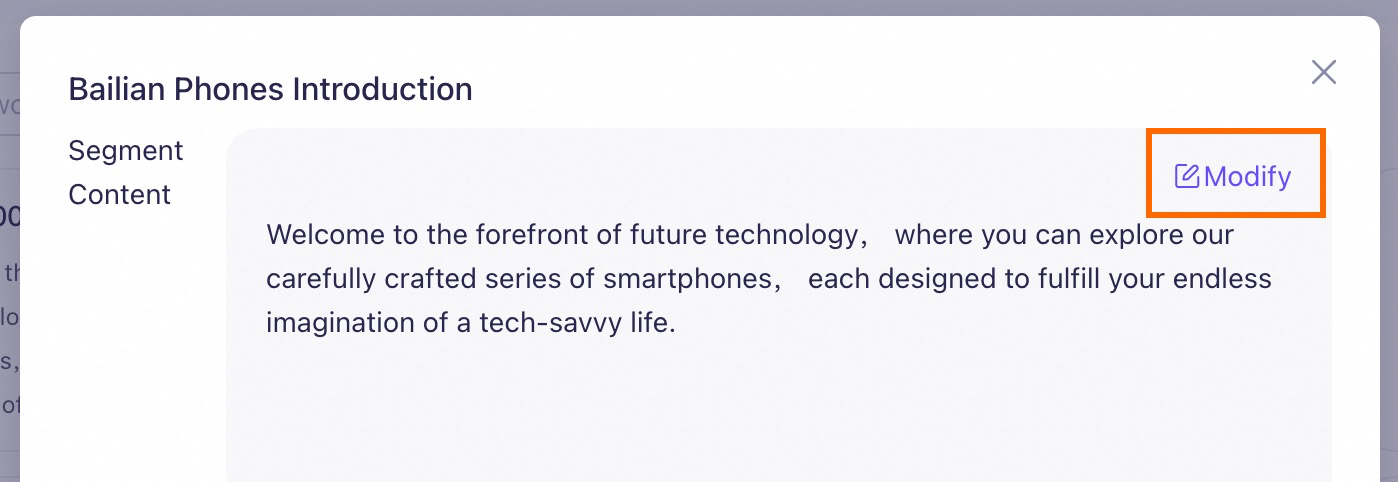
Note that this action modifies only the text chunks in the knowledge base, not the original document or data table in your data management (temporary storage). Therefore, if you re-import the document, you must perform the manual check and correction again.
2.3 Retrieval and recall
This section describes only the configuration items in Model Studio for optimizing the retrieval and recall stage.The main challenge in the retrieval and recall stage is finding the most relevant text chunks from the knowledge base that contain the answer.
| Problem type | Improvement strategy |
|---|---|
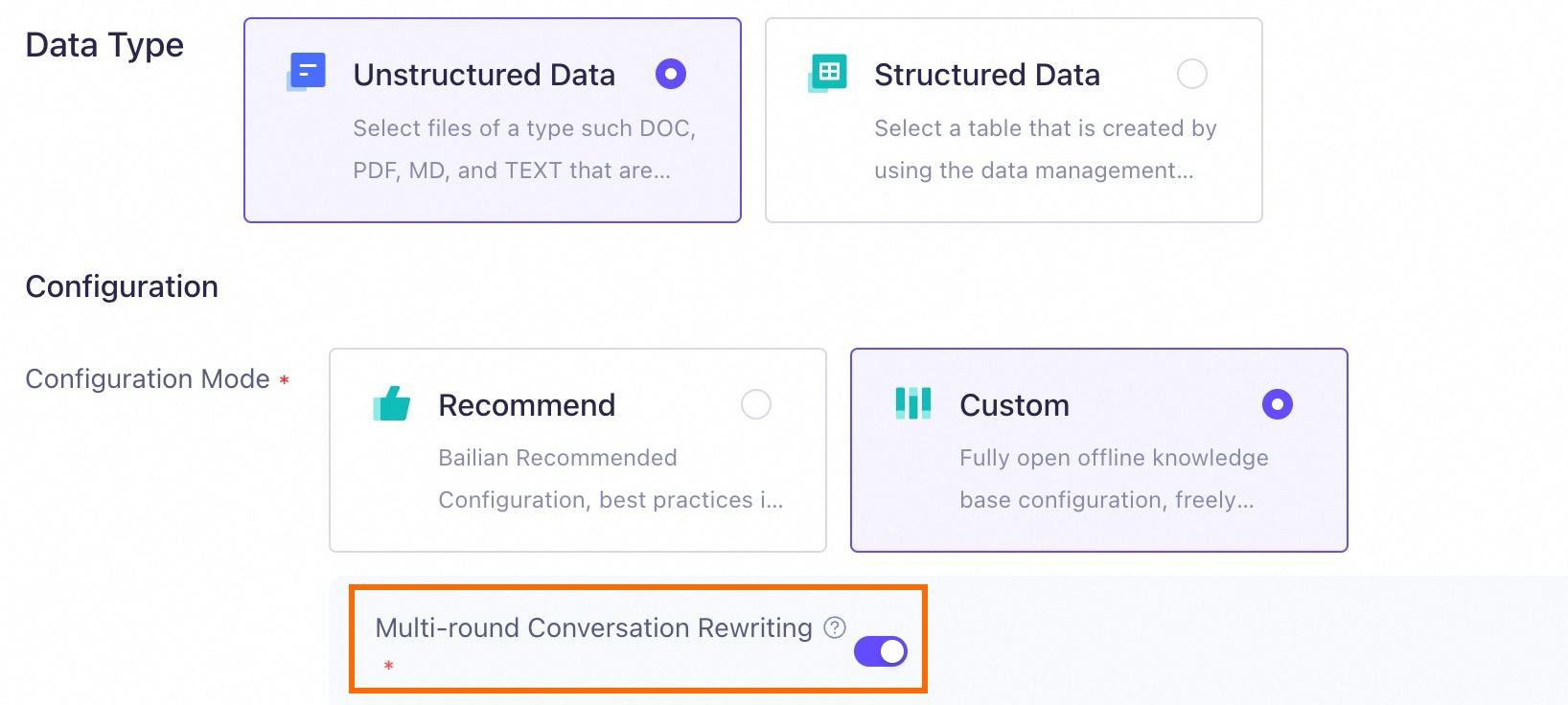
| In multi-turn conversation scenarios, the user's prompt may be incomplete or ambiguous. | Enable multi-turn conversation rewriting. The knowledge base automatically rewrites the user's prompt to be more complete, improving knowledge matching. |
| The knowledge base contains documents from multiple categories. When a search is focused on Category A, the recall results also include text chunks from other categories, such as Category B. | Add tags to documents. During retrieval, the knowledge base first filters relevant documents based on tags before it searches.Only document search knowledge bases support adding tags to documents. |
| The knowledge base contains multiple documents with similar structures, for example, they all contain a "Feature Overview" section. You want to search in the "Feature Overview" section of Document A, but the recall results include information from other similar documents. | Use metadata extraction. The knowledge base runs a structured search with metadata before vector retrieval to accurately find the target document and extract the relevant information.Only document search knowledge bases support document metadata. |
| The recall results are incomplete and do not include all relevant text chunks. | Lower the similarity threshold and increase the number of recalled chunks to retrieve information that was previously missed. |
| The recall results contain a large amount of irrelevant text chunks. | Increase the similarity threshold to exclude information with low similarity to the user's prompt. |
2.3.1 Multi-turn conversation rewriting
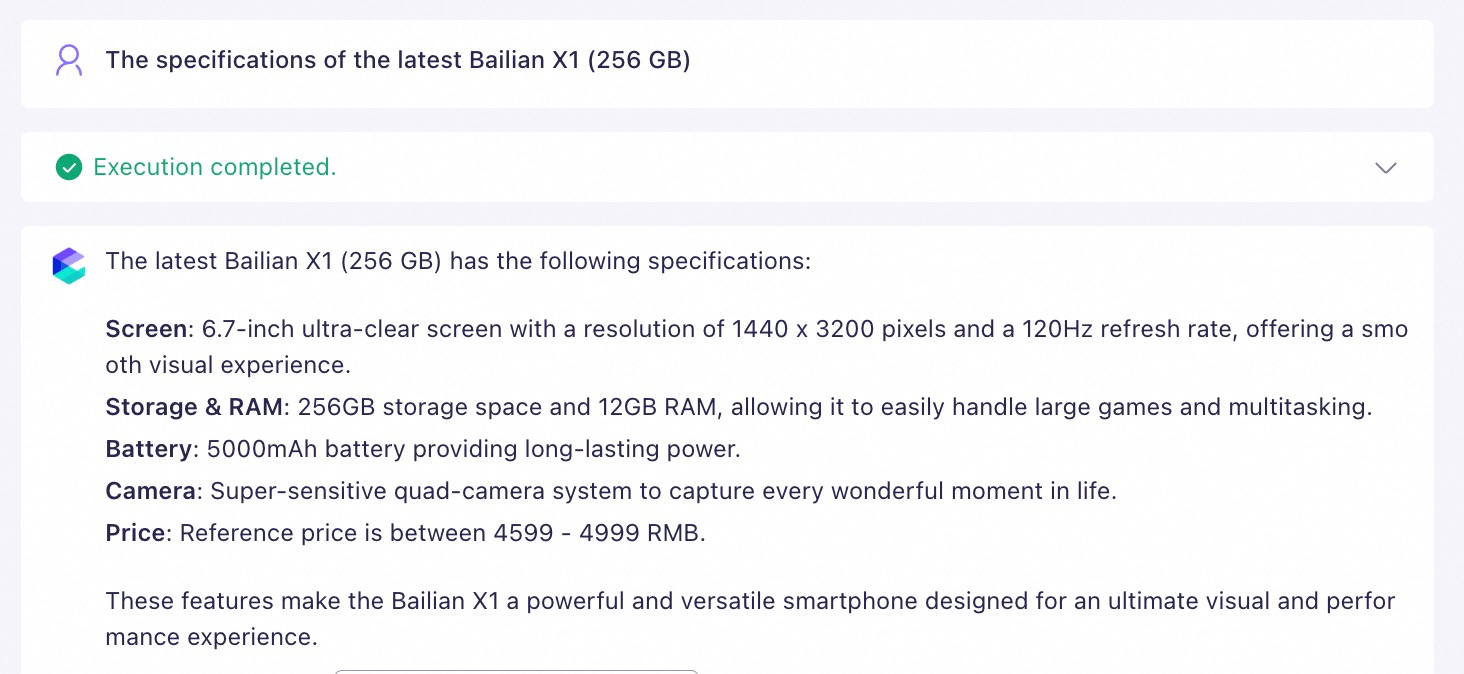
In a multi-turn conversation, a user might ask a question with a short prompt, such as "Model Studio Phone X1." This can cause the RAG system to lack the necessary context during retrieval for the following reasons:
- A phone product often has multiple generations for sale at the same time.
- For the same generation of a product, the manufacturer usually offers multiple storage options, such as 128 GB and 256 GB. ...
2.3.2 Tag filtering
This section applies only to document search knowledge bases.When you use a music app, you might filter songs by artist to quickly find all songs by that artist. Similarly, adding tags to your unstructured documents introduces additional structured information. When retrieving from the knowledge base, the application can first filter documents based on tags, which improves retrieval accuracy and efficiency. Model Studio supports the following two methods for setting tags:
- Set tags when uploading documents: For console steps, see Import data.
-
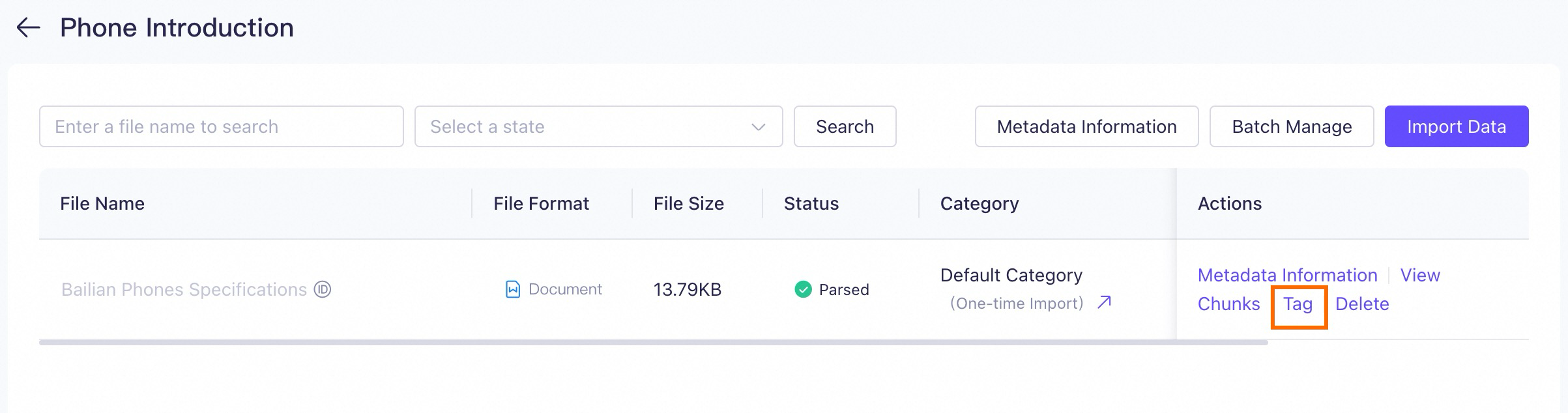
Edit tags on the Data Management page: For uploaded documents, click Tag to the right of the document to edit its tags.
-
When you call a Model Studio application by using an API, you can specify tags in the
tagsrequest parameter. -
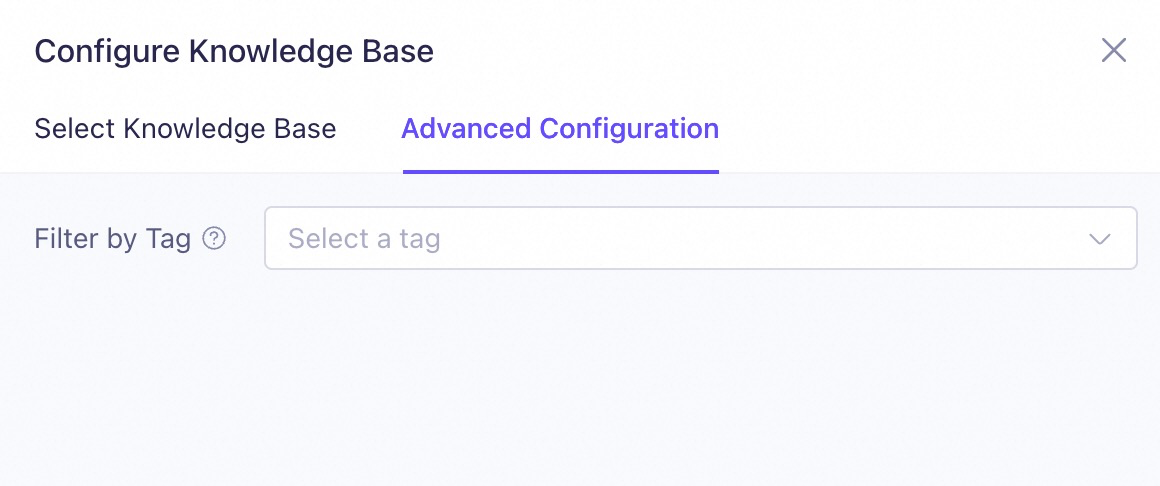
Set tags when editing an application in the console. However, this method is applicable only to agent applications.
Note that this setting applies to all subsequent user questions and answers for this agent application.
2.3.3 Metadata extraction
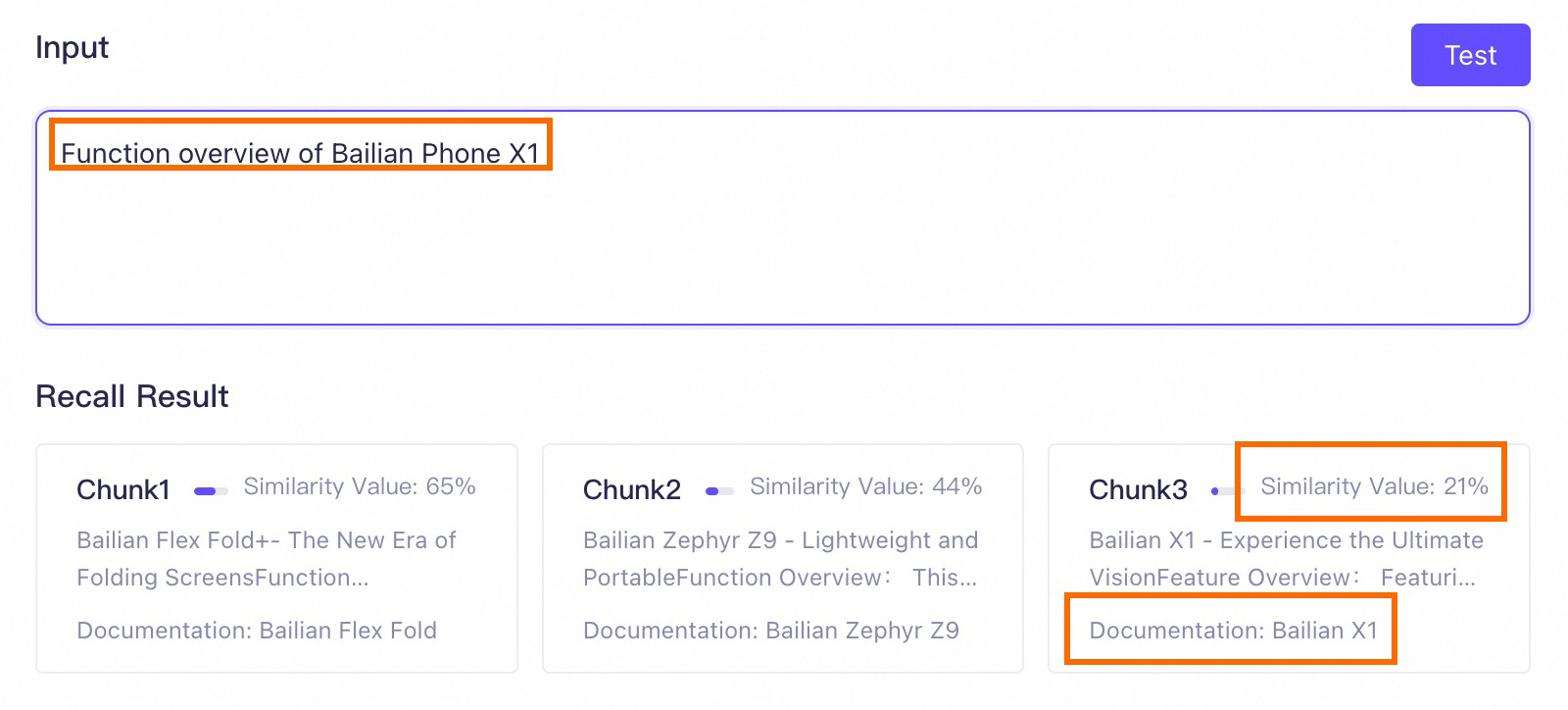
This section applies only to document search knowledge bases.Embedding metadata into text chunks can effectively enhance the context of each chunk. In specific scenarios, this method can significantly improve the RAG performance of document search knowledge bases. Consider the following scenario: A knowledge base contains many phone product manuals. The document names are the phone models (such as Model Studio X1 and Model Studio Zephyr Z9), and all documents include a "Feature Overview" chapter. If metadata is not enabled for this knowledge base, a user might enter the following prompt for retrieval:
The retrieval test results guarantee the ranking, but the absolute similarity score is for reference only. When the difference in absolute values is small (within 5%), the recall probability can be considered the same.
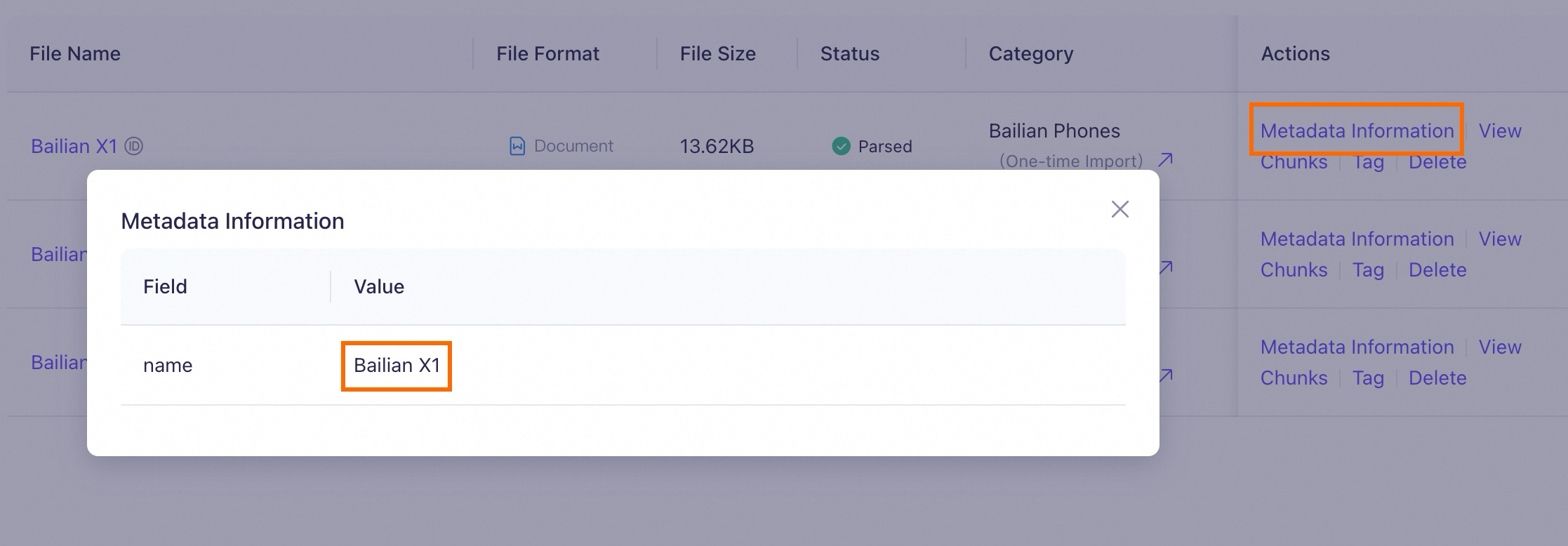
- Extract metadata {"key": "name", "value": "Model Studio Phone X1"} from the prompt.
- Based on the extracted metadata, find all text chunks that contain the "Model Studio Phone X1" metadata.
- Then, perform a vector (semantic) search to find the most relevant text chunks.
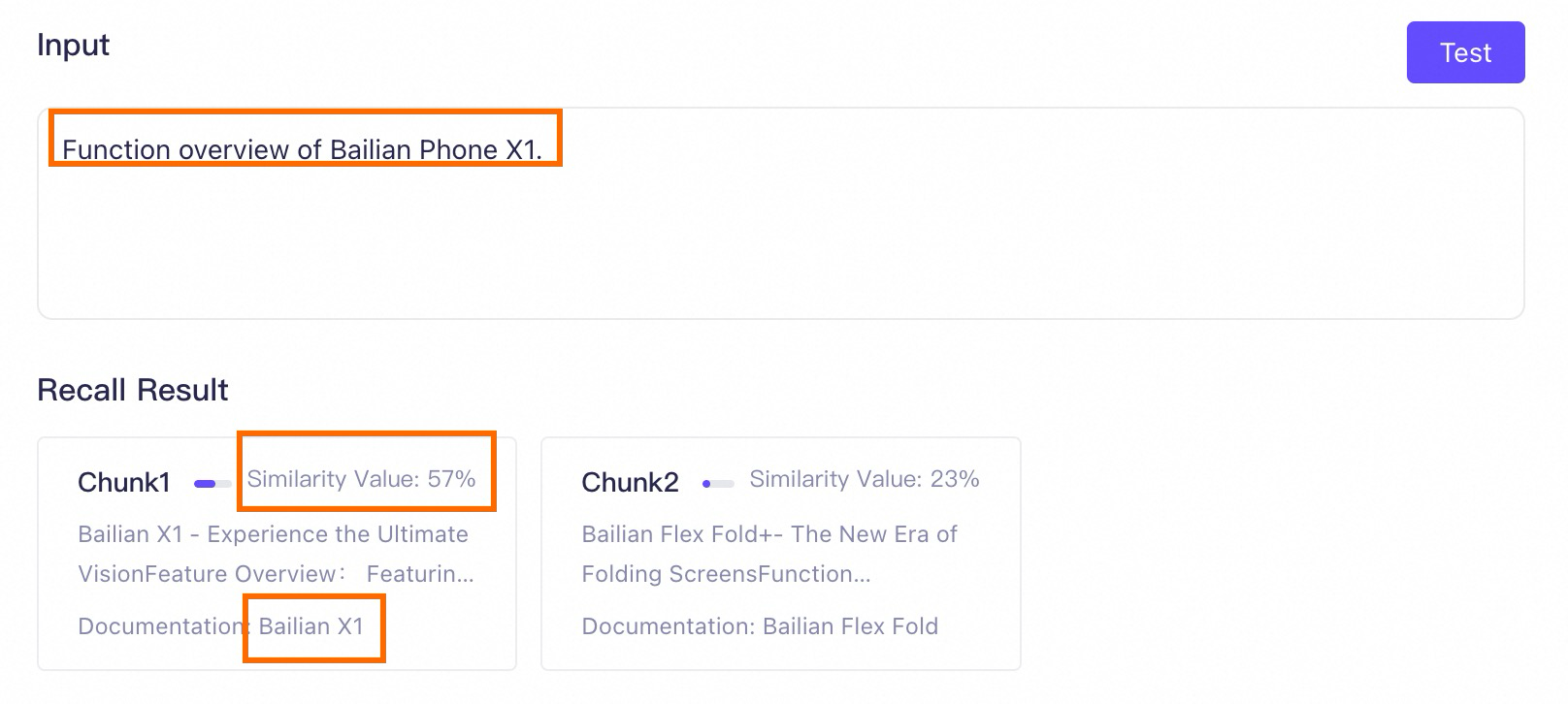
2.3.4 Similarity threshold
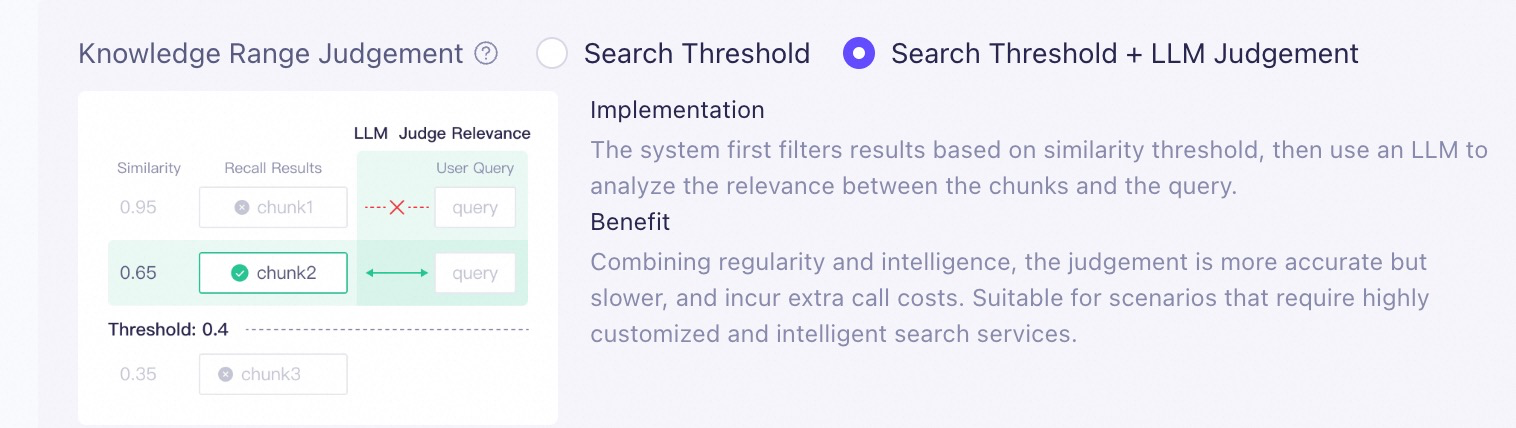
When the knowledge base finds text chunks related to the user's prompt, it first sends them to the Rank model (configured in Custom parameter settings when you create the knowledge base) for reordering. The similarity threshold is then used to filter the reordered text chunks. Only text chunks with a similarity score that exceeds this threshold can be provided to the model.
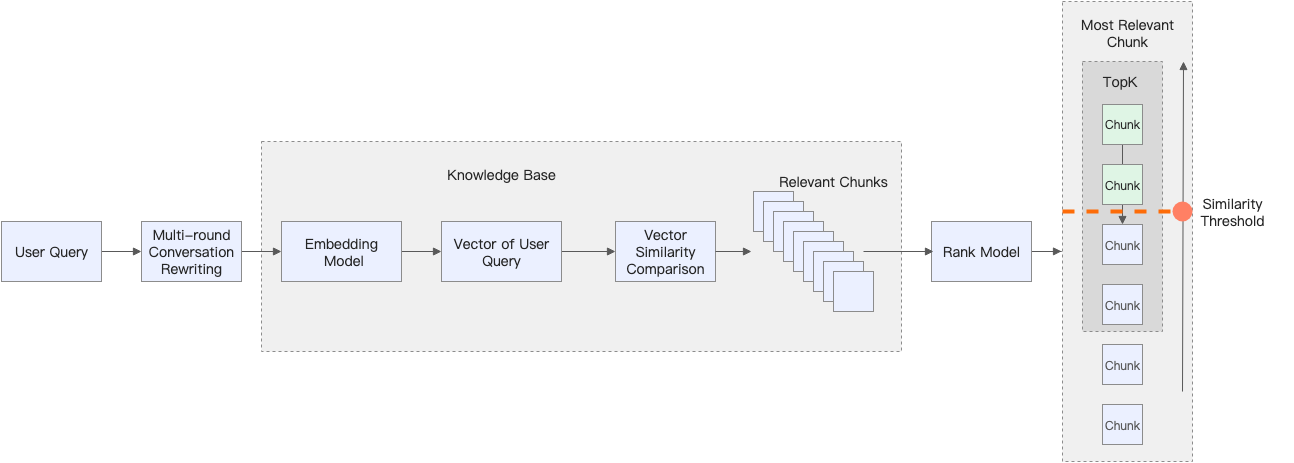
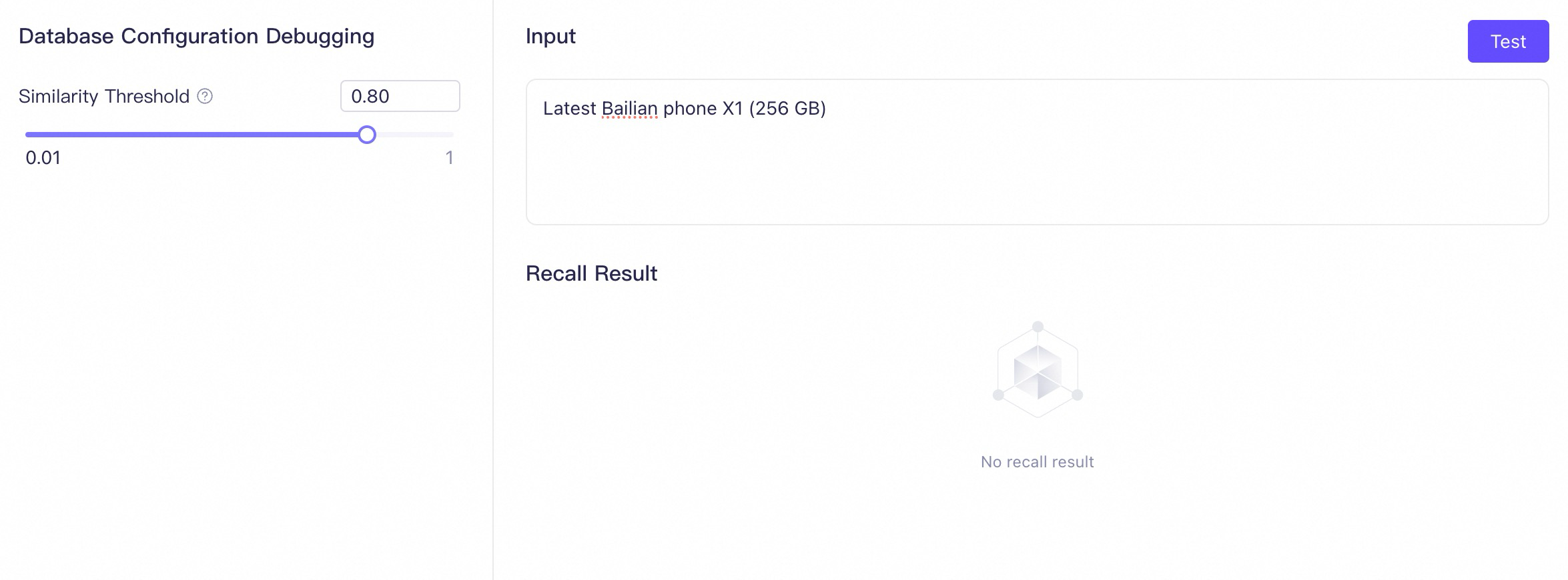
Recommended steps for retrieval testing | |
|  |
2.3.5 Number of recalled chunks
The number of recalled chunks is the K value in the multi-channel recall strategy. After similarity threshold filtering, if the number of text chunks exceeds K, the system selects the K text chunks with the highest similarity scores to provide to the model. Because of this, an inappropriate K value may cause RAG to miss correct text chunks, which affects the model's ability to generate a complete answer.
For example, a user retrieves information with the following prompt:

Many experiments show that in scenarios such as "List...," "Summarize...," and "Compare X and Y...," providing more high-quality text chunks (for example, K=20) to the model is more effective than providing only the top 10 or top 5. Although this may introduce noise, if the text chunk quality is high, a capable model can typically handle it.You can adjust the Number of Recalled Chunks when you edit an application in Model Studio.
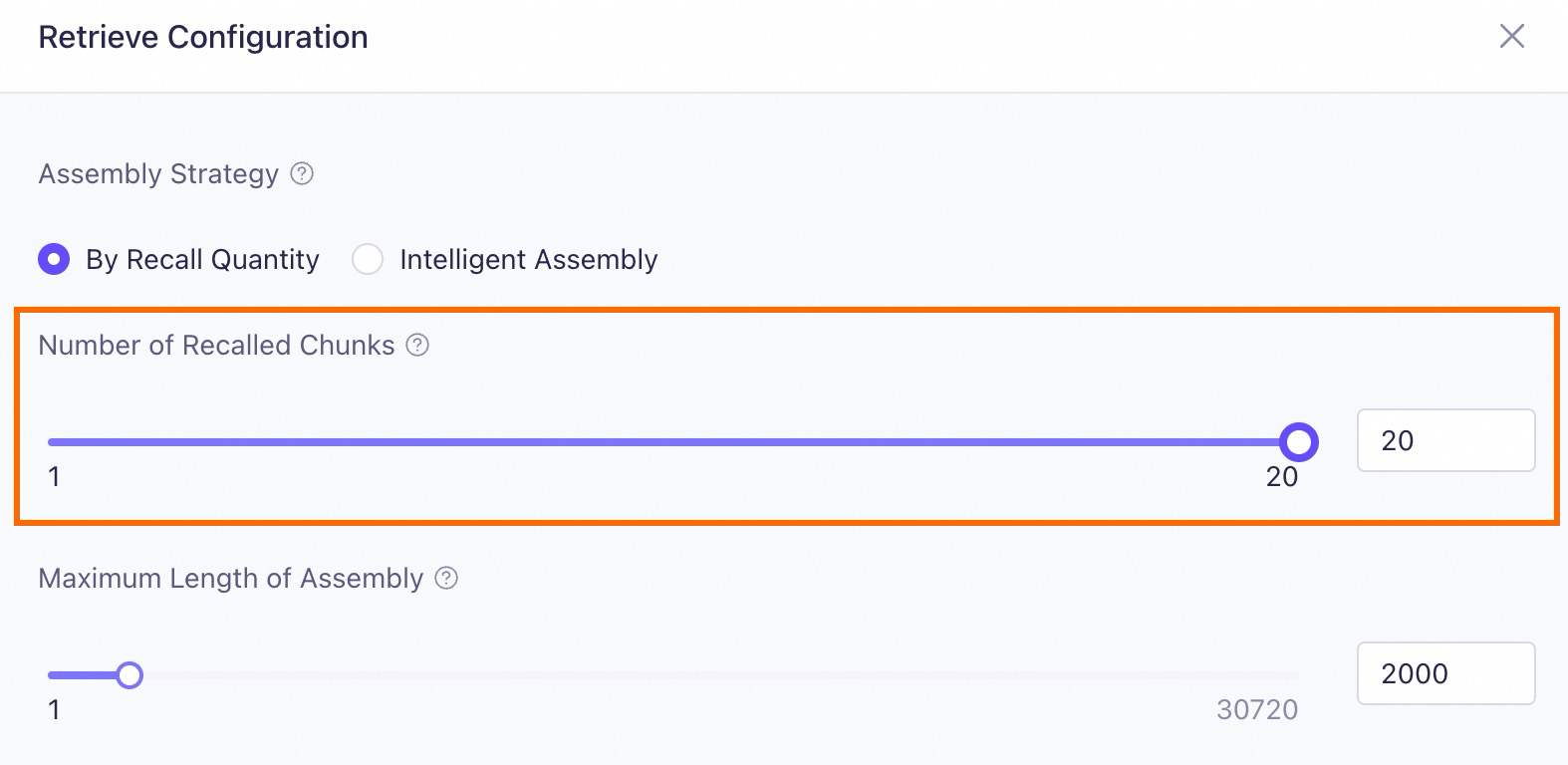
2.4 Answer generation
This section describes only the configuration items that Model Studio supports for optimization in the answer generation stage.At this point, the model can generate the final answer based on the user's prompt and the content retrieved from the knowledge base. However, the returned result may still not meet your expectations.
Problem type | Improvement strategy |
|---|---|
The model does not understand the relationship between the knowledge and the user's prompt. The answer seems to be stitched together from disparate pieces of text. | Select a suitable model to effectively understand the relationship between the knowledge and the user's prompt. |
The returned result does not follow the instructions or is not comprehensive. | |
The returned result is not accurate enough. It contains the model's own general knowledge and is not fully grounded in the knowledge base. | Enable rejection to restrict answers to only the knowledge retrieved from the knowledge base. |
For similar prompts, you want the results to be either consistent or varied. |
2.4.1 Model selection
Different large models have different capabilities in areas such as instruction following, language support, long text, and knowledge understanding. This can lead to the following situation:
Model A failed to effectively understand the relationship between the retrieved knowledge and the prompt, and the generated response could not accurately address the user's prompt. Switching to Model B, which has more parameters or stronger specialized capabilities, may resolve this issue.
You can Select Model when you edit an application in Model Studio based on your actual needs.

Qwen-Max and Qwen-Plus. These commercial large models have the latest capabilities and improvements compared to their open-source versions.
- For simple information queries and summarization, large models with a small number of parameters are sufficient, such as
Qwen-Turbo. - If you want RAG to perform more complex logical reasoning, select a large model with more parameters and stronger reasoning capabilities, such as
Qwen-Max. - If your query requires referencing many document snippets, you should select a large model with a longer context length, such as
Qwen-Plus. - If you build a RAG application for a specialized domain, such as the legal domain, use a model trained for that specific domain, such as
Qwen-Legal.
2.4.2 Prompt template optimization
You can influence a model's behavior and improve RAG performance by engineering the prompt that guides how it uses retrieved knowledge.
The following are three common optimization methods:
Method 1: Constrain the output content
You can provide contextual information, instructions, and the expected output format in the prompt template to instruct the model. For example, you can add the following output instruction:
| Prompt template | Result |
|---|---|
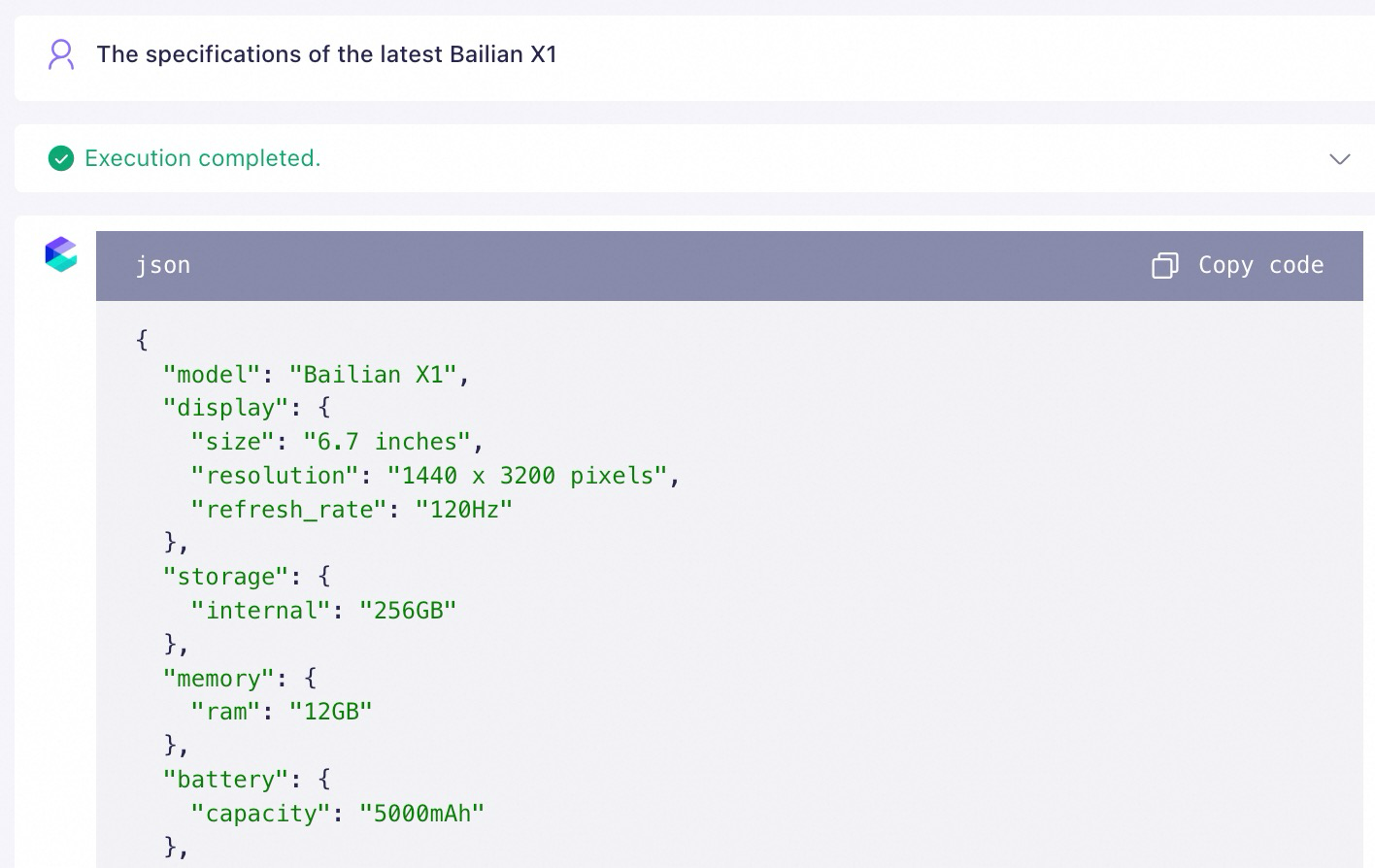 | |
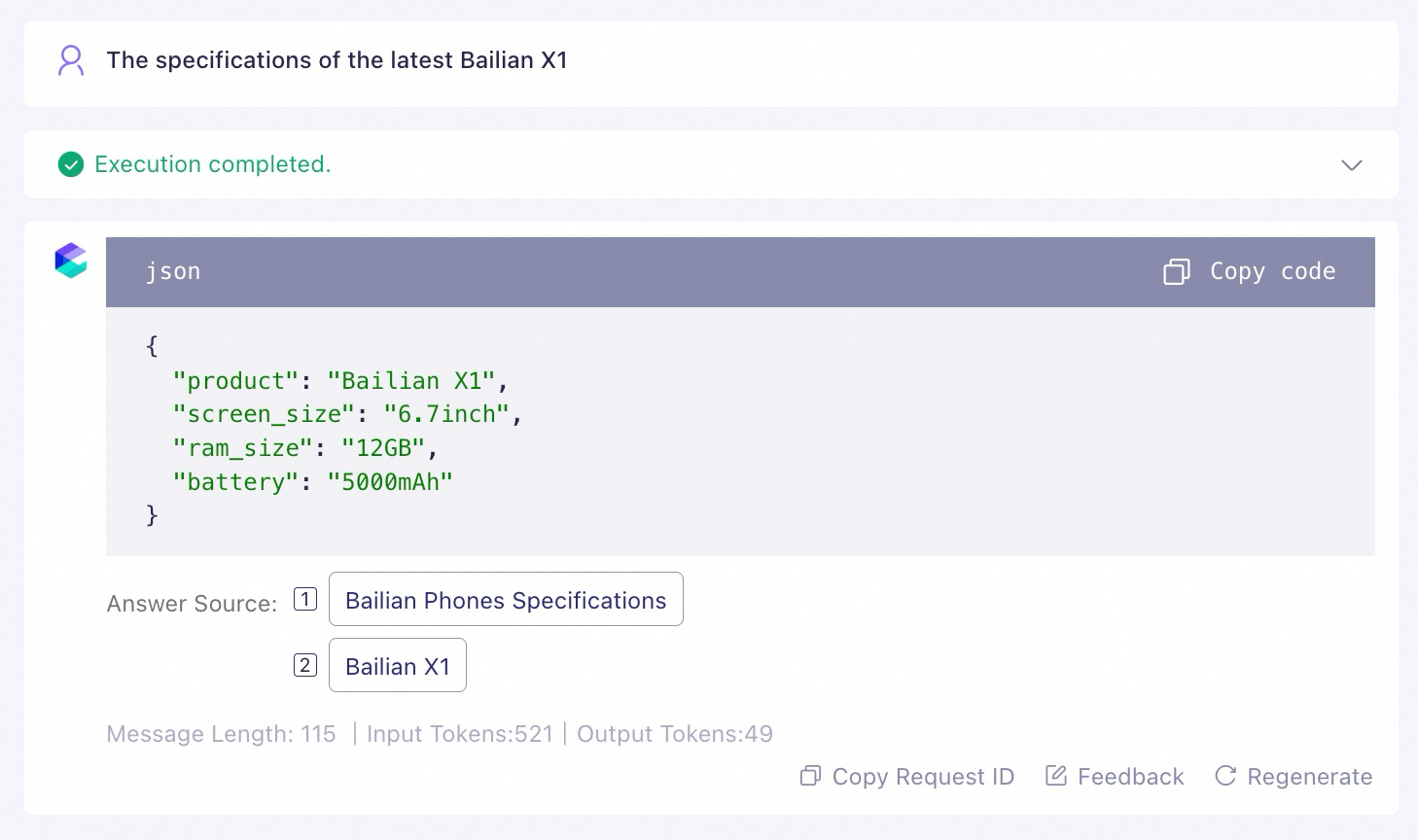 |
${documents} variable.
In addition, to ensure the best results, make sure that the variable ${documents} appears only once in your prompt template. For reference, see the correct example on the left below.
2.4.3 Rejection
If you want the results returned by your Model Studio application to be strictly based on the knowledge retrieved from the knowledge base, and to exclude the influence of the model's own general knowledge, you can set the answer scope to Knowledge Base Only when you edit the application.
For cases where no relevant knowledge is found in the knowledge base, you can also set a fixed, automatic reply.
Answer scope: Knowledge Base + LLM Knowledge | Answer scope: Knowledge Base Only |
 |  |
The result returned by the Model Studio application will be a combination of knowledge retrieved from the knowledge base and the model's own general knowledge. | The result returned by the Model Studio application will be strictly based on the knowledge retrieved from the knowledge base. |
Sorry, no relevant phone models were found.
Successful query | Unsuccessful query |
|---|---|
 | 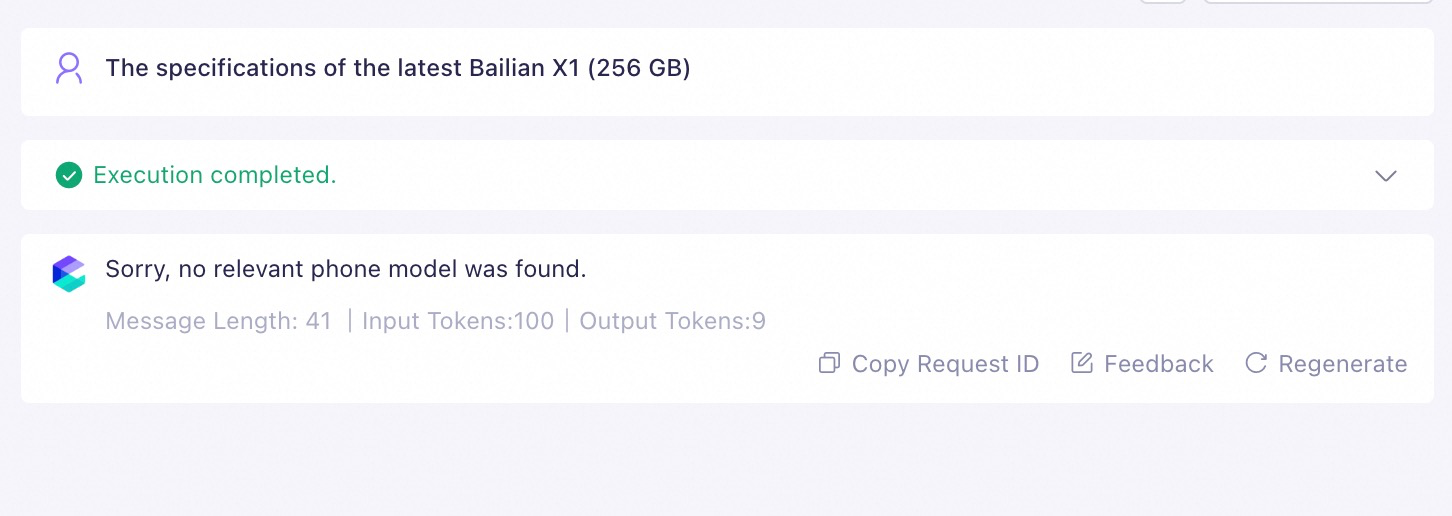 |
2.4.4 Model parameters
To control whether the model provides consistent or varied responses to similar prompts, you can modify the Configure Parameters to adjust the model parameters when you edit the application.
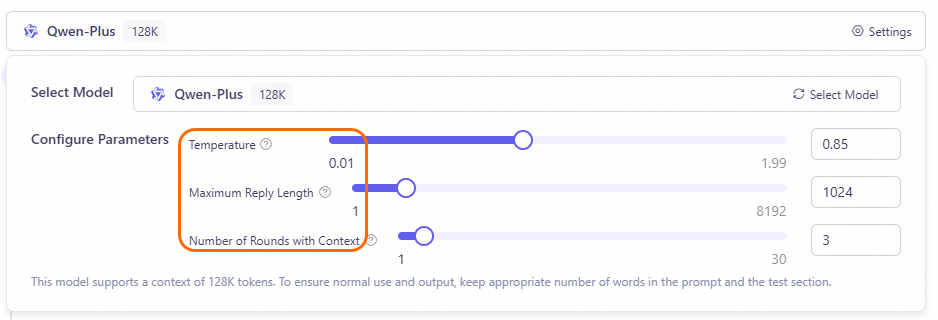
- Diverse text is suitable for creative writing (such as novels and ad copy), brainstorming, and chat application scenarios.
- Deterministic text is suitable for scenarios with clear answers (such as problem analysis, multiple-choice questions, and fact-finding) or that require precise wording (such as technical documents, legal texts, news reports, and academic papers).
3. FAQ
How should documents be formatted to benefit RAG?
How should documents be formatted to benefit RAG?
Document content layout recommendations
- Use clear heading levels. Ensure the content under each heading is clear and self-contained.
- Avoid watermarks.
- Avoid nesting list levels under an item in the middle of a list.
- Avoid tables and images where possible, as complex tables can affect parsing quality.


- Content under each heading is clear and relatively independent.
- No watermarks.
- A list appears under the heading, but it does not contain nested lists.
- No tables or images.