

The Wanxiang universal video editing model supports multimodal inputs (text, image, and video) and provides five core capabilities: multi-image reference, video repainting, local editing, video extension, and video outpainting .
Applicable scope
- Supported models vary by region. Resources are isolated between regions. For supported models in each region, see the Model Studio console.
- When making a call, make sure your model, endpoint URL, and API key all belong to the same region. Cross-region calls fail.
The sample code in this topic applies to the Singapore region.
Core capabilities
Multi-image reference
Function introduction: Supports up to 3 reference images, which can include subjects and backgrounds (such as people, animals, clothing, and scenes). The model merges multiple images to generate coherent video content.
Parameters:
function: Must be set toimage_reference.ref_images_url: An array of URLs. You can input 1 to 3 reference images.obj_or_bg: Identifies each image as a subject (obj) or background (bg). The length must be the same asref_images_url.
| Input prompt | Input reference image 1 (reference subject) | Input reference image 2 (reference background) | Output video |
| In the video, a girl walks out from the depths of an ancient, misty forest. Her steps are light, and the camera captures her every graceful moment. When she stops and looks around at the lush woods, a smile of surprise and joy appears on her face. This moment, captured in the interplay of light and shadow, records her wonderful encounter with nature. | 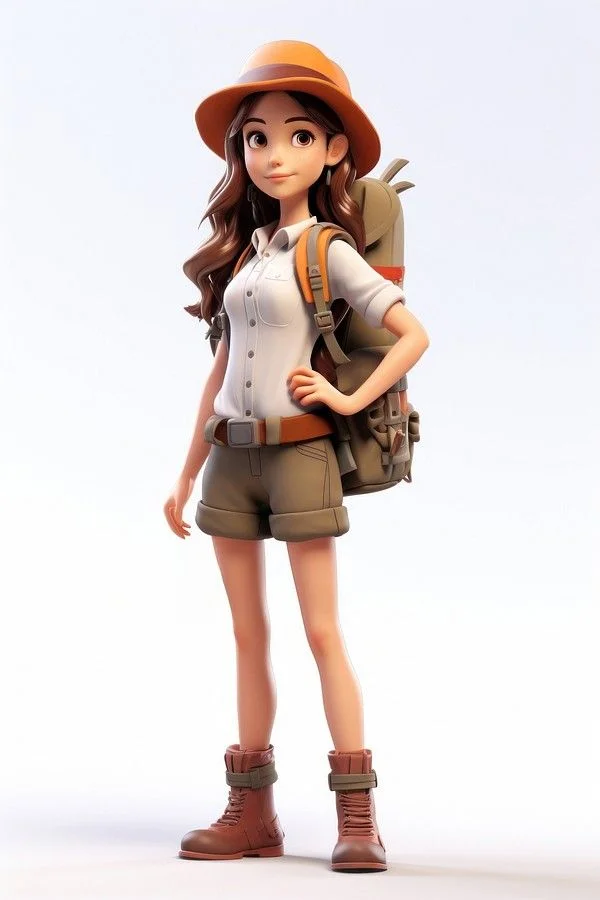 | 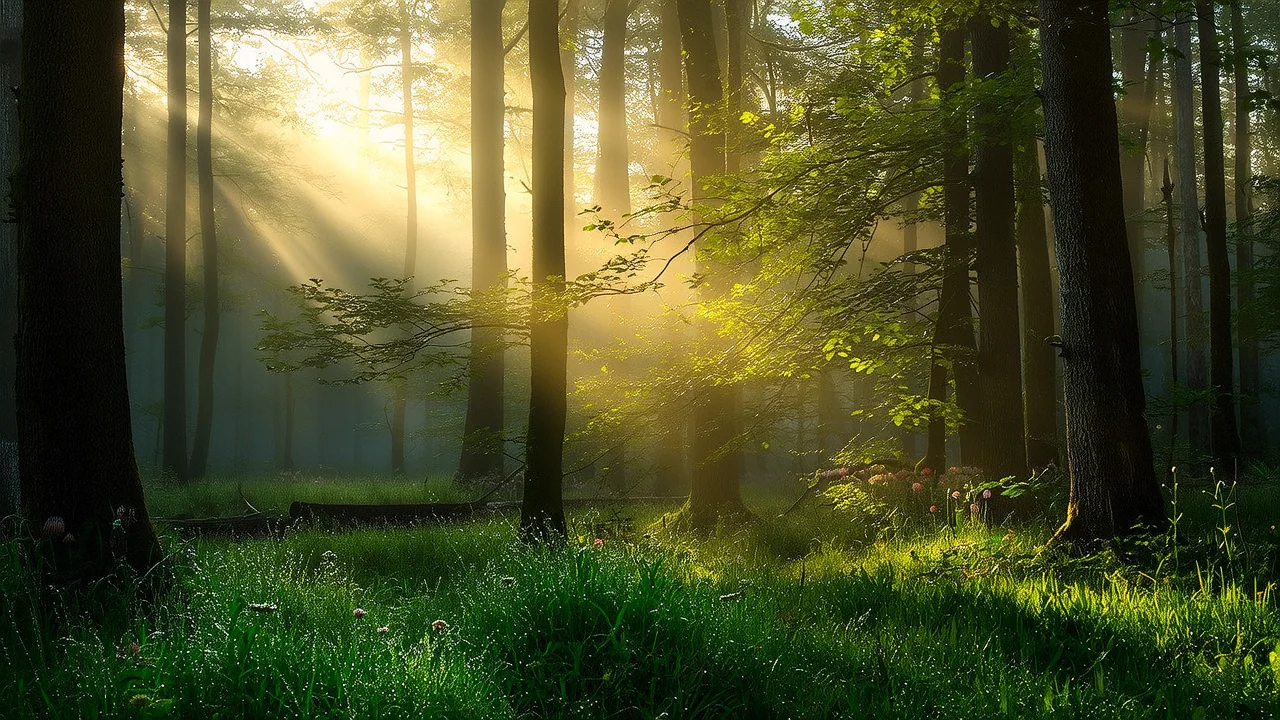 |
- curl
- Python
- Java
Step 1: Create a task to obtain a task IDStep 2: Retrieve the result based on the task IDReplace
{task_id} with the task_id value returned by the previous API call. The task_id is valid for queries for 24 hours, Replace {WorkspaceId} with your actual workspace ID.Video repainting
Function introduction: Extracts the subject's pose and actions, composition and motion contours, or sketch structure from an input video. It then generates a new video with the same dynamic features based on a text prompt. You can also replace the subject in the original video using a reference image.
Parameters:
-
function: Must be set tovideo_repainting. -
video_url: Required. The URL of the input video (MP4 format, ≤50 MB, ≤5 seconds). -
control_condition: Required. Sets the method for video feature extraction, which determines which features of the original video are retained in the new video.posebodyface: Extracts facial expressions and body movements (retains facial expression details).posebody: Extracts only body movements, excluding the face (controls only body actions).depth: Extracts composition and motion contours (retains scene structure).scribble: Extracts the sketch structure (retains sketch edge details).
-
strength: Optional. Controls the strength of feature extraction. The range is [0.0, 1.0]. The default is 1.0. A larger value makes the output closer to the original video, while a smaller value allows for more creative freedom. -
ref_images_url: Optional. Provide the URL of one reference image to replace the subject in the input video.
| Input prompt | Input video | Output video |
| The video shows a black steampunk-style car driven by a gentleman, adorned with gears and copper pipes. The background is a steam-powered candy factory with retro elements, creating a vintage and playful scene. |
- curl
- Python
- Java
Step 1: Create a task to obtain a task IDStep 2: Retrieve the result based on the task IDReplace
{task_id} with the task_id value returned by the previous API call. The task_id is valid for queries for 24 hours, Replace {WorkspaceId} with your actual workspace ID.Local editing
Function introduction: Performs fine-grained editing on specified areas of a video. It supports adding, deleting, or modifying elements, and replacing subjects or backgrounds. You can upload a mask image to specify the editing area, and the model will automatically track the target and blend the generated content.
Parameters:
-
function: Must be set tovideo_edit. -
video_url: Required. The URL of the original input video. -
mask_image_url: Optional. Choose between this andmask_video_url. We recommend using this parameter. You can input the URL of a mask image where the white area represents the part to be edited and the black area remains unchanged. -
mask_frame_id: Optional. Used withmask_image_urlto specify which frame of the video the mask corresponds to (default is the first frame). -
mask_type: Optional. Specifies the behavior of the editing area:tracking(default): The editing area automatically follows the motion trajectory of the target object.fixed: The editing area remains in a fixed position.
-
expand_ratio: Optional. Effective only whenmask_typeistracking.- Function: Sets the ratio by which the mask area expands outward. The value range is [0.0, 1.0], and the default is 0.05.
- Description: A smaller value makes the mask fit the target more closely. A larger value expands the mask's range.
-
ref_images_url: Optional. Provide the URL of one reference image to replace the content in the editing area with the content of the reference image.
| Input prompt | Input video | Input mask image | Output video |
| The video shows a Parisian-style French cafe where a lion in a suit is elegantly drinking coffee. It holds a coffee cup in one hand, sipping with a relaxed expression. The cafe is tastefully decorated, with soft tones and warm lighting illuminating the area where the lion is. |  The white area indicates the editing area. |
- curl
- Python
- Java
Step 1: Create a task to obtain a task IDStep 2: Retrieve the result based on the task IDReplace
{task_id} with the task_id value returned by the previous API call. The task_id is valid for queries for 24 hours, Replace {WorkspaceId} with your actual workspace ID.Video extension
Function introduction: Predicts and generates continuous subsequent content based on an input image or video clip. It supports extending forward from the "first frame/first clip" or extending backward from the "last frame/last clip". The total duration of the final generated video is fixed at 5 seconds.
Parameters:
-
function: Must be set tovideo_extension. -
prompt: Required. Describes the desired extended content. -
first_clip_url: Optional. You can input the URL of the first video clip (≤3 seconds). The model will generate the rest of the video based on this clip. -
last_clip_url: Optional. You can input the URL of the last video clip (≤3 seconds). The model will generate the preceding part of the video based on this clip. -
first_frame_url: Optional. You can input the URL of the first frame image. The video will be extended forward from this frame. -
last_frame_url: Optional. You can input the URL of the last frame image. The video will be extended backward from this frame.Note: You must provide at least one of the following four parameters as input: first_clip_url, last_clip_url, first_frame_url, or last_frame_url.
| Input prompt | Input first clip (1 second) | Output video (extended to 5 seconds) |
| A dog wearing sunglasses is skateboarding on the street, 3D cartoon. |
- curl
- Python
- Java
Step 1: Create a task to obtain a task IDStep 2: Retrieve the result based on the task IDReplace
{task_id} with the task_id value returned by the previous API call. The task_id is valid for queries for 24 hours, Replace {WorkspaceId} with your actual workspace ID.Video outpainting
Function introduction: Expands the video content in the top, bottom, left, and right directions based on a prompt and a specified ratio, while maintaining the coherence of the video's subject and the natural blending of the background.
Parameters:
function: Must be set tovideo_outpainting.video_url: Required. The URL of the original input video.top_scale: Optional. The upward expansion ratio. The range is [1.0, 2.0]. The default is 1.0 (no expansion).bottom_scale: Optional. The downward expansion ratio. The range is [1.0, 2.0]. The default is 1.0.left_scale: Optional. The leftward expansion ratio. The range is [1.0, 2.0]. The default is 1.0.right_scale: Optional. The rightward expansion ratio. The range is [1.0, 2.0]. The default is 1.0.
Example: Setting left_scale to 1.5 means the left side of the frame will be expanded to 1.5 times its original width.
| Input prompt | Input video | Output video |
| An elegant lady is passionately playing the violin, with a full symphony orchestra behind her. |
- curl
- Python
- Java
Step 1: Create a task to obtain a task IDStep 2: Retrieve the result based on the task IDReplace
{task_id} with the task_id value returned by the previous API call. The task_id is valid for queries for 24 hours, Replace {WorkspaceId} with your actual workspace ID.How to input images and videos
Input images
- Number of images: You can provide the number of images corresponding to the selected feature.
-
Input methods:
- Public URL: Supports the HTTP or HTTPS protocol. Example: https://xxxx/xxx.png.

Input videos
- Number of videos: You can provide the number of videos corresponding to the selected feature.
-
Input methods:
- Public URL: Supports the HTTP or HTTPS protocol. Example: https://xxxx/xxx.mp4.
Output videos
- Number of videos: 1.
- Video specifications: The total resolution is fixed at 720P, with a frame rate of 30 fps, in MP4 format (H.264 encoding).
- Video URL validity: 24 hours.
-
Video dimensions: Vary depending on the selected feature.
-
Multi-image reference / Local editing:
- The output resolution is fixed at 720P.
- The specific width and height are determined by the size request parameter.
-
Video repainting / Video extension / Video outpainting:
- If the input video resolution is ≤ 720P: The output maintains the original resolution.
- If the input video resolution is > 720P: The output is scaled down to 720P while maintaining the aspect ratio.
-
Multi-image reference / Local editing:
Billing and rate limiting
- For more information about the model's free quota and billing rates, see Model pricing.
- For more information about model rate limits, see Wanxiang series.
-
Billing description:
- You are not billed for inputs. Billing is based on the duration in seconds of the successfully generated video.
- Failed model calls or processing errors do not incur any fees and do not consume the new user free quota.
- Universal video editing also supports savings plans.
API documentation
Universal video editing API reference
FAQ
Q: How many images does the multi-image reference feature support at most?
A: It supports up to 3 reference images. If you provide more than 3, only the first 3 are used as input. We recommend using a solid background for the subject image to better highlight the subject, and a background image that does not contain any subjects.
Q: When should I disable prompt rewriting for video repainting?
A: When the text description is inconsistent with the input video content, the model may misinterpret it. We recommend manually disabling prompt rewriting by setting prompt_extend=false, and providing a clear, specific description of the scene in the prompt to improve generation consistency and accuracy.
Q: In the local editing feature, what is the difference between a mask image and a mask video?
A: You must provide either mask_image_url or mask_video_url. We recommend using a mask image. You only need to specify the editing area for one frame, and the system will automatically track the target.