Video generation and editing

Image-to-video: first and last frames

The Wan image-to-video model generates smooth videos from a first-frame image, a last-frame image, and an optional text prompt.

  • Video specifications: Fixed 5-second duration and custom resolution (480P/720P/1080P).
  • Additional capabilities: Prompt rewriting and watermarking.
Quick links: API reference | Prompt guide

Getting started

PromptFirst frameLast frameOutput video
A cute blue monster with a slightly sad expression stands in the rain. The camera slowly zooms in and stops on the moment it looks up at the sky.
image
image
Before calling the API: Get an API key, set it as an environment variable, and install the DashScope SDK.
  • Python SDK
  • Java SDK
  • curl
Requires DashScope Python SDK ≥ 1.25.8 before running the code below. Older versions may show "url error, please check url!" errors. Install the SDK.
import os
from http import HTTPStatus
from dashscope import VideoSynthesis
import dashscope

# The following URL is for the Singapore region. When calling, replace {WorkspaceId} with your actual workspace ID. URLs vary by region. Get your URL: https://www.alibabacloud.com/help/en/model-studio/image-to-video-by-first-and-last-frame-api-reference
dashscope.base_http_api_url = 'https://{WorkspaceId}.ap-southeast-1.maas.aliyuncs.com/api/v1'
# API keys differ by region. Get your API key: https://www.alibabacloud.com/help/en/model-studio/get-api-key
api_key = os.getenv("DASHSCOPE_API_KEY", "YOUR_API_KEY")

print('please wait...')
rsp = VideoSynthesis.call(api_key=api_key,
                          model="wan2.2-kf2v-flash",
                          prompt="A cute blue monster with a slightly sad expression stands in the rain. The camera slowly zooms in and stops on the moment it looks up at the sky.",
                          first_frame_url="https://help-static-aliyun-doc.aliyuncs.com/file-manage-files/zh-CN/20260126/ixdxvt/wan-kf2v-blue-1.png",
                          last_frame_url="https://help-static-aliyun-doc.aliyuncs.com/file-manage-files/zh-CN/20260126/nhtdrc/wan-kf2v-blue-2.png",
                          duration=5,  # Fixed at 5 seconds. Do not change.
                          prompt_extend=True,
                          watermark=True)
print(rsp)
if rsp.status_code == HTTPStatus.OK:
    print("video_url:", rsp.output.video_url)
else:
    print('Failed, status_code: %s, code: %s, message: %s' % (rsp.status_code, rsp.code, rsp.message))
Sample output
video_url expires after 24 hours. Download the video promptly.
{
    "request_id": "c1209113-8437-424f-a386-xxxxxx",
    "output": {
        "task_id": "966cebcd-dedc-4962-af88-xxxxxx",
        "task_status": "SUCCEEDED",
        "video_url": "https://dashscope-result-sh.oss-accelerate.aliyuncs.com/xxx.mp4?Expires=xxx",
         ...
    },
    ...
}

Availability

  • Supported models vary by region. Resources are isolated between regions. For supported models in each region, see the Model Studio console.
  • When making a call, make sure your model, endpoint URL, and API key all belong to the same region. Cross-region calls fail.
Sample codes in this topic apply to the Singapore region.

Core capabilities

Generate video from first and last frames

Supported models: All models. Generates smooth videos from first-frame and last-frame images. Parameters:
  • first_frame_url: Required. Provide the first-frame image.
  • last_frame_url: Required. Provide the last-frame image.
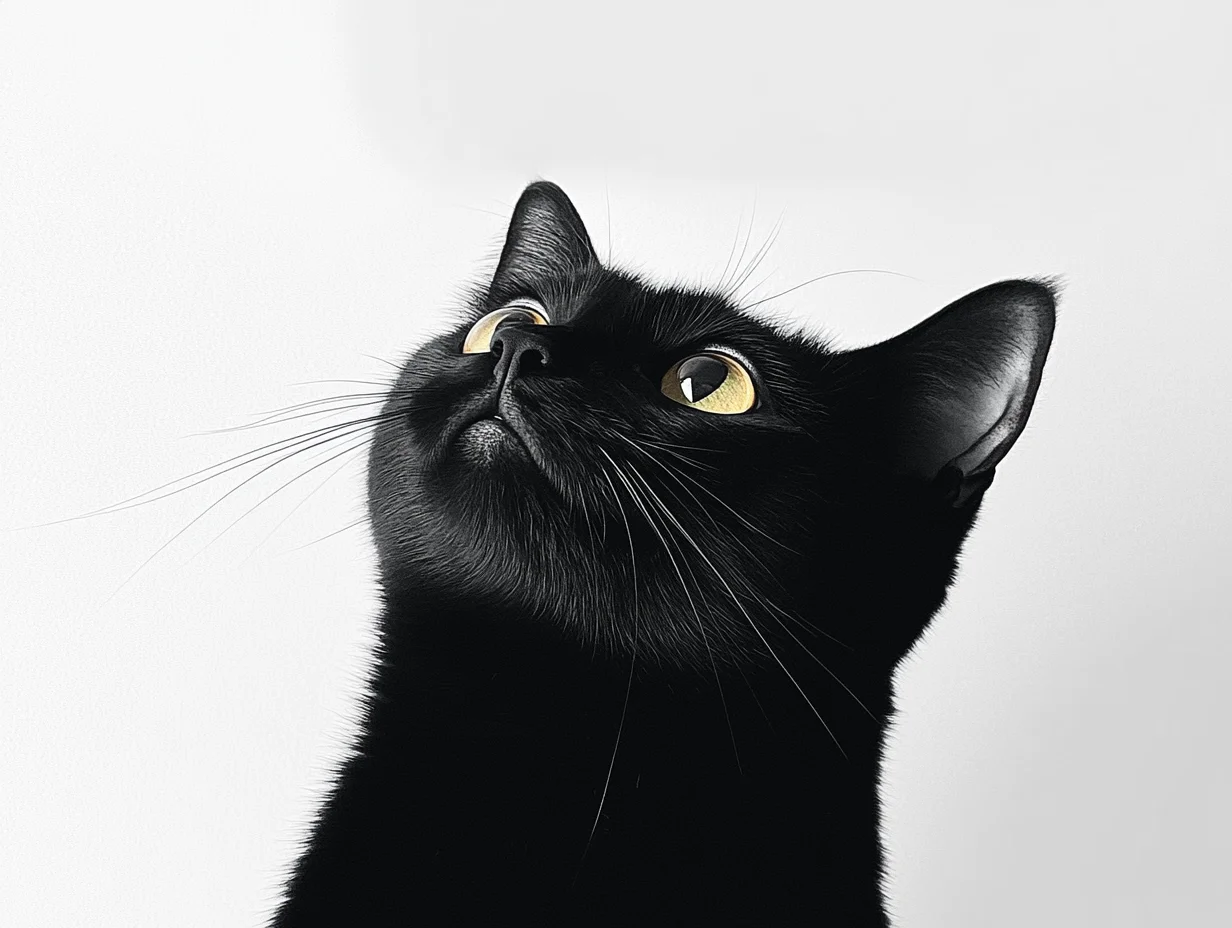
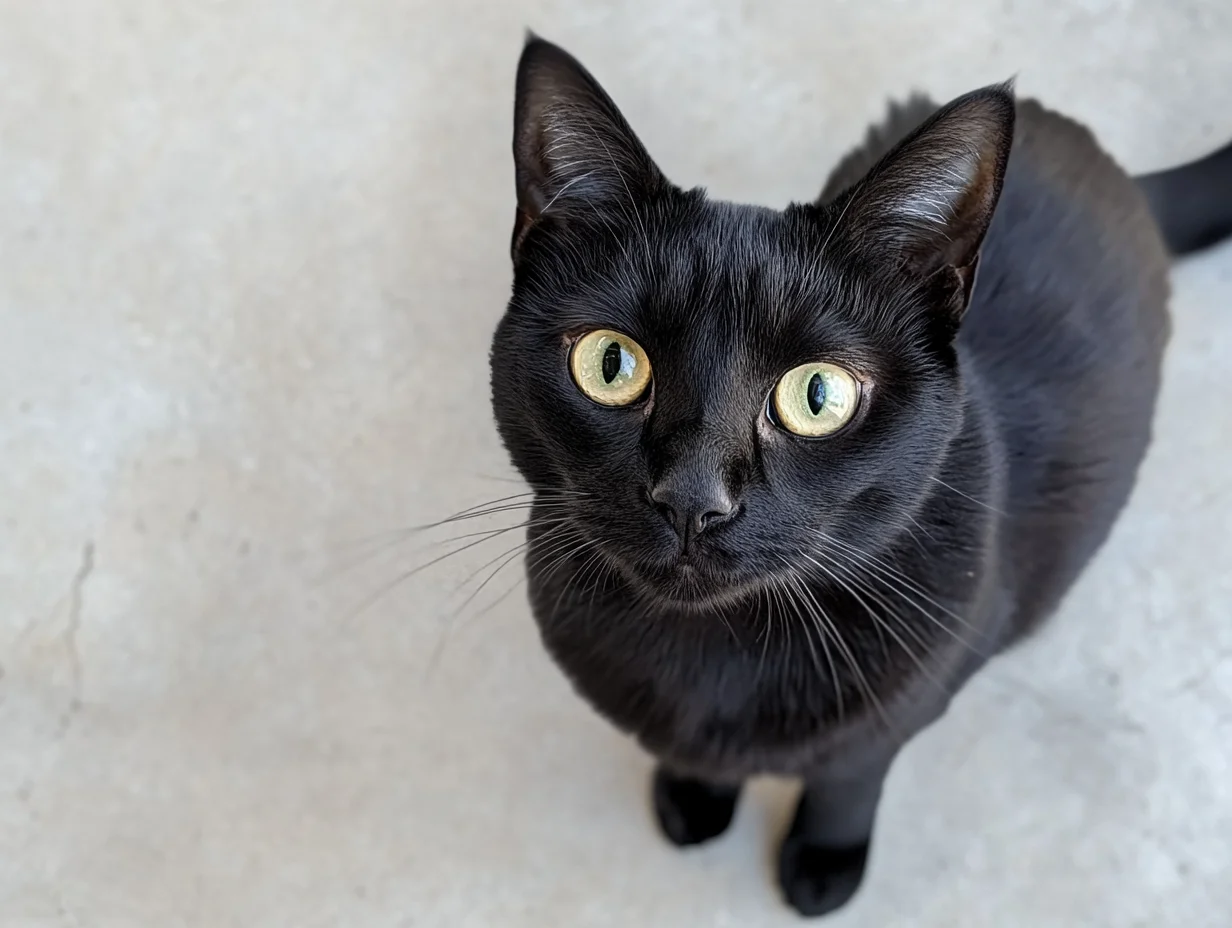
  • prompt: Optional (recommended). Controls how the video changes over time.
PromptFirst frameLast frameOutput video
Realistic style. A curious black kitten looks up at the sky. The camera starts at eye level and gradually rises until it captures the kitten’s curious gaze from above.
首帧图像
尾帧图像
  • Python SDK
  • Java SDK
  • curl
Requires DashScope Python SDK ≥ 1.25.8. Upgrade if needed.
import os
from http import HTTPStatus
from dashscope import VideoSynthesis
import dashscope

# The following URL is for the Singapore region. When calling, replace {WorkspaceId} with your actual workspace ID. URLs vary by region. Get your URL: https://www.alibabacloud.com/help/en/model-studio/image-to-video-by-first-and-last-frame-api-reference
dashscope.base_http_api_url = 'https://{WorkspaceId}.ap-southeast-1.maas.aliyuncs.com/api/v1'
# API keys differ by region. Get your API key: https://www.alibabacloud.com/help/en/model-studio/get-api-key
api_key = os.getenv("DASHSCOPE_API_KEY", "YOUR_API_KEY")

def sample_async_call_kf2v():
    # Asynchronous call returns a task_id
    rsp = VideoSynthesis.async_call(api_key=api_key,
                                    model="wan2.2-kf2v-flash",
                                    prompt="Realistic style. A curious black kitten looks up at the sky. The camera starts at eye level and gradually rises until it captures the kitten’s curious gaze from above.",
                                    first_frame_url="https://wanx.alicdn.com/material/20250318/first_frame.png",
                                    last_frame_url="https://wanx.alicdn.com/material/20250318/last_frame.png",
                                    duration=5,  # Fixed at 5 seconds. Do not change.
                                    prompt_extend=True,
                                    watermark=True)
    print(rsp)
    if rsp.status_code == HTTPStatus.OK:
        print("task_id: %s" % rsp.output.task_id)
    else:
        print('Failed, status_code: %s, code: %s, message: %s' % (rsp.status_code, rsp.code, rsp.message))

    # Wait for asynchronous task to complete
    rsp = VideoSynthesis.wait(task=rsp, api_key=api_key)
    print(rsp)
    if rsp.status_code == HTTPStatus.OK:
        print(rsp.output.video_url)
    else:
        print('Failed, status_code: %s, code: %s, message: %s' % (rsp.status_code, rsp.code, rsp.message))

if __name__ == '__main__':
    sample_async_call_kf2v()

Input image

  • Number of images: One first-frame image and one last-frame image.
  • Input methods: Image URL, local file path.

Method 1: Image URL (HTTP API and SDK) Recommended

Path requirements differ by language:Python SDK: Supports absolute and relative paths.

Operating system

Input file path

Example (absolute path)

Example (relative path)

Linux / macOS

file://{absolute or relative path}

file:///home/images/test.png

file://./images/test.png

Windows

file://D:/images/test.png

file://./images/test.png

Java SDK: Supports absolute paths only.

Operating system

Input file path

Example (absolute path)

Linux / macOS

file://{absolute path}

file:///home/images/test.png

Windows

file:///{absolute path}

file:///D:/images/test.png

Sample code: Multiple image input methods

Python SDK
import os
from http import HTTPStatus
# DashScope SDK >= 1.23.4
from dashscope import VideoSynthesis
import dashscope

dashscope.base_http_api_url = 'https://{WorkspaceId}.ap-southeast-1.maas.aliyuncs.com/api/v1'

# Get the DashScope API key (which is your Model Studio API key) from an environment variable.
api_key = os.getenv("DASHSCOPE_API_KEY")

# ========== Image input method (choose one) ==========
# [Method 1] Use a public image URL
first_frame_url = "https://wanx.alicdn.com/material/20250318/first_frame.png"
last_frame_url = "https://wanx.alicdn.com/material/20250318/last_frame.png"

# [Method 2] Use a local file path (file:// + file path)
# Use an absolute path:
# first_frame_url = "file://" + "/path/to/your/first_frame.png"  # Linux/macOS
# last_frame_url = "file://" + "C:/path/to/your/last_frame.png"  # Windows
# Or use a relative path:
# first_frame_url = "file://" + "./first_frame.png"              # Use your actual path.
# last_frame_url = "file://" + "./last_frame.png"                # Use your actual path.

def sample_sync_call_kf2v():
    print('please wait...')
    rsp = VideoSynthesis.call(api_key=api_key,
                              model="wan2.2-kf2v-flash",
                              prompt="Realistic style, a small black cat looks up at the sky curiously, the camera gradually rises from eye level, and finally captures its curious gaze from a top-down view.",
                              first_frame_url=first_frame_url,
                              last_frame_url=last_frame_url,
                              resolution="720P",
                              prompt_extend=True)
    print(rsp)
    if rsp.status_code == HTTPStatus.OK:
        print(rsp.output.video_url)
    else:
        print('Failed, status_code: %s, code: %s, message: %s' %
              (rsp.status_code, rsp.code, rsp.message))

if __name__ == '__main__':
    sample_sync_call_kf2v()

Output video

  • Number of videos: One.
  • Specifications: Specifications vary by model. See Video specifications.
  • URL expiration: 24 hours.
  • Dimensions: Determined by the first-frame image and the resolution setting.
    • The model preserves the first-frame's aspect ratio and scales total pixel count to the target. Output dimensions are adjusted automatically to be divisible by 16 (encoding requirement).
    • Example: 750×1000 input (3:4) with resolution="720P" (target ≈920K pixels) may output 816×1104 (≈0.739 ratio, ≈900K pixels, both divisible by 16).

Billing and rate limiting

API reference

Image-to-video - first and last frames - API reference

FAQ

Q: How do I generate a video with a specific aspect ratio (such as 3:4)?

A: The API doesn't support direct aspect ratio control -- only resolution. The resolution parameter controls pixel count, not aspect ratio. The model preserves the first-frame's aspect ratio (first_frame_url) with minor adjustments for encoding (dimensions must be multiples of 16). For 3:4 video, upload a 3:4 first-frame image.
Example: 750×1000 input (3:4) with resolution="720P" (target ≈920K pixels) may output 816×1104 (≈0.739 ratio, ≈900K pixels, both divisible by 16).

Q: Why do I get a “url error, please check url!” error when running the SDK code?

A: Ensure your SDK version meets the minimum requirement: DashScope Python SDK ≥ 1.25.8 or DashScope Java SDK ≥ 2.22.6. Older versions may show "url error, please check url!" errors. Upgrade the SDK.
Token Plan
Model Playground
Statistics and Monitoring
Support
Image-to-video: first and last frames - Alibaba Cloud Model Studio