

This document describes the long-input tiered coefficients and prefix cache conversion rules of throughput reservation, the TPM capacity calculator, capacity consumption and cache hit fields, and FAQs. It applies to throughput reservation in both standard mode and high-speed mode.
Capacity conversion
The input/output kTPM you purchase (1 kTPM = 1,000 Tokens per minute) is deducted based on converted consumption rather than the raw token count: purchasing 200 kTPM does not mean you can consume 200K raw tokens per minute.
- Long input: The portion of input that exceeds the tier boundary is amplified by the long-input tiered coefficient when counted—a 50K input may consume 86 kTPM of quota.
- Prefix cache: Input prefixes repeated across requests are cached and reused; the hit portion is counted at a discount via the cache conversion coefficient—the same 50K input may consume only a few dozen kTPM.
Conversion rules
First, three terms: prefix cache refers to the system caching identical input prefixes across requests for reuse by subsequent requests; when a request's input matches the cached content, it is a cache hit; the discount multiplied into the hit portion when counting consumption is the cache conversion coefficient.
The two types of coefficients apply to different portions of the input:
- Cache conversion coefficient: Applies only to input tokens that hit the cache, counted at a discounted rate (for example, with a coefficient of 0.2, 30K hit tokens count as only 6 kTPM).
- Long-input tiered coefficient: Applies only to the portion exceeding the tier boundary, counted with multiplier amplification; the portion within the boundary remains at 1x (for example, when a 50K input falls in the (32K,256K] tier, only the excess 18K is amplified by 3x). For most models, the tiers apply only to input; a few models also amplify output by the coefficient (see each model's row in the table below).
Model | Maximum input tokens | Cache conversion coefficient | Long-input tiered coefficient |
|---|---|---|---|
qwen3.8-max | 1M | 0.125 | No tiers (1.0) |
qwen3.7-flash-2026-07-15 | 1M | 0.2 | Same for input and output |
qwen3.7-max-2026-05-20 | 256K | 0.1 | No tiers (1.0) |
qwen3.7-plus-2026-05-26 | 256K | 0.2 | No tiers (1.0) |
qwen3.6-flash-2026-04-16 | 256K | 1 | No tiers (1.0) |
glm-5.3 | 1M | 0.25 | No tiers (1.0) |
glm-5.2 | 1M | 0.25 | No tiers (1.0) |
deepseek-v4.1-flash | 1M | 0.02 | No tiers (1.0) |
deepseek-v4-flash | 256K | 0.1 | No tiers (1.0) |
deepseek-v4-flash-0731 | 1M | 0.1 | No tiers (1.0) |
deepseek-v4-pro | 256K | 0.08 | No tiers (1.0) |
deepseek-v4-pro-0813 | 1M | 0.1 | No tiers (1.0) |
kimi-k2.6 | 256K | 0.2 | No tiers (1.0) |
qwen3.8-flash | 1M | 0.125 | No tiers (1.0) |
glm-5.1 | 200K | 0.2 | Input >32K 1.33x |
Other models | Refer to the console | Refer to the console | Refer to the console |
- Long-input tiers · Qwen3.7-Flash
- Prefix cache · GLM-5.2
- Dual factors · GLM-5.1
- The portion not exceeding 32K is counted at 1x:
32K × 1= 32 kTPM. - The excess 18K is counted at 3x:
18K × 3= 54 kTPM. - Total consumption
32 + 54= 86 kTPM.
- The hit 30K falls within the 1x tier and is further multiplied by 0.2:
30K × 1 × 0.2= 6 kTPM. - The 2K within the first 32K that missed the cache is counted at 1x:
2K × 1= 2 kTPM. - The excess 18K is counted at 3x:
18K × 3= 54 kTPM. - Total consumption
6 + 2 + 54= 62 kTPM, about 28% less than without cache.
Capacity estimation
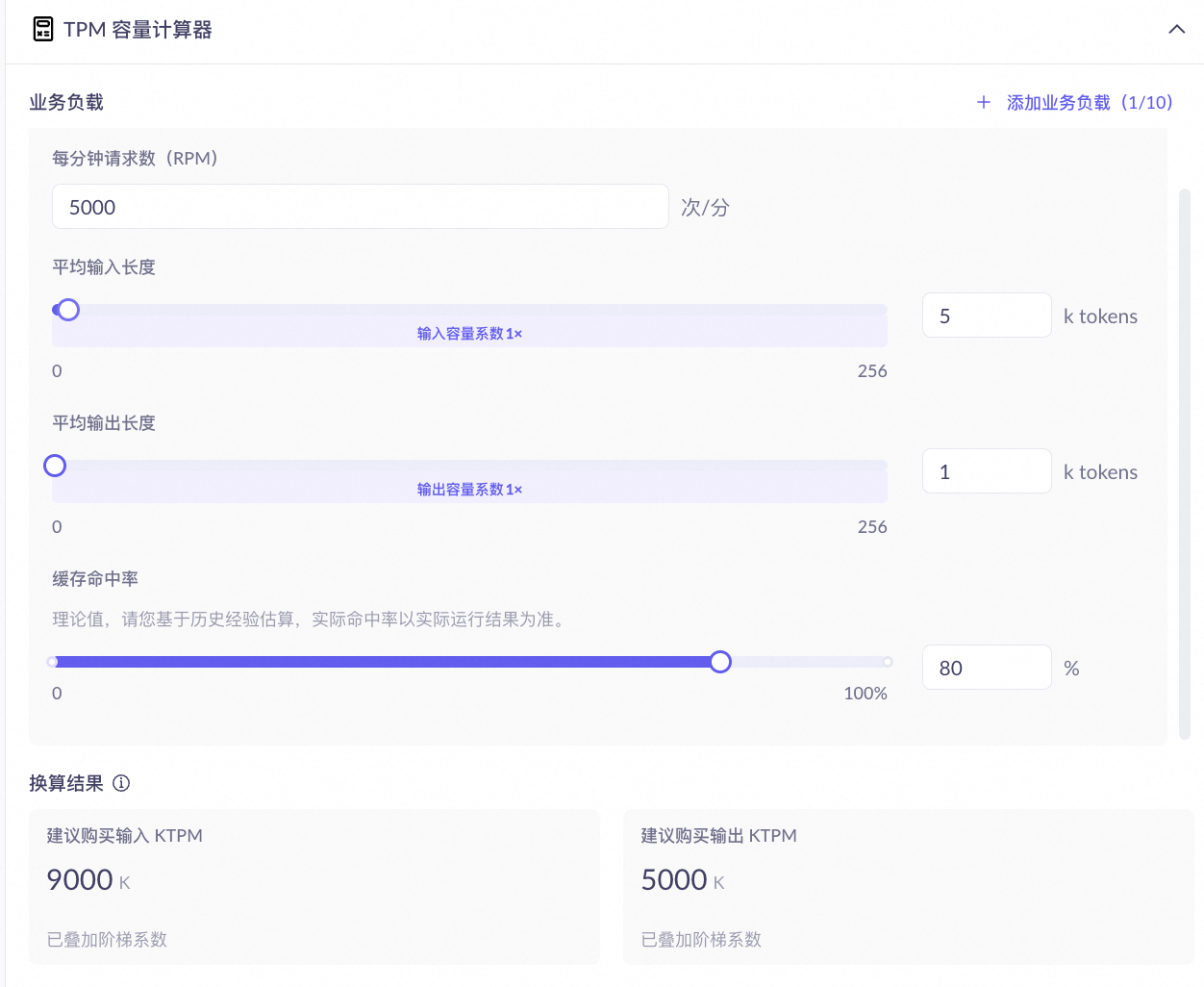
Before purchasing, use the TPM capacity calculator to estimate the required capacity: enter your expected business workload to get the recommended input/output kTPM to purchase.
| Parameter | What to enter | Effect on the recommended values |
|---|---|---|
| Requests per Minute (RPM) | Number of requests per minute during business peak hours | The higher the RPM, the larger the recommended input/output values |
| Average Input Length (tokens) | Average input tokens per request | The longer the input, the higher the recommended input value |
| Average Output Length (tokens) | Average output tokens per request | The longer the output, the higher the recommended output value |
| cache hit ratio | Expected proportion of requests hitting the prefix cache | Only lowers the recommended input value; does not affect the recommended output value |
View consumption in the console
On the throughput reservation page of the Model Studio console, expand the target model card. The Overview and monitoring tabs show how converted consumption is running:
Overview: utilization and overage degradation
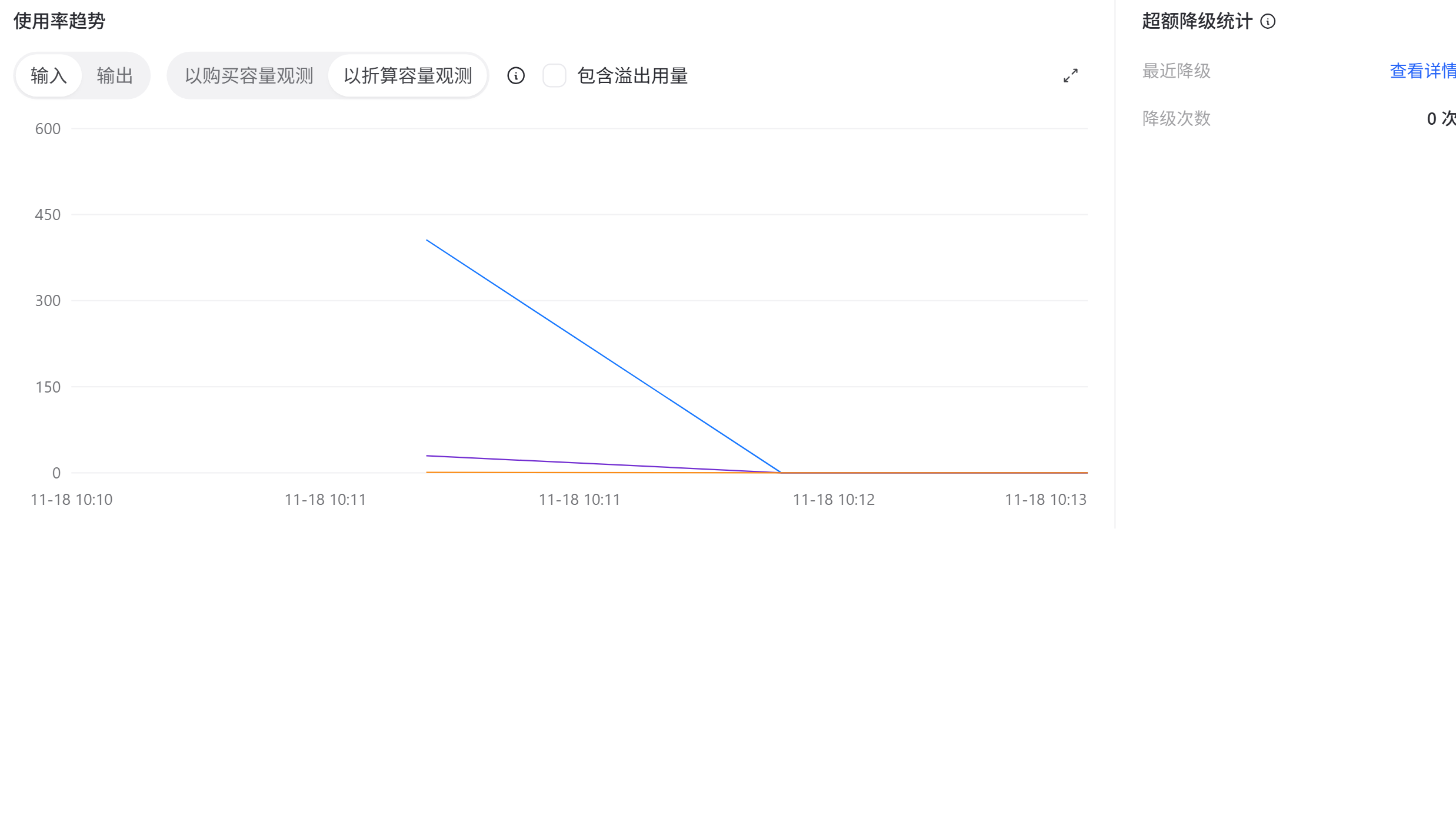
- Utilization Trend: after you turn on the Observe by converted capacity switch, the curve shows the consumption calculated with the conversion method on this page. Three statistics modes:
- Observe by purchased capacity: uses purchased capacity as the baseline, for checking whether the purchased amount is sufficient.
- Observe by converted capacity: uses converted capacity as the baseline, reflecting the actual effect of long-input and cache conversion.
- Include overflow usage: additionally counts the usage that overflows to pay-as-you-go billing.
- Overage Degradation Statistics: the number of times converted consumption was degraded after exceeding the purchased capacity — long input amplified by tiers is a common cause of overage degradation.
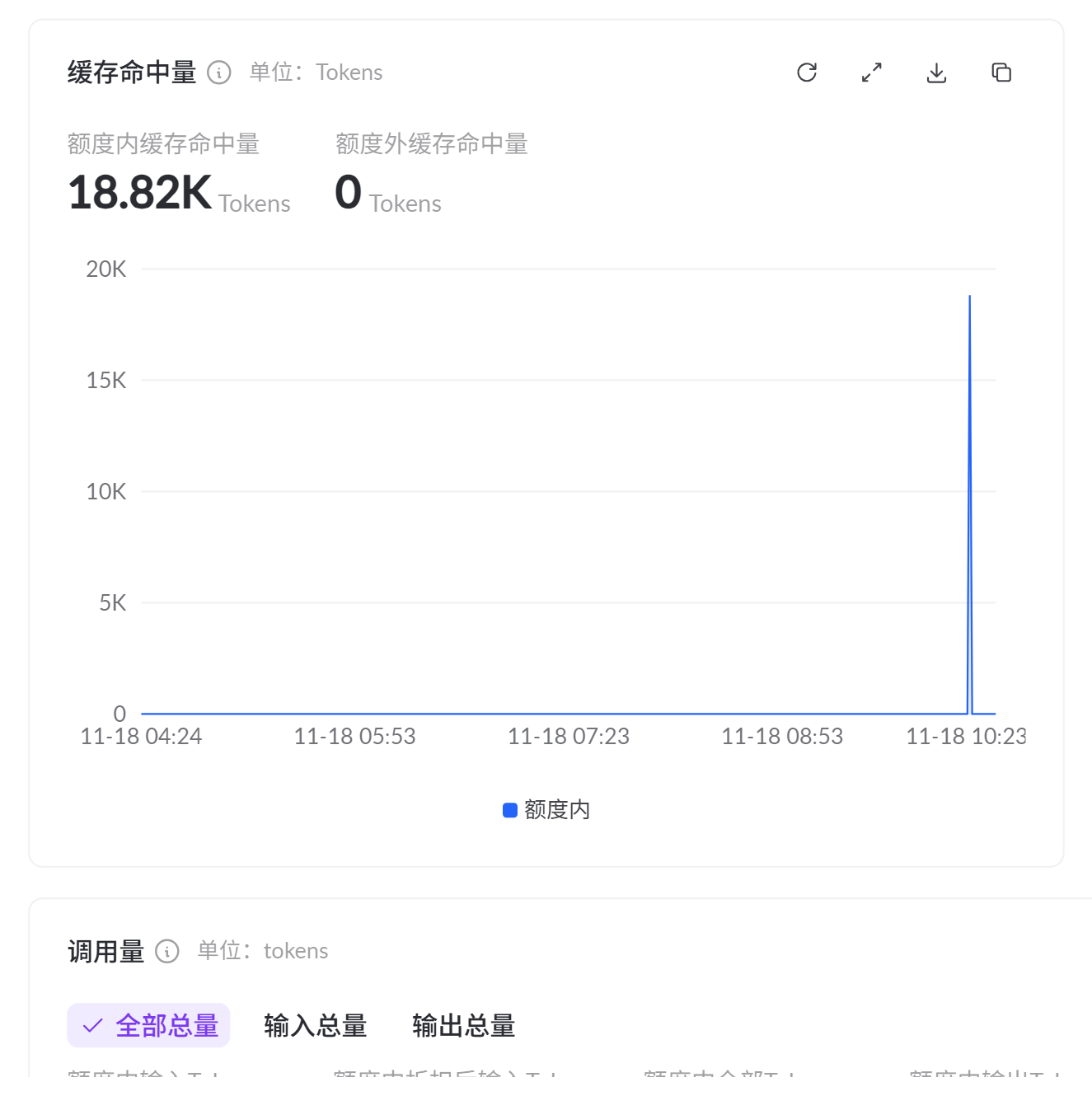
Monitoring: cache hits
View actual consumption via API
After you make calls using the dedicated model code, three fields in the response respectively indicate: whether the reserved capacity was hit, how much converted capacity was consumed, and the cache hit status:
| Field | Description |
|---|---|
service_tier | Billing method for this request: ptu_default = consumed standard-mode reserved capacity, ptu_fast = consumed high-speed-mode reserved capacity, null or not returned = reserved capacity not hit, pay-as-you-go billing |
provisioned_tokens | Number of reserved capacity tokens consumed by this request; already the converted value (including long-input tiers and cache conversion) |
cached_tokens | Number of input tokens that hit the prefix cache; greater than 0 means the cache is in effect; for the mechanism and limits, see context cache |
- OpenAI Chat compatible
- OpenAI Responses
- Anthropic-compatible
- DashScope native
| Field | JSON Path |
|---|---|
cached_tokens | usage.prompt_tokens_details.cached_tokens |
provisioned_tokens (Input side) | usage.prompt_tokens_details.provisioned_tokens |
provisioned_tokens (Output side) | usage.completion_tokens_details.provisioned_tokens |
FAQ
Q: What happens if a single input exceeds the model limit?
Q: What happens if a single input exceeds the model limit?
Q: Why can utilization exceed 100%?
Q: Why can utilization exceed 100%?
Q: How do I confirm that prefix caching has taken effect?
Q: How do I confirm that prefix caching has taken effect?
cached_tokens in the response: a value greater than 0 means part of this input hit the cache, and the hit portion is billed at a discount based on the model's cache conversion coefficient (see Conversion rules for coefficients); the cache hit ratio curve on the console monitoring tab shows the long-term trend.Q: What if cached_tokens is always 0?
Q: What if cached_tokens is always 0?