O Qwen-Image é um modelo de geração de imagens de uso geral que oferece suporte a diversos estilos artísticos e se destaca na renderização complexa de texto . Ele processa layouts com várias linhas, gera textos no nível de parágrafo e renderiza detalhes refinados.
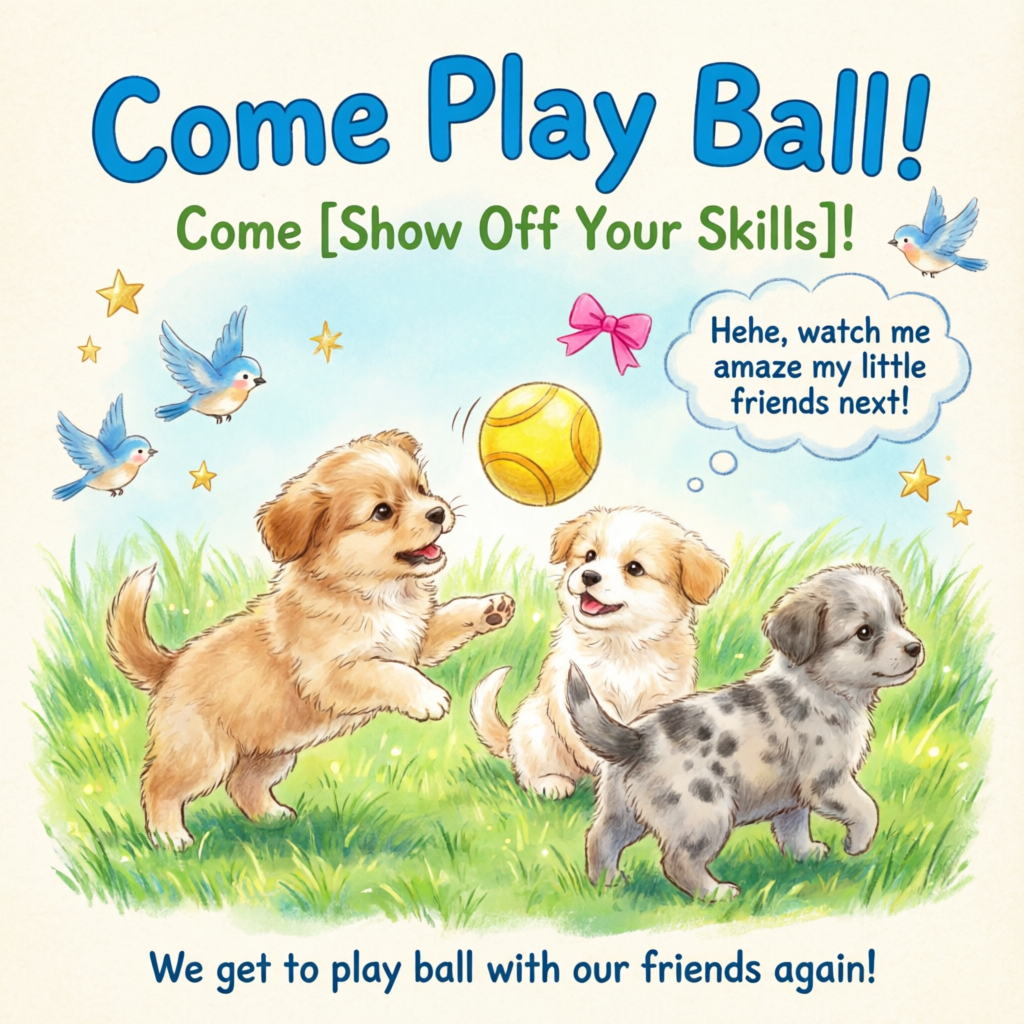
Um pôster desenhado à mão em estilo terapêutico, mostrando três filhotes brincando com uma bola sobre uma grama verde exuberante, adornado com elementos decorativos como pássaros e estrelas. O título principal “Venha Brincar de Bola!” aparece em destaque no topo, com uma fonte cartoon azul e em negrito. Abaixo dele, o subtítulo “Venha [Mostrar Suas Habilidades]!” surge em fonte verde. Um balão de fala adiciona um charme lúdico com o texto: “Hehe, veja só como vou impressionar meus amiguinhos agora!” Na parte inferior, um texto complementar diz: “Que bom jogar bola com nossos amigos de novo!” A paleta de cores gira em torno de verdes e azuis frescos, com toques de rosa e amarelo vibrantes para ressaltar uma atmosfera alegre e infantil.
Resolução: Defina largura e altura livremente. O total de pixels deve ficar entre 512×512 e 2048×2048. A resolução padrão é 2048×2048.Formato: PNGNúmero de imagens: 1–6
qwen-image-2.0-pro-2026-06-22 Recomendado
qwen-image-2.0-pro-2026-04-22
qwen-image-2.0-pro-2026-03-03
qwen-image-2.0 Recomendado
Mesmas capacidades do qwen-image-2.0-2026-03-03
Série acelerada Qwen para geração e edição de imagens. Equilibra qualidade e velocidade de resposta.
As regiões China (Beijing) e Singapore possuem chaves de API e endpoints de solicitação separados. Não é possível usá-las de forma intercambiável. Chamadas entre regiões causam falhas de autenticação ou erros de service.
Chamadas síncronas retornam os resultados em uma única requisição.Singapore:POST https://{WorkspaceId}.ap-southeast-1.maas.aliyuncs.com/api/v1/services/aigc/multimodal-generation/generationChina (Beijing):POST https://{WorkspaceId}.cn-beijing.maas.aliyuncs.com/api/v1/services/aigc/multimodal-generation/generationSubstitua {WorkspaceId} pelo seu ID do workspace real.
Parâmetros da requisição
Text-to-image
Copy
curl --location 'https://{WorkspaceId}.ap-southeast-1.maas.aliyuncs.com/api/v1/services/aigc/multimodal-generation/generation' \--header 'Content-Type: application/json' \--header "Authorization: Bearer $DASHSCOPE_API_KEY" \--data '{ "model": "qwen-image-2.0-pro", "input": { "messages": [ { "role": "user", "content": [ { "text": "Healing-style hand-drawn poster featuring three puppies playing with a ball on lush green grass, adorned with decorative elements such as birds and stars. The main title “Come Play Ball!” is prominently displayed at the top in bold, blue cartoon font. Below it, the subtitle “Come [Show Off Your Skills]!” appears in green font. A speech bubble adds playful charm with the text: “Hehe, watch me amaze my little friends next!” At the bottom, supplementary text reads: “We get to play ball with our friends again!” The color palette centers on fresh greens and blues, accented with bright pink and yellow tones to highlight a cheerful, childlike atmosphere." } ] } ] }, "parameters": { "negative_prompt": "Low resolution, low quality, distorted limbs, malformed fingers, oversaturated colors, wax-figure appearance, lack of facial detail, excessive smoothness, AI-looking artifacts, chaotic composition, blurry or warped text.", "prompt_extend": true, "watermark": false, "size": "2048*2048" }}'
Cabeçalhos da requisição
Content-Typestring(Obrigatório)O tipo de conteúdo da requisição. Deve ser application/json.
Authorizationstring(Obrigatório)Autentica a requisição com uma chave de API do Model Studio. Exemplo: Bearer sk-xxxx.
Corpo da requisição
modelstring(obrigatório)Nome do modelo. Exemplo: qwen-image-2.0-pro.
inputobject(obrigatório)Informações de entrada.
Propriedades
messagesarray(obrigatório)Array de objetos de mensagem. Apenas conversas de turno único são suportadas, portanto o array deve conter exatamente um elemento.
Propriedades
rolestring(obrigatório)Função da mensagem. Defina como user.contentarray(obrigatório)Array de objetos de conteúdo da mensagem.
Propriedades
textstring(obrigatório)Um prompt positivo descrevendo o conteúdo, estilo e composição desejados para a imagem.Suporta chinês e inglês. A série qwen-image-2.0 aceita até 1.300 tokens. Outros modelos aceitam até 800 tokens. O sistema trunca os tokens excedentes.Nota: Apenas um campo de texto é permitido. Omiti-lo ou fornecer mais de um retorna um erro.
parametersobject (opcional)Parâmetros de processamento de imagem.
Propriedades
negative_promptstring (opcional)Um prompt negativo descrevendo o que você não deseja na imagem.Suporta chinês e inglês. O comprimento máximo é de 500 caracteres. Caracteres excedentes são truncados automaticamente.Exemplo: Baixa resolução, baixa qualidade, membros distorcidos, dedos malformados, cores supersaturadas, aparência de cera, sem detalhes faciais, superfícies excessivamente lisas, aparência gerada por IA. Composição caótica. Texto borrado ou distorcido.sizestring (opcional)Resolução da imagem de saída, formatada como largura*altura.Modelos da série qwen-image-2.0: O total de pixels deve estar entre 512×512 e 2048×2048. A resolução padrão é 2048×2048. Resoluções recomendadas:
2688*1536: 16:9
1536*2688: 9:16
2048*2048(padrão): 1:1
2368*1728: 4:3
1728*2368: 3:4
Modelos das séries qwen-image-max e qwen-image-plus: A resolução padrão é 1664*928. Resoluções suportadas e suas proporções:
1664*928(padrão): 16:9
1472*1104: 4:3
1328*1328: 1:1
1104*1472: 3:4
928*1664: 9:16
ninteger (opcional)Número de imagens de saída. O padrão é 1.Para modelos da série qwen-image-2.0, você pode escolher de 1 a 6 imagens.Para modelos das séries qwen-image-max e qwen-image-plus, este valor é fixo em 1. Definir qualquer outro valor retorna um erro.prompt_extendbool (opcional)Ativa a reescrita inteligente de prompts. O modelo otimiza o prompt positivo. Não afeta o prompt negativo.
true: Padrão. Ativa a reescrita. Use esta opção para obter conteúdo de imagem mais diversificado; o modelo adiciona detalhes.
false: Desativa a reescrita. Use esta opção para ter controle mais preciso sobre os detalhes da imagem. Para melhores resultados, otimize seus prompts com base no Guia de prompts text-to-image.
Ver exemplos de reescrita
Apenas chamadas assíncronas retornam o prompt reescrito real.
Prompt original (orig_prompt): Um gato ruivo sentado com expressão alegre, parecendo vivaz, adorável e incrivelmente realista.Prompt real (actual_prompt): Retrato fotorrealista de vida selvagem: Um gato ruivo sentado com pelagem exuberante beijada pelo sol e uma expressão vibrante e alegre, olhos brilhando com curiosidade e calor. A cabeça do gato está levemente inclinada, orelhas erguidas para frente, boca gentilmente aberta em uma pose contente e vivaz — exalando charme adorável e detalhes incrivelmente realistas. A iluminação natural suave realça a textura de cada bigode e fio de pelo individual, com reflexos sutis no focinho e parte interna das orelhas. Fundo: um jardim de outono suavemente desfocado na hora dourada — tons quentes de folhas âmbar, luz solar filtrada através das árvores e leves indícios de degraus de pedra musgosos. A composição enfatiza o gato como ponto focal central, capturado em foco nítido com rasa profundidade de campo. Estilo: fotografia ultrarrealista, nível de detalhe National Geographic, resolução 8K, Canon EOS R5, abertura f/1.2, iluminação cinematográfica, color grading fiel à vida, pós-processamento mínimo. Sem texto ou sobreposições.
watermarkbool (opcional)Adiciona uma marca d'água “Qwen-Image” no canto inferior direito da imagem. Padrão: false. Estilo da marca d'água: seedinteger (opcional)Semente de número aleatório. Intervalo válido: [0,2147483647].Usar a mesma seed gera saídas semelhantes. Se omitida, o algoritmo usa uma semente aleatória.Nota: A geração de imagens é probabilística. Mesmo com a mesma seed, os resultados podem variar.
Parâmetros da resposta
Tarefa concluída com sucesso
Falha na tarefa
As URLs das imagens são válidas apenas por 24 horas e depois são removidas automaticamente. Salve as imagens geradas prontamente.
Se a tarefa falhar, a resposta inclui detalhes do erro nos campos code e message. Consulte Códigos de erro.
Copy
{ "request_id": "a4d78a5f-655f-9639-8437-xxxxxx", "code": "InvalidParameter", "message": "num_images_per_prompt must be 1"}
outputobjectInformações de saída da tarefa.
Propriedades
choicesarraySaída do modelo. Este array contém exatamente um elemento.
Propriedades
finish_reasonstringMotivo pelo qual a tarefa parou. O valor é stop para paradas naturais.messageobjectMensagem de resposta do modelo.
Propriedades
rolestringFunção da mensagem. Valor fixo: assistant.contentarray
Propriedades
imagestringURL da imagem gerada (formato PNG). Expira após 24 horas. Baixe e salve-a prontamente.
task_metricobjectEstatísticas do resultado da tarefa. Não retornado para modelos da série qwen-image-2.0.
Propriedades
TOTALintegerNúmero total de tarefas.SUCCEEDEDintegerNúmero de tarefas bem-sucedidas.FAILEDintegerNúmero de tarefas com falha.
usageobject
Este campo é retornado apenas em chamadas assíncronas. Chamadas síncronas do SDK ImageSynthesis não retornam este campo.
Estatísticas de saída. Conta apenas resultados bem-sucedidos.
Propriedades
image_countintegerNúmero de imagens geradas. Para modelos da série qwen-image-2.0, isso equivale ao n solicitado (1–6); para as séries qwen-image-max e qwen-image-plus, é fixo em 1.widthintegerLargura da imagem gerada, em pixels.heightintegerAltura da imagem gerada, em pixels.
request_idstringIdentificador único da requisição para rastreamento e solução de problemas.
codestringCódigo de erro. Retornado apenas para requisições com falha. Consulte Códigos de erro.
messagestringMensagem de erro detalhada. Retornada apenas para requisições com falha. Consulte Códigos de erro.
O DashScope SDK suporta Python e Java.Os nomes dos parâmetros no SDK correspondem closely aos parâmetros HTTP, e as estruturas dos parâmetros seguem convenções específicas da linguagem. Para parâmetros de chamada síncrona, consulte HTTP.
Python
Java
Instale a versão mais recente do DashScope Python SDK para evitar erros de execução: Instalar SDK.
Exemplo de requisição
Copy
import jsonimport osimport dashscopefrom dashscope import MultiModalConversation# Singapore region. Replace {WorkspaceId} with your actual workspace ID. URLs vary by region.dashscope.base_http_api_url = 'https://{WorkspaceId}.ap-southeast-1.maas.aliyuncs.com/api/v1'messages = [ { "role": "user", "content": [ {"text": "Healing-style hand-drawn poster featuring three puppies playing with a ball on lush green grass, adorned with decorative elements such as birds and stars. The main title “Come Play Ball!” is prominently displayed at the top in bold, blue cartoon font. Below it, the subtitle “Come [Show Off Your Skills]!” appears in green font. A speech bubble adds playful charm with the text: “Hehe, watch me amaze my little friends next!” At the bottom, supplementary text reads: “We get to play ball with our friends again!” The color palette centers on fresh greens and blues, accented with bright pink and yellow tones to highlight a cheerful, childlike atmosphere."} ] }]# API keys differ between Beijing and Singapore regions. Get your API key: https://www.alibabacloud.com/help/en/model-studio/get-api-key# If you haven't set the environment variable, replace the line below with: api_key="sk-xxx"api_key = os.getenv("DASHSCOPE_API_KEY")response = MultiModalConversation.call( api_key=api_key, model="qwen-image-2.0-pro", messages=messages, result_format='message', stream=False, watermark=False, prompt_extend=True, negative_prompt="Low resolution, low quality, distorted limbs, malformed fingers, oversaturated colors, wax-figure appearance, lack of facial detail, excessive smoothness, AI-looking artifacts, chaotic composition, blurry or warped text.", size='2048*2048')if response.status_code == 200: print(json.dumps(response, ensure_ascii=False))else: print(f"HTTP status code: {response.status_code}") print(f"Error code: {response.code}") print(f"Error message: {response.message}") print("See documentation: https://www.alibabacloud.com/help/en/model-studio/error-code")
Exemplo de resposta
As URLs das imagens expiram após 24 horas. Baixe as imagens prontamente.
É obrigatório instalar a versão mais recente do DashScope Java SDK. Caso contrário, erros de tempo de execução podem ocorrer: Instalar SDK.
Exemplo de solicitação
Copy
import com.alibaba.dashscope.aigc.multimodalconversation.MultiModalConversation;import com.alibaba.dashscope.aigc.multimodalconversation.MultiModalConversationParam;import com.alibaba.dashscope.aigc.multimodalconversation.MultiModalConversationResult;import com.alibaba.dashscope.common.MultiModalMessage;import com.alibaba.dashscope.common.Role;import com.alibaba.dashscope.exception.ApiException;import com.alibaba.dashscope.exception.NoApiKeyException;import com.alibaba.dashscope.exception.UploadFileException;import com.alibaba.dashscope.utils.JsonUtils;import com.alibaba.dashscope.utils.Constants;import java.io.IOException;import java.util.Arrays;import java.util.Collections;import java.util.HashMap;import java.util.Map;public class QwenImage { static { // Singapore region. Replace {WorkspaceId} with your actual workspace ID. URLs vary by region. Constants.baseHttpApiUrl = "https://{WorkspaceId}.ap-southeast-1.maas.aliyuncs.com/api/v1"; } // API keys differ between Beijing and Singapore regions. Get your API key: https://www.alibabacloud.com/help/en/model-studio/get-api-key // If you haven't set the environment variable, replace the line below with: static String apiKey="sk-xxx" static String apiKey = System.getenv("DASHSCOPE_API_KEY"); public static void call() throws ApiException, NoApiKeyException, UploadFileException, IOException { MultiModalConversation conv = new MultiModalConversation(); MultiModalMessage userMessage = MultiModalMessage.builder().role(Role.USER.getValue()) .content(Arrays.asList( Collections.singletonMap("text", "Healing-style hand-drawn poster featuring three puppies playing with a ball on lush green grass, adorned with decorative elements such as birds and stars. The main title “Come Play Ball!” is prominently displayed at the top in bold, blue cartoon font. Below it, the subtitle “Come [Show Off Your Skills]!” appears in green font. A speech bubble adds playful charm with the text: “Hehe, watch me amaze my little friends next!” At the bottom, supplementary text reads: “We get to play ball with our friends again!” The color palette centers on fresh greens and blues, accented with bright pink and yellow tones to highlight a cheerful, childlike atmosphere.") )).build(); Map<String, Object> parameters = new HashMap<>(); parameters.put("watermark", false); parameters.put("prompt_extend", true); parameters.put("negative_prompt", "Low resolution, low quality, distorted limbs, malformed fingers, oversaturated colors, wax-figure appearance, lack of facial detail, excessive smoothness, AI-looking artifacts, chaotic composition, blurry or warped text."); parameters.put("size", "2048*2048"); MultiModalConversationParam param = MultiModalConversationParam.builder() .apiKey(apiKey) .model("qwen-image-2.0-pro") .messages(Collections.singletonList(userMessage)) .parameters(parameters) .build(); MultiModalConversationResult result = conv.call(param); System.out.println(JsonUtils.toJson(result)); } public static void main(String[] args) { try { call(); } catch (ApiException | NoApiKeyException | UploadFileException | IOException e) { System.out.println(e.getMessage()); } System.exit(0); }}
Exemplo de resposta
As URLs das imagens expiram após 24 horas. Baixe as imagens prontamente.
Após a criação da tarefa, utilize o task_id retornado para consultar o resultado. O task_id permanece válido por 24 horas. Não crie tarefas duplicadas. Em vez disso, use consultas periódicas para recuperar o resultado.
Apenas qwen-image-plus e qwen-image suportam chamadas assíncronas.
Copy
curl -X POST https://{WorkspaceId}.ap-southeast-1.maas.aliyuncs.com/api/v1/services/aigc/text2image/image-synthesis \ -H 'X-DashScope-Async: enable' \ -H "Authorization: Bearer $DASHSCOPE_API_KEY" \ -H 'Content-Type: application/json' \ -d '{ "model": "qwen-image-plus", "input": { "prompt": "Healing-style hand-drawn poster featuring three puppies playing with a ball on lush green grass, adorned with decorative elements such as birds and stars. The main title “Come Play Ball!” is prominently displayed at the top in bold, blue cartoon font. Below it, the subtitle “Come [Show Off Your Skills]!” appears in green font. A speech bubble adds playful charm with the text: “Hehe, watch me amaze my little friends next!” At the bottom, supplementary text reads: “We get to play ball with our friends again!” The color palette centers on fresh greens and blues, accented with bright pink and yellow tones to highlight a cheerful, childlike atmosphere." }, "parameters": { "negative_prompt":" ", "size": "1664*928", "n": 1, "prompt_extend": true, "watermark": false }}'
Cabeçalhos da solicitação
Content-Typestring(Obrigatório)O tipo de conteúdo da solicitação. Deve ser application/json.
Authorizationstring(Obrigatório)Autentica a solicitação com uma chave de API do Model Studio. Exemplo: Bearer sk-xxxx.
X-DashScope-Asyncstring(Obrigatório)Ativa o processamento assíncrono. Solicitações HTTP suportam apenas chamadas assíncronas. O valor deve ser enable.
Se este cabeçalho de solicitação estiver ausente, o erro "current user api does not support synchronous calls" será retornado.
Corpo da solicitação
modelstring(obrigatório)Nome do modelo. Apenas qwen-image-plus e qwen-image suportam chamadas assíncronas.Exemplo: qwen-image-plus.
inputobject(obrigatório)Informações de entrada.
Propriedades
promptstring(obrigatório)Um prompt positivo que descreve os elementos visuais e as características desejadas na imagem gerada.Suporta chinês e inglês. O comprimento máximo é de 800 caracteres. Cada caractere chinês, letra, dígito ou símbolo conta como um caractere. Caracteres excedentes são truncados automaticamente.Exemplo: Um gato laranja sentado com expressão alegre, vivaz e adorável, altamente realista.negative_promptstring (opcional)Um prompt negativo que descreve o que você não deseja na imagem.Suporta chinês e inglês. O comprimento máximo é de 500 caracteres. Caracteres excedentes são truncados automaticamente.Exemplo: Baixa resolução, baixa qualidade, membros distorcidos, dedos malformados, cores supersaturadas, aparência de cera, falta de detalhes faciais, suavidade excessiva, artefatos com aparência de IA. Composição caótica. Texto desfocado ou distorcido.
parametersobject (opcional)Parâmetros de processamento de imagem.
Propriedades
sizestring (opcional)Resolução da imagem de saída, formatada como largura*altura.Modelos da série qwen-image-2.0: O total de pixels deve estar entre 512×512 e 2048×2048. A resolução padrão é 2048×2048. Resoluções recomendadas:
2688*1536: 16:9
1536*2688: 9:16
2048*2048(padrão): 1:1
2368*1728: 4:3
1728*2368: 3:4
Modelos das séries qwen-image-max e qwen-image-plus: A resolução padrão é 1664*928. Resoluções suportadas e suas proporções:
1664*928(padrão): 16:9
1472*1104: 4:3
1328*1328: 1:1
1104*1472: 3:4
928*1664: 9:16
ninteger (opcional)Número de imagens geradas. Este valor é fixo em 1. Definir qualquer outro valor retorna um erro.prompt_extendbool (opcional)Ativa a reescrita inteligente de prompts. O modelo otimiza o prompt positivo. Não afeta o prompt negativo.
true: Padrão. Ativa a reescrita. Use esta opção para obter conteúdo de imagem mais diversificado; o modelo adiciona detalhes.
false: Desativa a reescrita. Use esta opção para ter controle mais preciso sobre os detalhes da imagem. Para obter melhores resultados, otimize seus prompts com base no Guia de prompts de texto para imagem.
Ver exemplos de reescrita
Apenas chamadas assíncronas retornam o prompt reescrito real.
Prompt original (orig_prompt): Um gato ruivo sentado com expressão alegre, parecendo vivaz, adorável e incrivelmente realista.Prompt real (actual_prompt): Retrato fotorrealista de vida selvagem: Um gato ruivo sentado com pelo exuberante beijado pelo sol e uma expressão vibrante e alegre, olhos brilhando com curiosidade e calor. A cabeça do gato está levemente inclinada, orelhas erguidas para frente, boca gentilmente aberta em uma pose contente e vivaz — exalando charme adorável e detalhe realista incrível. A iluminação natural suave realça a textura de cada bigode e fio de pelo individual, com reflexos sutis no focinho e nas orelhas internas. Fundo: um jardim de outono suavemente desfocado na hora dourada — tons quentes de folhas âmbar, luz solar filtrada através das árvores e leves indícios de degraus de pedra musgosos. A composição enfatiza o gato como ponto focal central, capturado em foco nítido com pouca profundidade de campo. Estilo: fotografia ultrarrealista, nível de detalhe da National Geographic, resolução 8K, Canon EOS R5, abertura f/1.2, iluminação cinematográfica, color grading fiel à realidade, pós-processamento mínimo. Sem texto ou sobreposições.
watermarkbool (opcional)Adiciona uma marca d'água “Qwen-Image” no canto inferior direito da imagem. Padrão: false. Estilo da marca d'água: seedinteger (opcional)Semente de número aleatório. Intervalo válido: [0,2147483647].Usar o mesmo seed gera saídas semelhantes. Se omitido, o algoritmo usa uma semente aleatória.Nota: A geração de imagens é probabilística. Mesmo com o mesmo seed, os resultados podem variar.
Parâmetros da resposta
Resposta bem-sucedida
Resposta de erro
Salve o task_id para consultar o status e o resultado da tarefa.
Etapa 2: Consultar resultados usando o ID da tarefa
China (Beijing)
Singapore
GET https://{WorkspaceId}.cn-beijing.maas.aliyuncs.com/api/v1/tasks/{task_id}Ao fazer a chamada, substitua {WorkspaceId} pelo seu ID do workspace real.
GET https://{WorkspaceId}.ap-southeast-1.maas.aliyuncs.com/api/v1/tasks/{task_id}Ao fazer a chamada, substitua {WorkspaceId} pelo seu ID do workspace real.
Singapore
China (Beijing)
GET https://{WorkspaceId}.ap-southeast-1.maas.aliyuncs.com/api/v1/tasks/{task_id}Ao fazer a chamada, substitua {WorkspaceId} pelo seu ID do workspace real.
GET https://{WorkspaceId}.cn-beijing.maas.aliyuncs.com/api/v1/tasks/{task_id}Ao fazer a chamada, substitua {WorkspaceId} pelo seu ID do workspace real.
Recomendação de consulta: A geração de imagens demanda tempo. Utilize um mecanismo de consulta periódica com intervalo razoável, como 10 segundos.
Transição de estado da tarefa: PENDING → RUNNING → SUCCEEDED ou FAILED.
Link do resultado: Após o sucesso da tarefa, uma URL de imagem válida por 24 horas é retornada. Baixe e salve a imagem em armazenamento permanente, como o OSS.
Parâmetros da solicitação
Consultar resultados da tarefa
Substitua {task_id} pelo valor task_id retornado pela chamada de API anterior. O task_id é válido para consultas por 24 horas. Substitua {WorkspaceId} pelo seu ID do workspace real.
Copy
curl -X GET https://{WorkspaceId}.ap-southeast-1.maas.aliyuncs.com/api/v1/tasks/{task_id} \ --header "Authorization: Bearer $DASHSCOPE_API_KEY"
Cabeçalhos da solicitação
Authorizationstring(Obrigatório)Autentica a solicitação com uma chave de API do Model Studio. Exemplo: Bearer sk-xxxx.
Parâmetros de caminho da URL
task_idstring(Obrigatório)O ID da tarefa.
Parâmetros de resposta
Tarefa bem-sucedida
Falha na tarefa
Os dados da tarefa (status e URLs das imagens) são retidos por apenas 24 horas e depois removidos automaticamente. Salve as imagens geradas imediatamente.
Copy
{ "request_id": "7434edb2-3cba-44e6-a772-xxxxxx", "output": { "task_id": "878f591e-ebdf-4e45-97eb-xxxxxx", "task_status": "SUCCEEDED", "submit_time": "2025-09-09 11:38:54.741", "scheduled_time": "2025-09-09 11:38:54.781", "end_time": "2025-09-09 11:39:19.484", "results": [ { "orig_prompt": "Healing-style hand-drawn poster featuring three puppies playing with a ball on lush green grass, adorned with decorative elements such as birds and stars. The main title “Come Play Ball!” is prominently displayed at the top in bold, blue cartoon font. Below it, the subtitle “Come [Show Off Your Skills]!” appears in green font. A speech bubble adds playful charm with the text: “Hehe, watch me amaze my little friends next!” At the bottom, supplementary text reads: “We get to play ball with our friends again!” The color palette centers on fresh greens and blues, accented with bright pink and yellow tones to highlight a cheerful, childlike atmosphere.", "actual_prompt": "Childhood-inspired hand-drawn poster design: Three playful puppies joyfully interact with a colorful ball on a vibrant patch of lush green grass. Delicate decorative elements including fluttering birds and twinkling stars are scattered throughout. At the top center, the bold, blue cartoon-style title “Come Play Ball!” stands out prominently. Directly beneath, the subtitle “Come [Show Off Your Skills]!” is rendered in cheerful green lettering. A whimsical speech bubble near one of the puppies contains the playful text: “Hehe, watch me amaze my little friends next!” At the bottom edge, smaller supplementary text reads: “We get to play ball with our friends again!” The color palette is centered on fresh greens and sky blues, accented with pops of bright pink and sunny yellow, enhancing the cheerful, childlike atmosphere. Style evokes nostalgic, hand-inked illustrations with soft textures, gentle linework, and a whimsical, storybook-like composition.", "url": "https://dashscope-result-sz.oss-cn-shenzhen.aliyuncs.com/7d/xxx.png?Expires=xxxx" } ] }, "usage": { "image_count": 1 }}
Quando uma tarefa falha, o task_status é FAILED, acompanhado de um código e uma mensagem de erro. Consulte Códigos de erro.
task_idstringID da tarefa. Válido para consultas por 24 horas.task_statusstringStatus atual da tarefa.
Valores de enumeração
PENDING
RUNNING
SUCCEEDED
FAILED
CANCELED
UNKNOWN: A tarefa não existe ou seu status é desconhecido.
submit_timestringHorário de envio da tarefa. O horário está em UTC+8 e o formato é YYYY-MM-DD HH:mm:ss.SSS.scheduled_timestringHorário de execução da tarefa. O horário está em UTC+8 e o formato é YYYY-MM-DD HH:mm:ss.SSS.end_timestringHorário de conclusão da tarefa. O horário está em UTC+8 e o formato é YYYY-MM-DD HH:mm:ss.SSS.resultsarrayLista de resultados da tarefa, incluindo URLs de imagens, prompts e mensagens de erro para tarefas com falha.
Propriedades
orig_promptstringPrompt de entrada original, correspondente ao parâmetro de solicitação prompt.actual_promptstringPrompt otimizado utilizado quando a reescrita de prompt está ativada. Não é retornado quando desativado.urlstringURL da imagem gerada. Expira após 24 horas. Baixe e salve a imagem prontamente.
codestringCódigo de erro. Retornado apenas para solicitações com falha. Consulte Códigos de erro.messagestringMensagem de erro detalhada. Retornada apenas para solicitações com falha. Consulte Códigos de erro.
usageobjectEstatísticas de saída. Conta apenas resultados bem-sucedidos.
Propriedades
image_countintegerNúmero de imagens geradas. Para modelos da série qwen-image-2.0, este valor equivale ao n solicitado (1–6); para as séries qwen-image-max e qwen-image-plus, o valor é fixo em 1.
request_idstringIdentificador exclusivo da solicitação para rastreamento e solução de problemas.
O DashScope SDK oferece suporte a Python e Java.Os nomes dos parâmetros do SDK correspondem estreitamente aos seus equivalentes HTTP. As estruturas dos parâmetros seguem as convenções específicas de cada linguagem. Para parâmetros de chamadas assíncronas, consulte HTTP.Modelos de imagem exigem tempos de processamento mais longos, portanto o service subjacente utiliza execução assíncrona. O SDK fornece dois modos:
Chamada síncrona (modo de bloqueio): O SDK aguarda a conclusão da tarefa e retorna o resultado final. Este comportamento corresponde ao padrão de chamadas síncronas.
Chamada assíncrona (modo sem bloqueio): A chamada retorna imediatamente com um ID de tarefa. Utilize esse ID para consultar o status e obter o resultado final.
Instale a versão mais recente do DashScope Python SDK para evitar erros de tempo de execução: Instalar SDK.
Synchronous
Asynchronous
Exemplo de solicitação
Copy
from http import HTTPStatusfrom urllib.parse import urlparse, unquotefrom pathlib import PurePosixPathimport requestsfrom dashscope import ImageSynthesisimport osimport dashscope# Singapore region. Replace {WorkspaceId} with your actual workspace ID. URLs vary by region.dashscope.base_http_api_url = 'https://{WorkspaceId}.ap-southeast-1.maas.aliyuncs.com/api/v1'prompt = "Healing-style hand-drawn poster featuring three puppies playing with a ball on lush green grass, adorned with decorative elements such as birds and stars. The main title “Come Play Ball!” is prominently displayed at the top in bold, blue cartoon font. Below it, the subtitle “Come [Show Off Your Skills]!” appears in green font. A speech bubble adds playful charm with the text: “Hehe, watch me amaze my little friends next!” At the bottom, supplementary text reads: “We get to play ball with our friends again!” The color palette centers on fresh greens and blues, accented with bright pink and yellow tones to highlight a cheerful, childlike atmosphere."# API keys differ between Beijing and Singapore regions. Get your API key: https://www.alibabacloud.com/help/en/model-studio/get-api-key# If you haven't set the environment variable, replace the line below with: api_key="sk-xxx"api_key = os.getenv("DASHSCOPE_API_KEY")print('----Sync call, please wait a moment----')rsp = ImageSynthesis.call(api_key=api_key, model="qwen-image-plus", # Only qwen-image-plus and qwen-image support asynchronous calls prompt=prompt, negative_prompt=" ", n=1, size='1664*928', prompt_extend=True, watermark=False)print(f'response: {rsp}')if rsp.status_code == HTTPStatus.OK: # Save image in current directory for result in rsp.output.results: file_name = PurePosixPath(unquote(urlparse(result.url).path)).parts[-1] with open('./%s' % file_name, 'wb+') as f: f.write(requests.get(result.url).content)else: print(f'Sync call failed, status_code: {rsp.status_code}, code: {rsp.code}, message: {rsp.message}')
Exemplo de resposta
As URLs expiram após 24 horas. Baixe as imagens prontamente.
Copy
{ "status_code": 200, "request_id": "a47b1a65-7041-4565-9068-xxxxxx", "code": null, "message": "", "output": { "task_id": "91093132-475e-43cf-b94e-xxxxxx", "task_status": "SUCCEEDED", "results": [ { "url": "https://dashscope-result-sz.oss-cn-shenzhen.aliyuncs.com/xxx.png?Expires=xxxxxx", "orig_prompt": "Healing-style hand-drawn poster featuring three puppies playing with a ball on lush green grass, adorned with decorative elements such as birds and stars. The main title “Come Play Ball!” is prominently displayed at the top in bold, blue cartoon font. Below it, the subtitle “Come [Show Off Your Skills]!” appears in green font. A speech bubble adds playful charm with the text: “Hehe, watch me amaze my little friends next!” At the bottom, supplementary text reads: “We get to play ball with our friends again!” The color palette centers on fresh greens and blues, accented with bright pink and yellow tones to highlight a cheerful, childlike atmosphere.", "actual_prompt": "Childhood-inspired hand-drawn poster design: Three playful puppies joyfully interact with a colorful ball on a vibrant patch of lush green grass. Delicate decorative elements including fluttering birds and twinkling stars are scattered throughout. At the top center, the bold, blue cartoon-style title “Come Play Ball!” stands out prominently. Directly beneath, the subtitle “Come [Show Off Your Skills]!” is rendered in cheerful green lettering. A whimsical speech bubble near one of the puppies contains the playful text: “Hehe, watch me amaze my little friends next!” At the bottom edge, smaller supplementary text reads: “We get to play ball with our friends again!” The color palette is centered on fresh greens and sky blues, accented with pops of bright pink and sunny yellow, enhancing the cheerful, childlike atmosphere. Style evokes nostalgic, hand-inked illustrations with soft textures, gentle linework, and a whimsical, storybook-like composition." } ], "submit_time": "2025-09-09 13:39:20.659", "scheduled_time": "2025-09-09 13:39:20.717", "end_time": "2025-09-09 13:39:45.233" }, "usage": { "image_count": 1 }}
Exemplo de solicitação
Copy
from http import HTTPStatusfrom urllib.parse import urlparse, unquotefrom pathlib import PurePosixPathimport requestsfrom dashscope import ImageSynthesisimport osimport dashscopeimport time# Singapore region. Replace {WorkspaceId} with your actual workspace ID. URLs vary by region.dashscope.base_http_api_url = 'https://{WorkspaceId}.ap-southeast-1.maas.aliyuncs.com/api/v1'prompt = "Healing-style hand-drawn poster featuring three puppies playing with a ball on lush green grass, adorned with decorative elements such as birds and stars. The main title “Come Play Ball!” is prominently displayed at the top in bold, blue cartoon font. Below it, the subtitle “Come [Show Off Your Skills]!” appears in green font. A speech bubble adds playful charm with the text: “Hehe, watch me amaze my little friends next!” At the bottom, supplementary text reads: “We get to play ball with our friends again!” The color palette centers on fresh greens and blues, accented with bright pink and yellow tones to highlight a cheerful, childlike atmosphere."# API keys differ between Beijing and Singapore regions. Get your API key: https://www.alibabacloud.com/help/en/model-studio/get-api-key# If you haven't set the environment variable, replace the line below with: api_key="sk-xxx"api_key = os.getenv("DASHSCOPE_API_KEY")def async_call(): print('----Creating Task----') task_info = create_async_task() print('----Polling Task Status----') poll_task_status(task_info)# Create asynchronous taskdef create_async_task(): rsp = ImageSynthesis.async_call(api_key=api_key, model="qwen-image-plus", # Only qwen-image-plus and qwen-image support asynchronous calls prompt=prompt, negative_prompt=" ", n=1, size='1664*928', prompt_extend=True, watermark=False) print(rsp) if rsp.status_code == HTTPStatus.OK: print(rsp.output) else: print(f'Failed to create task, status_code: {rsp.status_code}, code: {rsp.code}, message: {rsp.message}') return rsp# Poll asynchronous task status, query every 5 seconds, maximum polling for 1 minutedef poll_task_status(task): start_time = time.time() timeout = 60 # 1 minute timeout while True: # Check if timeout if time.time() - start_time > timeout: print('Polling timeout (1 minute), task not completed') return # Get task status status_rsp = ImageSynthesis.fetch(task) print(f'Task status query result: {status_rsp}') if status_rsp.status_code != HTTPStatus.OK: print(f'Failed to get task status, status_code: {status_rsp.status_code}, code: {status_rsp.code}, message: {status_rsp.message}') return task_status = status_rsp.output.task_status print(f'Current task status: {task_status}') if task_status == 'SUCCEEDED': print('Task completed, downloading image...') for result in status_rsp.output.results: file_name = PurePosixPath(unquote(urlparse(result.url).path)).parts[-1] with open(f'./{file_name}', 'wb+') as f: f.write(requests.get(result.url).content) print(f'Image saved as: {file_name}') break elif task_status == 'FAILED': print(f'Task execution failed, status: {task_status}, code: {status_rsp.code}, message: {status_rsp.message}') break elif task_status == 'PENDING' or task_status == 'RUNNING': print('Task in progress, continue querying after 5 seconds...') time.sleep(5) else: print(f'Unknown task status: {task_status}, continue querying after 5 seconds...') time.sleep(5)# Cancel asynchronous task, only tasks in PENDING status can be canceleddef cancel_task(task): rsp = ImageSynthesis.cancel(task) print(rsp) if rsp.status_code == HTTPStatus.OK: print(rsp.output.task_status) else: print(f'Failed to cancel task, status_code: {rsp.status_code}, code: {rsp.code}, message: {rsp.message}')if __name__ == '__main__': async_call()
As URLs expiram após 24 horas. Baixe as imagens prontamente.
Copy
{ "status_code": 200, "request_id": "a47b1a65-7041-4565-9068-xxxxxx", "code": null, "message": "", "output": { "task_id": "91093132-475e-43cf-b94e-xxxxxx", "task_status": "SUCCEEDED", "results": [ { "url": "https://dashscope-result-sz.oss-cn-shenzhen.aliyuncs.com/xxx.png?Expires=xxxxxx", "orig_prompt": "Healing-style hand-drawn poster featuring three puppies playing with a ball on lush green grass, adorned with decorative elements such as birds and stars. The main title “Come Play Ball!” is prominently displayed at the top in bold, blue cartoon font. Below it, the subtitle “Come [Show Off Your Skills]!” appears in green font. A speech bubble adds playful charm with the text: “Hehe, watch me amaze my little friends next!” At the bottom, supplementary text reads: “We get to play ball with our friends again!” The color palette centers on fresh greens and blues, accented with bright pink and yellow tones to highlight a cheerful, childlike atmosphere.", "actual_prompt": "Childhood-inspired hand-drawn poster design: Three playful puppies joyfully interact with a colorful ball on a vibrant patch of lush green grass. Delicate decorative elements including fluttering birds and twinkling stars are scattered throughout. At the top center, the bold, blue cartoon-style title “Come Play Ball!” stands out prominently. Directly beneath, the subtitle “Come [Show Off Your Skills]!” is rendered in cheerful green lettering. A whimsical speech bubble near one of the puppies contains the playful text: “Hehe, watch me amaze my little friends next!” At the bottom edge, smaller supplementary text reads: “We get to play ball with our friends again!” The color palette is centered on fresh greens and sky blues, accented with pops of bright pink and sunny yellow, enhancing the cheerful, childlike atmosphere. Style evokes nostalgic, hand-inked illustrations with soft textures, gentle linework, and a whimsical, storybook-like composition." } ], "submit_time": "2025-09-09 13:39:20.659", "scheduled_time": "2025-09-09 13:39:20.717", "end_time": "2025-09-09 13:39:45.233" }, "usage": { "image_count": 1 }}
É necessário instalar a versão mais recente do DashScope Java SDK. Caso contrário, podem ocorrer erros de tempo de execução: Instalar SDK.
Synchronous
Assíncrono
Exemplo de solicitação
Copy
// Copyright (c) Alibaba, Inc. and its affiliates.import com.alibaba.dashscope.aigc.imagesynthesis.ImageSynthesis;import com.alibaba.dashscope.aigc.imagesynthesis.ImageSynthesisListResult;import com.alibaba.dashscope.aigc.imagesynthesis.ImageSynthesisParam;import com.alibaba.dashscope.aigc.imagesynthesis.ImageSynthesisResult;import com.alibaba.dashscope.exception.ApiException;import com.alibaba.dashscope.exception.NoApiKeyException;import com.alibaba.dashscope.task.AsyncTaskListParam;import com.alibaba.dashscope.utils.Constants;import com.alibaba.dashscope.utils.JsonUtils;import java.util.HashMap;import java.util.Map;public class Text2Image { static { // Singapore region. Replace {WorkspaceId} with your actual workspace ID. URLs vary by region. Constants.baseHttpApiUrl = "https://{WorkspaceId}.ap-southeast-1.maas.aliyuncs.com/api/v1"; } // API keys differ between Beijing and Singapore regions. Get your API key: https://www.alibabacloud.com/help/en/model-studio/get-api-key // If you haven't set the environment variable, replace the line below with: static String apiKey = "sk-xxx" static String apiKey = System.getenv("DASHSCOPE_API_KEY"); public static void basicCall() throws ApiException, NoApiKeyException { String prompt = "Healing-style hand-drawn poster featuring three puppies playing with a ball on lush green grass, adorned with decorative elements such as birds and stars. The main title “Come Play Ball!” is prominently displayed at the top in bold, blue cartoon font. Below it, the subtitle “Come [Show Off Your Skills]!” appears in green font. A speech bubble adds playful charm with the text: “Hehe, watch me amaze my little friends next!” At the bottom, supplementary text reads: “We get to play ball with our friends again!” The color palette centers on fresh greens and blues, accented with bright pink and yellow tones to highlight a cheerful, childlike atmosphere."; Map<String, Object> parameters = new HashMap<>(); parameters.put("prompt_extend", true); parameters.put("watermark", false); parameters.put("negative_prompt", " "); ImageSynthesisParam param = ImageSynthesisParam.builder() .apiKey(apiKey) // Only qwen-image-plus and qwen-image support asynchronous calls .model("qwen-image-plus") .prompt(prompt) .n(1) .size("1664*928") .parameters(parameters) .build(); ImageSynthesis imageSynthesis = new ImageSynthesis(); ImageSynthesisResult result = null; try { System.out.println("---Sync call, please wait a moment----"); result = imageSynthesis.call(param); } catch (ApiException | NoApiKeyException e){ throw new RuntimeException(e.getMessage()); } System.out.println(JsonUtils.toJson(result)); } public static void main(String[] args){ try{ basicCall(); }catch(ApiException|NoApiKeyException e){ System.out.println(e.getMessage()); } }}
Exemplo de resposta
As URLs expiram após 24 horas. Baixe as imagens prontamente.
Copy
{ "request_id": "9f3044ba-528f-4606-8830-xxxxxx", "output": { "task_id": "fecf4c7f-3508-45f4-8454-xxxxxx", "task_status": "SUCCEEDED", "results": [ { "orig_prompt": "Healing-style hand-drawn poster featuring three puppies playing with a ball on lush green grass, adorned with decorative elements such as birds and stars. The main title “Come Play Ball!” is prominently displayed at the top in bold, blue cartoon font. Below it, the subtitle “Come [Show Off Your Skills]!” appears in green font. A speech bubble adds playful charm with the text: “Hehe, watch me amaze my little friends next!” At the bottom, supplementary text reads: “We get to play ball with our friends again!” The color palette centers on fresh greens and blues, accented with bright pink and yellow tones to highlight a cheerful, childlike atmosphere.", "actual_prompt": "Childhood-inspired hand-drawn poster design: Three playful puppies joyfully interact with a colorful ball on a vibrant patch of lush green grass. Delicate decorative elements including fluttering birds and twinkling stars are scattered throughout. At the top center, the bold, blue cartoon-style title “Come Play Ball!” stands out prominently. Directly beneath, the subtitle “Come [Show Off Your Skills]!” is rendered in cheerful green lettering. A whimsical speech bubble near one of the puppies contains the playful text: “Hehe, watch me amaze my little friends next!” At the bottom edge, smaller supplementary text reads: “We get to play ball with our friends again!” The color palette is centered on fresh greens and sky blues, accented with pops of bright pink and sunny yellow, enhancing the cheerful, childlike atmosphere. Style evokes nostalgic, hand-inked illustrations with soft textures, gentle linework, and a whimsical, storybook-like composition.", "url": "https://dashscope-result-sz.oss-cn-shenzhen.aliyuncs.com/xxx.png?Expires=xxxx" } ] }, "usage": { "image_count": 1 }}
Exemplo de solicitação
Copy
// Copyright (c) Alibaba, Inc. and its affiliates.import com.alibaba.dashscope.aigc.imagesynthesis.ImageSynthesis;import com.alibaba.dashscope.aigc.imagesynthesis.ImageSynthesisParam;import com.alibaba.dashscope.aigc.imagesynthesis.ImageSynthesisResult;import com.alibaba.dashscope.exception.ApiException;import com.alibaba.dashscope.exception.NoApiKeyException;import com.alibaba.dashscope.utils.Constants;import com.alibaba.dashscope.utils.JsonUtils;import java.util.HashMap;import java.util.Map;public class Text2Image { static { // Singapore region. Replace {WorkspaceId} with your actual workspace ID. URLs vary by region. Constants.baseHttpApiUrl = "https://{WorkspaceId}.ap-southeast-1.maas.aliyuncs.com/api/v1"; } // API keys differ between Beijing and Singapore regions. Get your API key: https://www.alibabacloud.com/help/en/model-studio/get-api-key // If you haven't set the environment variable, replace the line below with: static String apiKey = "sk-xxx" static String apiKey = System.getenv("DASHSCOPE_API_KEY"); public void asyncCall() { System.out.println("---Creating task----"); String taskId = this.createAsyncTask(); System.out.println("--Waiting for task to complete and return image url----"); this.waitAsyncTask(taskId); } public String createAsyncTask() { String prompt = "Healing-style hand-drawn poster featuring three puppies playing with a ball on lush green grass, adorned with decorative elements such as birds and stars. The main title “Come Play Ball!” is prominently displayed at the top in bold, blue cartoon font. Below it, the subtitle “Come [Show Off Your Skills]!” appears in green font. A speech bubble adds playful charm with the text: “Hehe, watch me amaze my little friends next!” At the bottom, supplementary text reads: “We get to play ball with our friends again!” The color palette centers on fresh greens and blues, accented with bright pink and yellow tones to highlight a cheerful, childlike atmosphere."; Map<String, Object> parameters = new HashMap<>(); parameters.put("prompt_extend", true); parameters.put("watermark", false); parameters.put("negative_prompt", " "); ImageSynthesisParam param = ImageSynthesisParam.builder() .apiKey(apiKey) // Only qwen-image-plus and qwen-image support asynchronous calls .model("qwen-image-plus") .prompt(prompt) .n(1) .size("1664*928") .parameters(parameters) .build(); try { ImageSynthesisResult result = new ImageSynthesis().asyncCall(param); System.out.println(JsonUtils.toJson(result)); String taskId = result.getOutput().getTaskId(); System.out.println("task_id=" + taskId); return taskId; } catch (Exception e) { throw new RuntimeException(e.getMessage()); } } public void waitAsyncTask(String taskId) { ImageSynthesis imageSynthesis = new ImageSynthesis(); long startTime = System.currentTimeMillis(); int timeout = 60 * 1000; // 1 minute timeout int interval = 5 * 1000; // 5 second polling interval while (true) { if (System.currentTimeMillis() - startTime > timeout) { System.out.println("Polling timed out (1 minute), task not completed"); return; } try { ImageSynthesisResult result = imageSynthesis.fetch(taskId, apiKey); System.out.println("Task status query result: " + JsonUtils.toJson(result)); if (result.getOutput() == null) { System.out.println("Failed to get task status, output is empty"); return; } String taskStatus = result.getOutput().getTaskStatus(); System.out.println("Current task status: " + taskStatus); switch (taskStatus) { case "SUCCEEDED": System.out.println("Task completed"); System.out.println(JsonUtils.toJson(result)); return; case "FAILED": System.out.println("Task execution failed, status: " + taskStatus); return; case "PENDING": case "RUNNING": System.out.println("Task in progress, querying again in 5 seconds..."); Thread.sleep(interval); break; default: System.out.println("Unknown task status: " + taskStatus + ", querying again in 5 seconds..."); Thread.sleep(interval); break; } } catch (ApiException | NoApiKeyException e) { System.err.println("API call exception: " + e.getMessage()); return; } catch (InterruptedException e) { System.err.println("Thread interruption exception: " + e.getMessage()); Thread.currentThread().interrupt(); return; } } } public static void main(String[] args){ Text2Image text2Image = new Text2Image(); text2Image.asyncCall(); }}
As URLs expiram após 24 horas. Baixe as imagens prontamente.
Copy
{ "request_id": "9f3044ba-528f-4606-8830-xxxxxx", "output": { "task_id": "fecf4c7f-3508-45f4-8454-xxxxxx", "task_status": "SUCCEEDED", "results": [ { "orig_prompt": "Healing-style hand-drawn poster featuring three puppies playing with a ball on lush green grass, adorned with decorative elements such as birds and stars. The main title “Come Play Ball!” is prominently displayed at the top in bold, blue cartoon font. Below it, the subtitle “Come [Show Off Your Skills]!” appears in green font. A speech bubble adds playful charm with the text: “Hehe, watch me amaze my little friends next!” At the bottom, supplementary text reads: “We get to play ball with our friends again!” The color palette centers on fresh greens and blues, accented with bright pink and yellow tones to highlight a cheerful, childlike atmosphere.", "actual_prompt": "Childhood-inspired hand-drawn poster design: Three playful puppies joyfully interact with a colorful ball on a vibrant patch of lush green grass. Delicate decorative elements including fluttering birds and twinkling stars are scattered throughout. At the top center, the bold, blue cartoon-style title “Come Play Ball!” stands out prominently. Directly beneath, the subtitle “Come [Show Off Your Skills]!” is rendered in cheerful green lettering. A whimsical speech bubble near one of the puppies contains the playful text: “Hehe, watch me amaze my little friends next!” At the bottom edge, smaller supplementary text reads: “We get to play ball with our friends again!” The color palette is centered on fresh greens and sky blues, accented with pops of bright pink and sunny yellow, enhancing the cheerful, childlike atmosphere. Style evokes nostalgic, hand-inked illustrations with soft textures, gentle linework, and a whimsical, storybook-like composition.", "url": "https://dashscope-result-sz.oss-cn-shenzhen.aliyuncs.com/xxx.png?Expires=xxxx" } ] }, "usage": { "image_count": 1 }}
Modelos de geração de imagens como o Qwen-Image são chamados por meio da API nativa do DashScope e não suportam o modo compatível com OpenAI (compatible-mode). Portanto, não é possível usá-los diretamente como modelo de raciocínio de um Agent no OpenAI Agents SDK.Em frameworks de agentes como o OpenAI Agents SDK, você pode encapsular a geração de imagens como uma ferramenta (function tool) e utilizar um modelo de chat de texto compatível com o modo OpenAI (como o qwen-plus) como núcleo de raciocínio do Agent para orquestrá-la. Por exemplo:Antes de executar, instale as dependências: pip install openai-agents dashscope.
Copy
import osimport asyncioimport dashscopefrom openai import AsyncOpenAIfrom dashscope import MultiModalConversationfrom agents import Agent, Runner, function_tool, OpenAIChatCompletionsModel# Read the Model Studio API Key from an environment variable# (or replace with api_key="sk-xxx")API_KEY = os.getenv("DASHSCOPE_API_KEY")# Singapore region. Replace {WorkspaceId} with your actual workspace ID. URLs vary by region.dashscope.base_http_api_url = "https://{WorkspaceId}.ap-southeast-1.maas.aliyuncs.com/api/v1"# The text chat model (the Agent's reasoning core) is accessed via OpenAI-compatible modeclient = AsyncOpenAI(api_key=API_KEY, base_url="https://{WorkspaceId}.ap-southeast-1.maas.aliyuncs.com/compatible-mode/v1")# Wrap image generation as a function tool for the Agent to call@function_tooldef generate_image(prompt: str) -> str: """Generate an image from a text description and return its URL. prompt: the text description of the image.""" rsp = MultiModalConversation.call( api_key=API_KEY, model="qwen-image", messages=[{"role": "user", "content": [{"text": prompt}]}], result_format="message", ) if rsp.status_code != 200: return f"Generation failed: {rsp.code} {rsp.message}" return rsp.output.choices[0].message.content[0]["image"]agent = Agent( name="Image Assistant", instructions="You are an image generation assistant. When the user wants an image, call the generate_image tool and return the image URL to the user.", model=OpenAIChatCompletionsModel(model="qwen-plus", openai_client=client), tools=[generate_image],)async def main(): result = await Runner.run(agent, "Draw a corgi running on the grass") print(result.final_output)if __name__ == "__main__": asyncio.run(main())
Detalhes do faturamento: Cada imagem gerada com sucesso é cobrada. Chamadas com falha ou erros de processamento não geram cobranças nem consomem sua cota gratuita para novos usuários.
P: Devo ativar ou desativar o parâmetro prompt_extend?
R: Ative esta opção (padrão) se desejar um conteúdo de imagem mais diversificado e permitir que o modelo adicione detalhes. Desative-a caso precise de controle mais rigoroso sobre os detalhes da imagem e otimize seus prompts usando o Guia de prompts de texto para imagem.
P: Quais são as diferenças entre qwen-image, qwen-image-plus, qwen-image-max, qwen-image-2.0 e qwen-image-edit?
R:
Modelos combinados de geração e edição de imagens: Suportam tanto texto para imagem quanto edição de imagens.
qwen-image-2.0-pro e qwen-image-2.0-pro-2026-03-03: Mesmas capacidades. A série Pro oferece renderização de texto mais profissional, texturas realistas mais refinadas, cenas realistas detalhadas e maior aderência semântica. Suporta apenas chamadas síncronas.
qwen-image-2.0 e qwen-image-2.0-2026-03-03: Mesmas capacidades. A versão acelerada equilibra desempenho e qualidade do modelo. Suporta apenas chamadas síncronas.
Modelos de texto para imagem: Geram imagens a partir de descrições em texto.
qwen-image-max e qwen-image-max-2025-12-30: Mesmas capacidades. Em comparação com o qwen-image-plus, oferecem realismo e naturalidade aprimorados, com melhores resultados em texturas de personagens, detalhes e renderização de texto.
qwen-image e qwen-image-plus: Mesmas capacidades, mas o qwen-image-plus apresenta melhor custo-benefício.
qwen-image-plus-2026-01-09: Uma nova versão snapshot do Qwen-Image. Trata-se de uma versão destilada e acelerada do qwen-image-max que suporta geração rápida de imagens de alta qualidade.
Modelo de edição de imagens:qwen-image-edit: Executa transformações de imagem para imagem, preenchimento (inpainting) e outras operações com base em uma imagem de entrada e instruções de texto. Para mais informações, consulte Qwen - edição de imagens.
P: Como obtenho a lista de permissões de nomes de domínio para armazenamento de imagens?
R: As imagens geradas pelos modelos são armazenadas no OSS. A API retorna uma URL pública temporária. Para configurar uma lista de permissões de firewall para essa URL de download, observe o seguinte: O armazenamento subjacente pode mudar dinamicamente. Este tópico não fornece uma lista fixa de nomes de domínio do OSS para evitar problemas de acesso causados por informações desatualizadas. Se você tiver requisitos de controle de segurança, entre em contato com seu gerente de conta para obter a lista mais recente de nomes de domínio do OSS.


 seed
seed