

A video effect template is a preset for video generation effects. Provide a first-frame image and a template value to generate a video with a specific dynamic effect -- such as "Magic Levitation" or "Squeeze". This feature is suitable for social media, marketing promotions, and interactive entertainment.
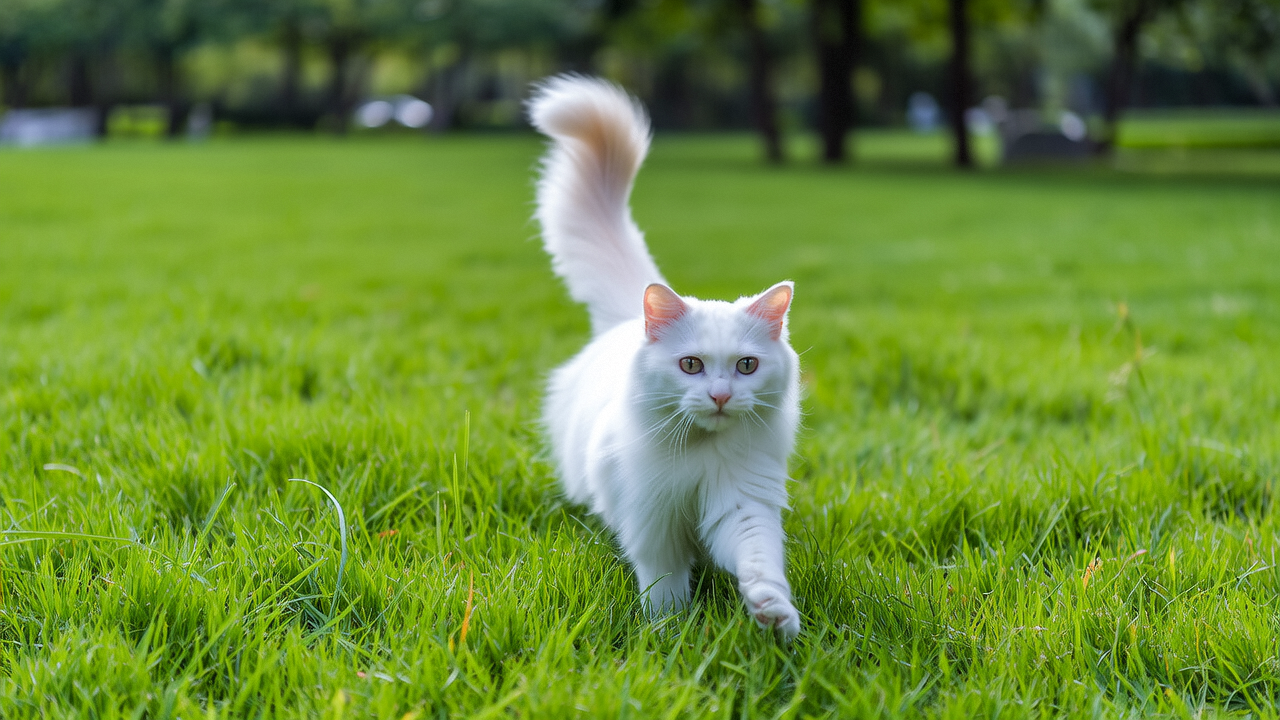
Input first-frame image
The Image-to-Video API uses an asynchronous workflow. You submit a video generation task and then query the task status to retrieve the result. For the complete workflow, including how to poll for task status and download the generated video, see the Image-to-Video API reference.
The following example shows how to submit a video generation request using a video effect template:
For optimal results, refer to the "Input image suggestions" column for each template.
All general effects support both wanx2.1-i2v-plus and wanx2.1-i2v-turbo.
These effects work with any entity. For best results, use an image where the entity is prominent and clearly distinguished from the background.
These effects work with single-person photos. Unless noted otherwise, a half-body to full-body frontal photo is recommended.
All effects in this category support both wanx2.1-i2v-plus and wanx2.1-i2v-turbo.
These effects work with single-person or animal photos.
All effects in this category support both wanx2.1-i2v-plus and wanx2.1-i2v-turbo.
These effects work with two-person photos. A half-body or full-body photo where both people face the camera or each other is recommended.
| Output example 1: "Magic Levitation" effect | Output example 2: "Squeeze" effect |
|---|---|
| demo_flying.mp4 | demo_squish.mp4 |
| Template value: flying | Template value: squish |
Usage
- Scope: Video effect templates are supported only in Wan Image-to-Video (first frame) tasks.
- Method: In the request body, set the
templateparameter to the desired template value, such as flying. For all available templates, see Video effect templates. - Note: When you use the
templateparameter, the model ignores thepromptfield. You can omit this field or leave it empty.
Send a request
The Image-to-Video API uses an asynchronous workflow. You submit a video generation task and then query the task status to retrieve the result. For the complete workflow, including how to poll for task status and download the generated video, see the Image-to-Video API reference.
The following example shows how to submit a video generation request using a video effect template:
- curl
- Python SDK
Video effect templates
For optimal results, refer to the "Input image suggestions" column for each template.
Model support summary
| Model | Supported templates |
|---|---|
| wanx2.1-i2v-plus | All templates |
| wanx2.1-i2v-turbo | General effects, Carousel, Love You, Single-person or animal effects, Two-person effects |
General effects
All general effects support both wanx2.1-i2v-plus and wanx2.1-i2v-turbo.
These effects work with any entity. For best results, use an image where the entity is prominent and clearly distinguished from the background.
| Effect name | Template value | Example effect |
|---|---|---|
| Squeeze | squish | squish.mp4 |
| Spin | rotation | rotation.mp4 |
| Poke | poke | poke.mp4 |
| Balloon Inflation | inflate | inflate.mp4 |
| Molecular Diffusion | dissolve | dissolve.mp4 |
Single-person effects
These effects work with single-person photos. Unless noted otherwise, a half-body to full-body frontal photo is recommended.
| Effect name | Template value | Supported models | Input image suggestions | Example effect |
|---|---|---|---|---|
| Carousel | carousel | wanx2.1-i2v-plus, wanx2.1-i2v-turbo | - | carousel.mp4 |
| Love You | singleheart | wanx2.1-i2v-plus, wanx2.1-i2v-turbo | - | singleheart.mp4 |
| Swing Time | dance1 | wanx2.1-i2v-plus | - | dance1.mp4 |
| Swing Dance | dance2 | wanx2.1-i2v-plus | Full-body frontal photo recommended | dance2.mp4 |
| Star Swing | dance3 | wanx2.1-i2v-plus | Full-body frontal photo recommended | dance3.mp4 |
| Mermaid Awakening | mermaid | wanx2.1-i2v-plus | Half-body frontal photo recommended | mermaid.mp4 |
| Academic Coronation | graduation | wanx2.1-i2v-plus | - | graduation.mp4 |
| Beast Pursuit | dragon | wanx2.1-i2v-plus | - | dragon.mp4 |
| Money from Heaven | money | wanx2.1-i2v-plus | - | money.mp4 |
Single-person or animal effects
All effects in this category support both wanx2.1-i2v-plus and wanx2.1-i2v-turbo.
These effects work with single-person or animal photos.
| Effect name | Template value | Input image suggestions | Example effect |
|---|---|---|---|
| Magic Levitation | flying | Full-body frontal photo recommended | flying.mp4 |
| Rose for You | rose | Half-body to full-body frontal photo recommended. Avoid showing hands. | rose.mp4 |
| Shining Rose | crystalrose | Half-body to full-body frontal photo recommended. Avoid showing hands. | crystalrose.mp4 |
Two-person effects
All effects in this category support both wanx2.1-i2v-plus and wanx2.1-i2v-turbo.
These effects work with two-person photos. A half-body or full-body photo where both people face the camera or each other is recommended.
| Effect name | Template value | Example effect |
|---|---|---|
| Loving Hug | hug | hug.mp4 |
| Interdependent | frenchkiss | frenchkiss.mp4 |
| Double Heartbeat | coupleheart | coupleheart.mp4 |
References
- For API parameter descriptions and complete code examples, see Image-to-Video API.