

This topic describes the input and output parameters for the Wan - general image editing model.
- Image stylization: Global and local stylization.
- Image content editing: Instruction-based editing (add or modify image content using instructions without specifying a region), inpainting (add, delete, or modify content in a specified area), and text watermark removal (Chinese and English).
- Image size and resolution optimization: Image expansion (expand by ratio) and super resolution (enhance to high definition).
- Image color processing: Colorization (convert black-and-white or grayscale images to color).
- Generation based on a reference image: Sketch-to-image generation (extract a sketch from the input image and then generate an image based on the sketch) and cartoon character reference generation.
Model overview
Model | Price | Rate limit (shared by root accounts and RAM users) | |
|---|---|---|---|
Task submission RPS | Concurrent tasks | ||
wanx2.1-imageedit | $0.020070/image | 2 | 2 |
Model effects
Feature | Input image | Input prompt | Output image |
|---|---|---|---|
Global stylization |  | Convert to French picture book style |  |
Local stylization | 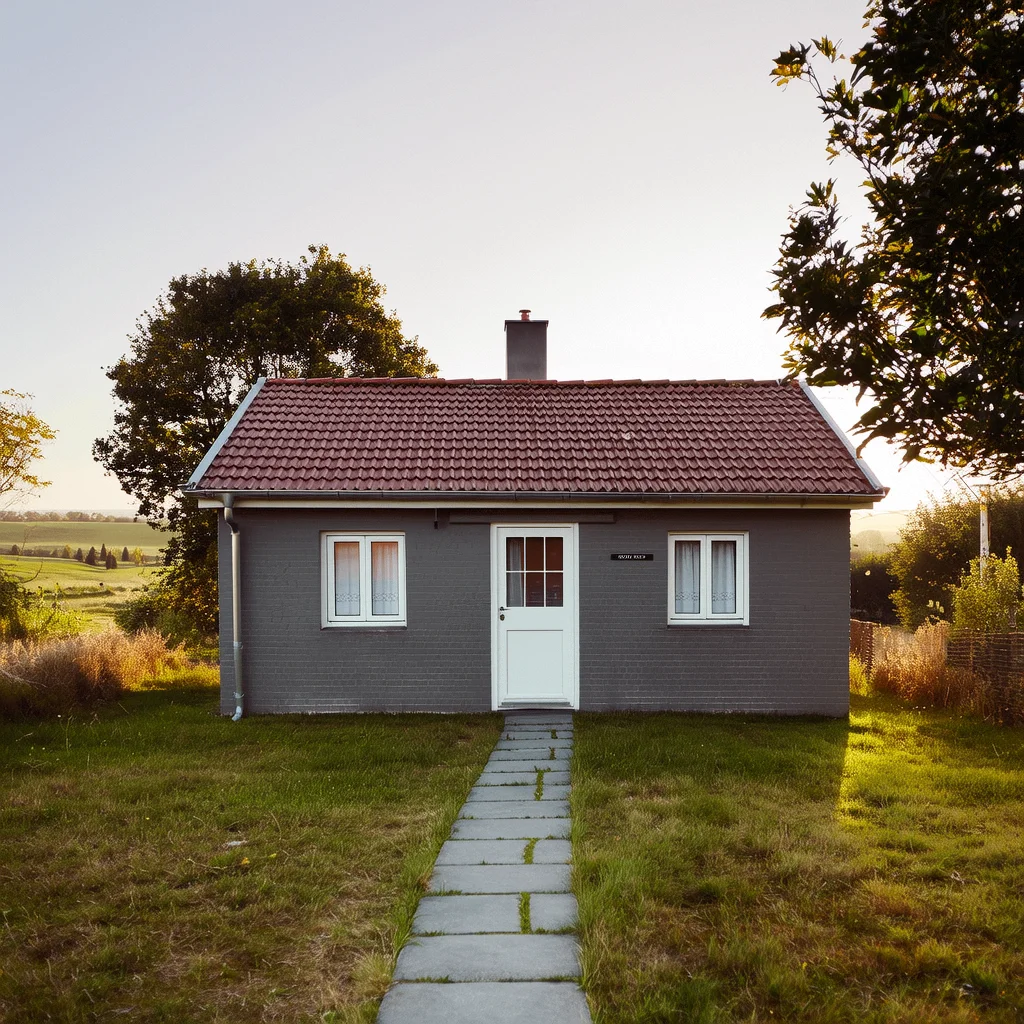 | Change the house to a wooden style. | 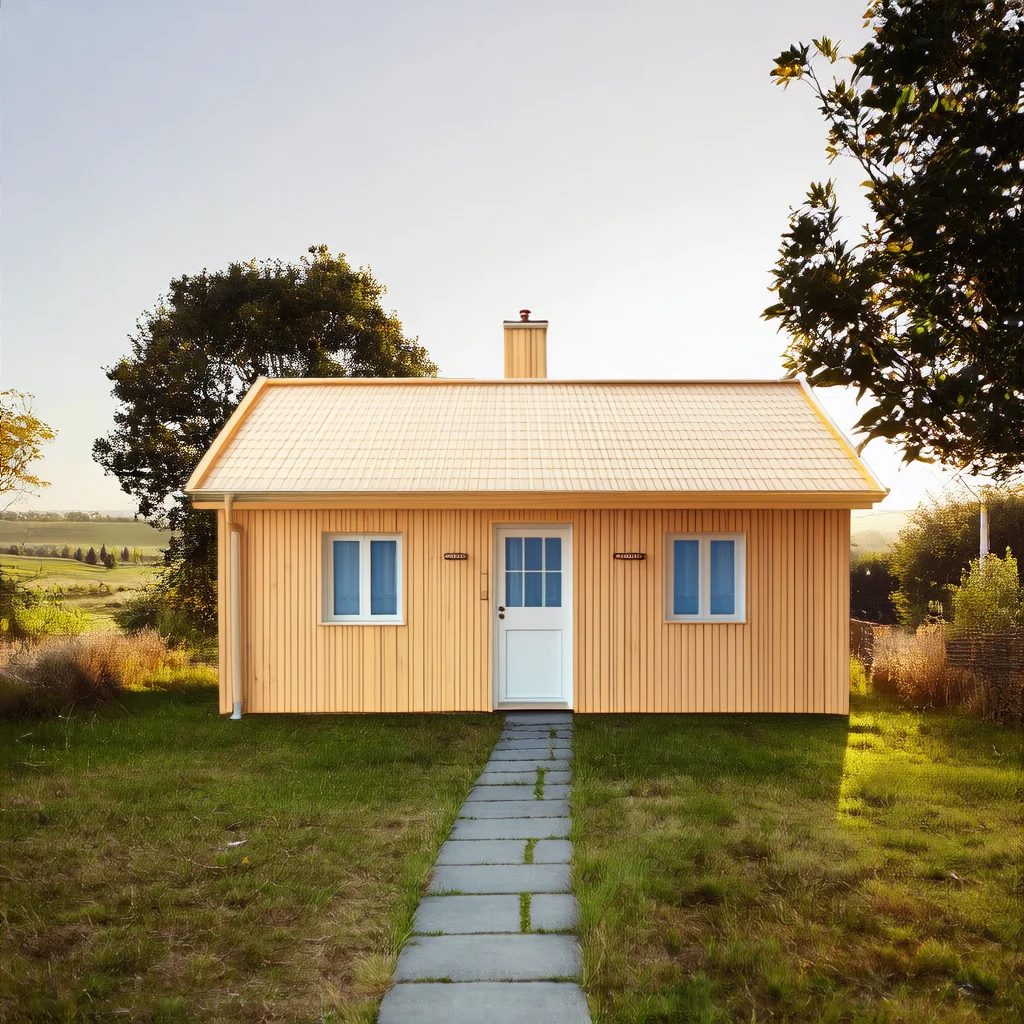 |
Instruction-based editing |  | Change her hair to red. |  |
Inpainting | Input image 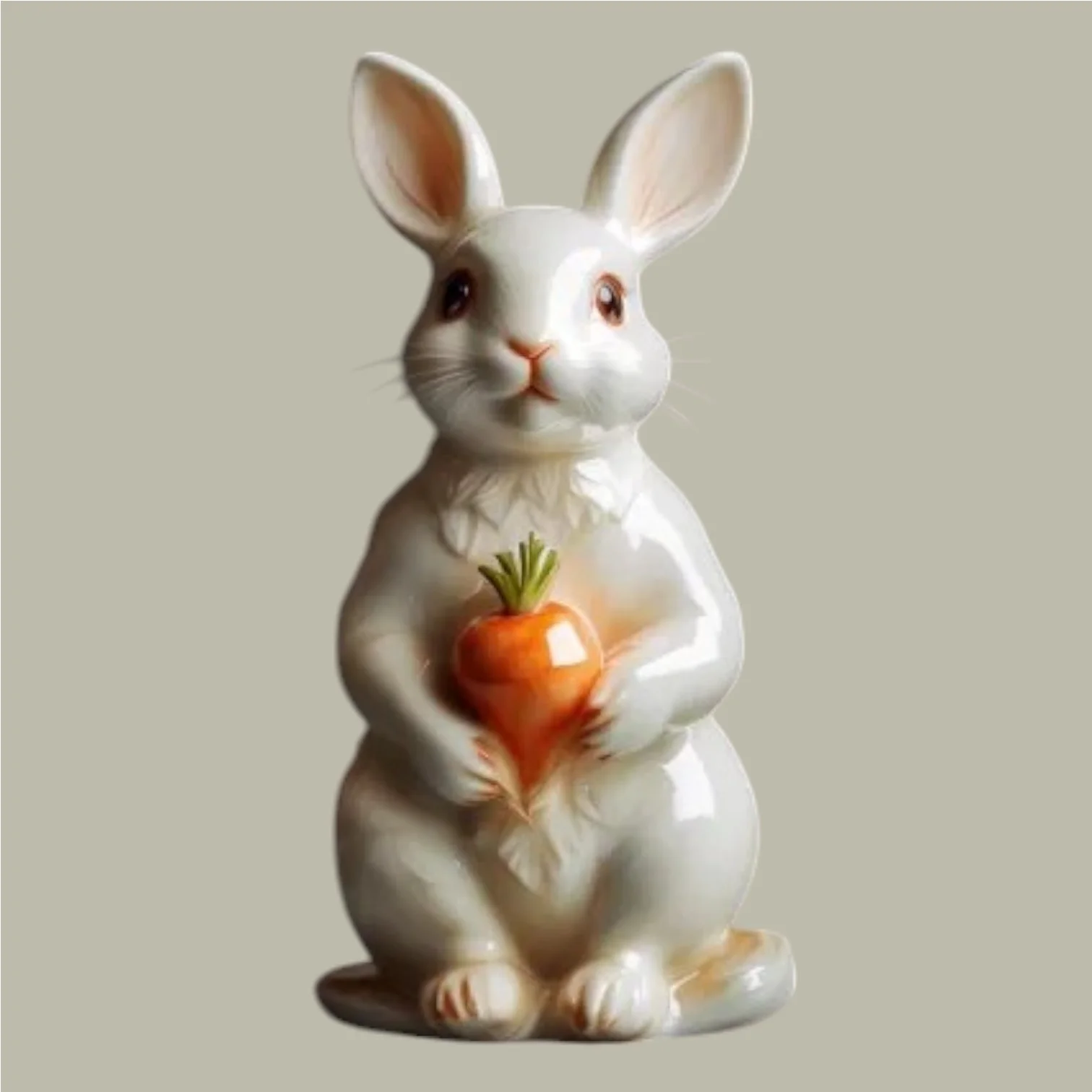 Input mask image (white is the masked area) 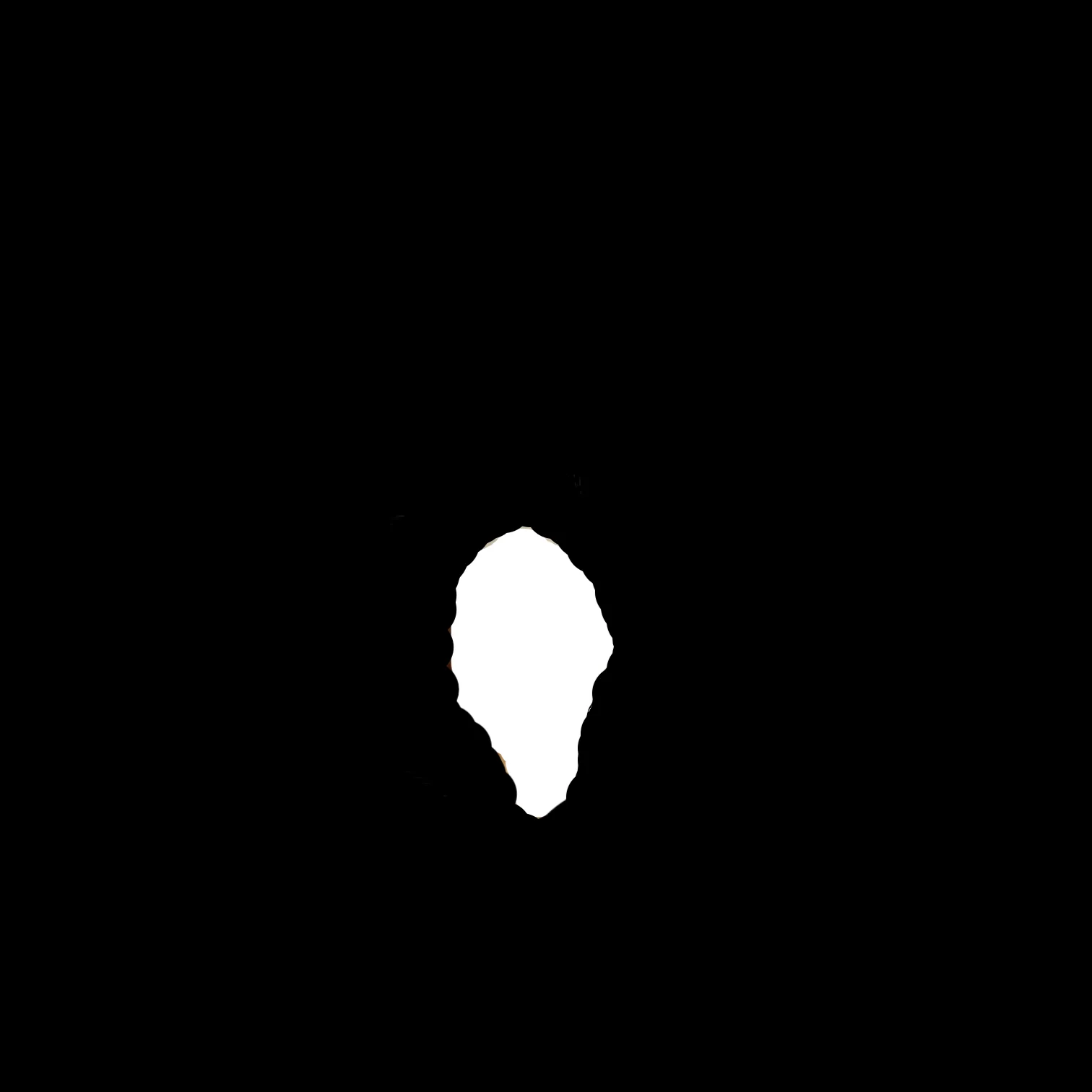 | A ceramic rabbit holding a ceramic flower. | Output image 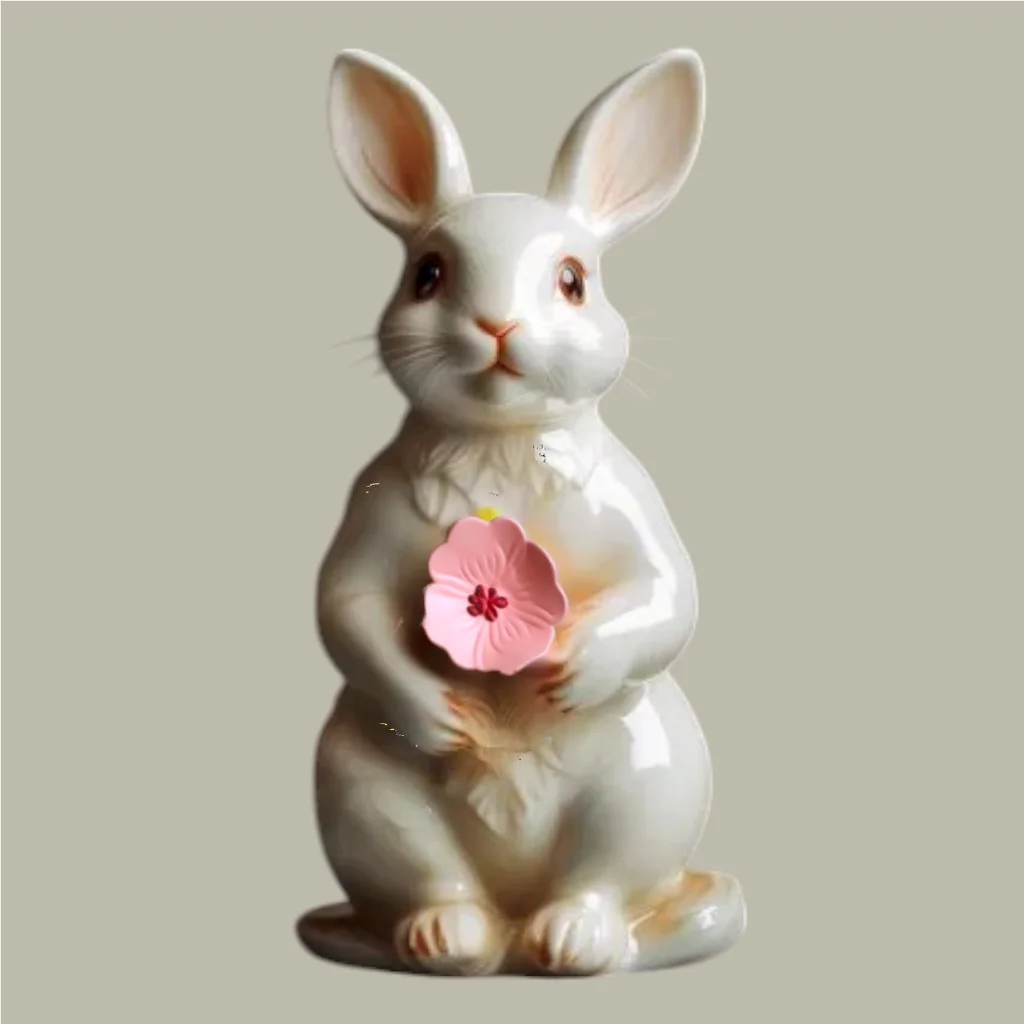 |
Text watermark removal |  | Remove the text from the image. |  |
Image expansion |  | A green fairy. |  |
Super resolution | Blurry image  | Super resolution. | Clear image  |
Colorization |  | Blue background, yellow leaves. |  |
Sketch-to-image generation | Input image 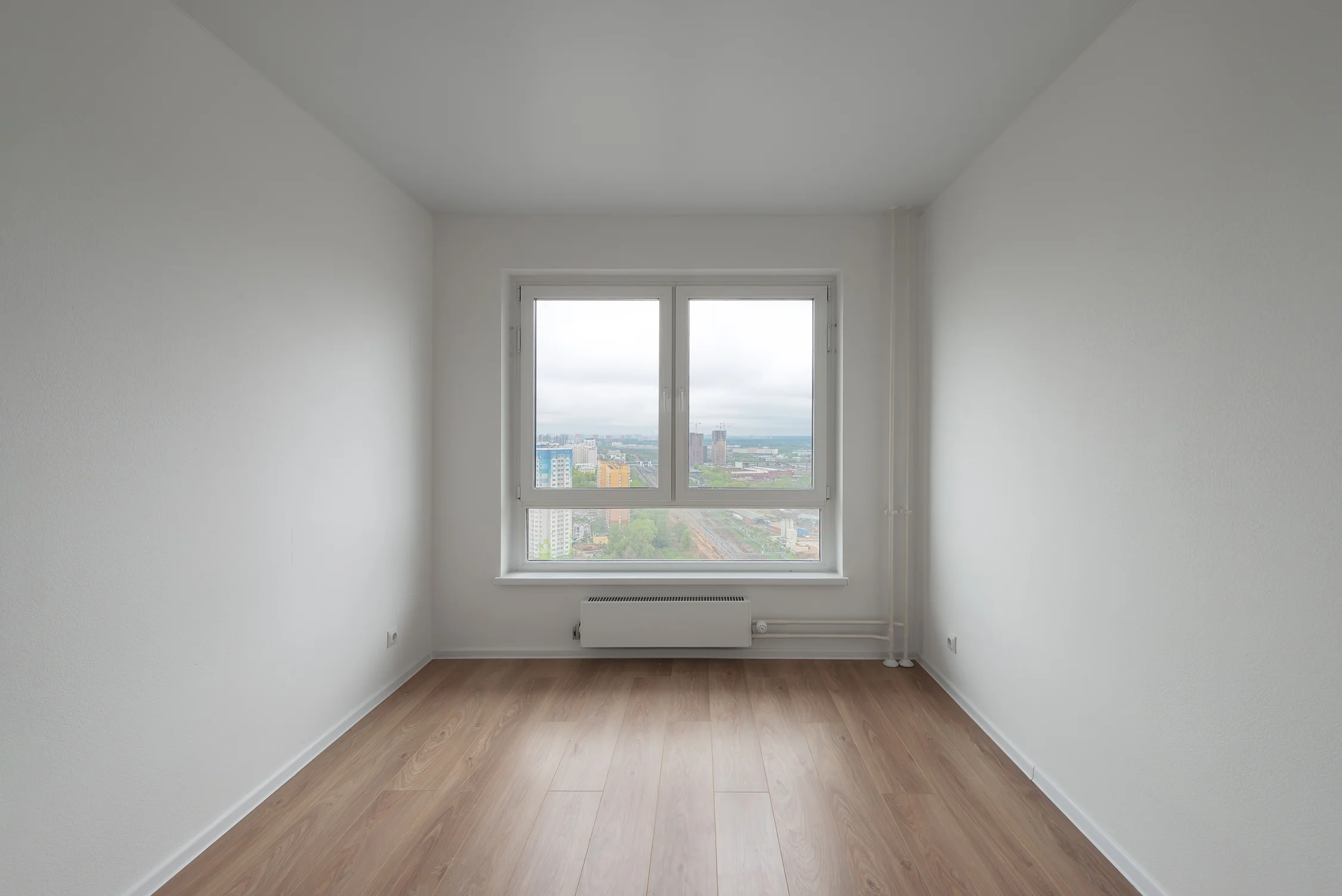 | A living room in a minimalist Nordic style. | Extract the sketch from the original image and generate a new image 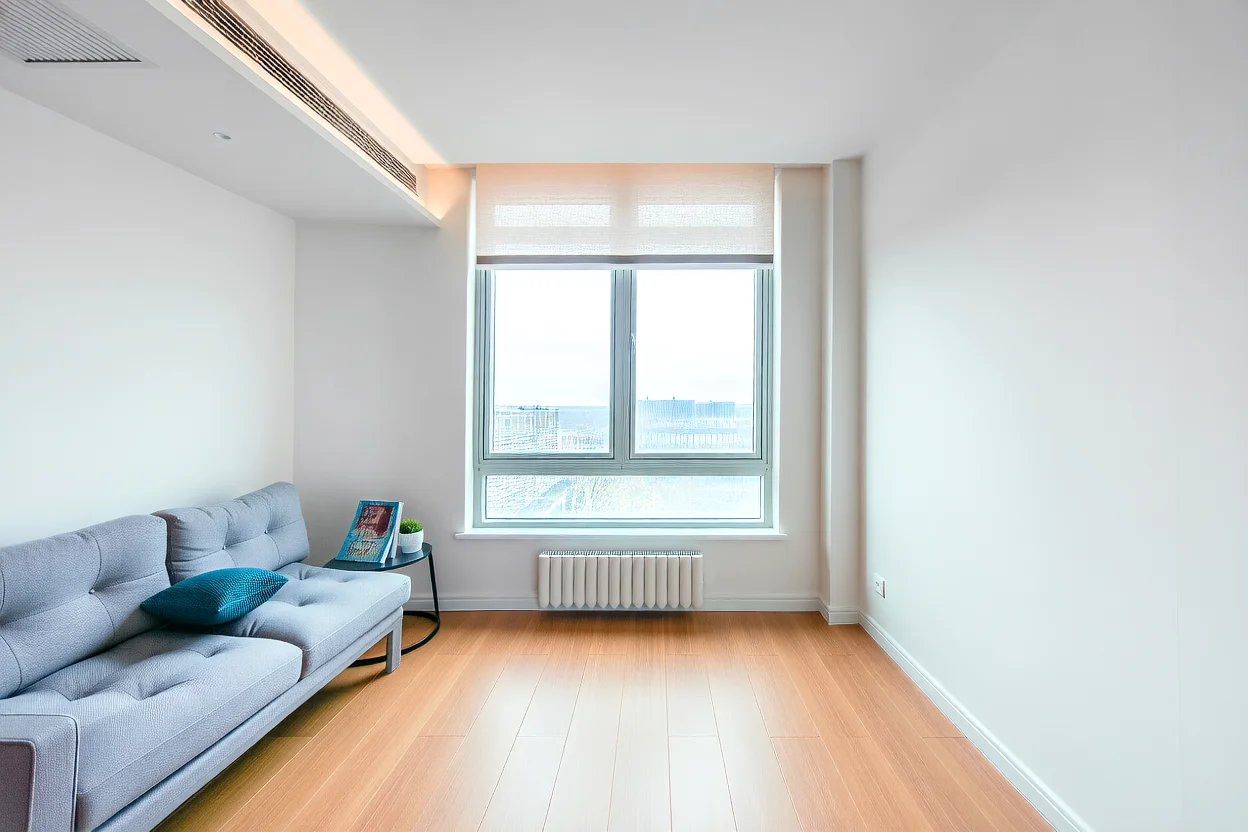 |
Cartoon character reference generation | Input reference image (cartoon character)  | The cartoon character cautiously peeks out, looking at a sparkling blue gem in the room. | Output image  |
Prerequisites
Call the Wan - general image editing API using HTTP or the DashScope SDK.
Before making a call, get an API key and export the API key as an environment variable.
To call the API using the SDK, install the DashScope SDK. The SDK is available for Python and Java.
HTTP
Image models take a long time to process. To prevent timeouts, HTTP calls support only asynchronous result retrieval. Two requests are required:
- Create a task to get a task ID: Send a request to create a task. The response returns a task ID (
task_id). - Query the result using the task ID: Use the task ID from the previous step to query the task status and result. If the task is successful, the response returns an image URL that is valid for 24 hours.
The general image editing model takes about 5 to 15 seconds to process a request. The actual time depends on the number of tasks in the queue and the network conditions. Please wait patiently for the result.
Step 1: Create a task to get task ID
POST https://{WorkspaceId}.cn-beijing.maas.aliyuncs.com/api/v1/services/aigc/image2image/image-synthesis
Replace {WorkspaceId} with your actual workspace ID.
Request parametersRequest headersContent-Typestring (Required)The content type of the request. Must be application/json.Authorization string (Required)Authenticates the request with a Model Studio API key. Example: Bearer sk-xxxx.X-DashScope-Async string (Required)Enables asynchronous processing. HTTP requests support only asynchronous calls. Must be enable.Request bodymodelstring (Required)The model name, for example, wanx2.1-imageedit.input object (Required)The basic input information (prompt).
Properties prompt string(Required)The prompt used to describe the desired elements and visual features in the generated image.Supports Chinese and English. Maximum length: 800 characters. Each Chinese character or letter counts as one character. Excess characters are automatically truncated.Prompts vary for different features. We recommend that you review the corresponding prompting tips for each feature.function string(Required)The image editing feature. The following features are currently supported:
string (Required)The URL or Base64-encoded data of the input image.Image requirements:
string (Optional)This parameter is required only when function is set to description_edit_with_mask (inpainting). Not required for other features.The URL or Base64-encoded data of the mask image.You can pass a publicly accessible URL (HTTP/HTTPS) or a Base64-encoded string. For more information, see Supported formats.Mask image requirements:
object (Optional)The image processing parameters.
Properties
n integer (Optional)The number of images to generate. Value range: 1 to 4. Default: 1.seedinteger(Optional)The random number seed, used to control the randomness of the content generated by the model. Value range: [0, 2147483647].If not provided, the algorithm automatically generates a random number as the seed. To keep generated content relatively stable, use the same seed parameter value.watermark bool (Optional)Specifies whether to add a watermark. The watermark is in the lower-right corner of the image and displays "Generated by AI".
|
|
Response parametersoutputobjectThe task output information.
Properties task_id stringThe task ID. Valid for queries for 24 hours.task_status stringThe status of the task.
Enumeration values
stringUnique request identifier for tracing and troubleshooting.code stringError code. Returned only for failed requests. See Error codes.message stringDetailed error message. Returned only for failed requests. See Error codes. |
Save the task_id to query the task status and result. |
Step 2: Query result by task ID
GET https://{WorkspaceId}.cn-beijing.maas.aliyuncs.com/api/v1/tasks/{task_id}
Replace {WorkspaceId} with your actual workspace ID.
Request parametersRequest headersAuthorizationstring (Required)Authenticates the request with a Model Studio API key. Example: Bearer sk-xxxx.Path parameterstask_idstring (Required)The ID of the task. |
Replace 86ecf553-d340-4e21-xxxxxxxxx with your actual task_id. |
Response parametersoutputobjectThe task output information.
Properties task_id stringThe task ID. Valid for queries for 24 hours.task_status stringThe status of the task.
Enumeration values
stringThe time when the task was submitted. The time is in UTC+8 and the format is YYYY-MM-DD HH:mm:ss.SSS.scheduled_time stringThe time when the task was executed. The time is in UTC+8 and the format is YYYY-MM-DD HH:mm:ss.SSS.end_time stringThe time when the task was completed. The time is in UTC+8 and the format is YYYY-MM-DD HH:mm:ss.SSS.results array objectA list of task results, including image URLs and error messages for partially failed tasks.
Data structure objectStatistics for the task result.
Properties TOTAL integerThe total number of tasks.SUCCEEDED integerThe number of successful tasks.FAILED integerThe number of failed tasks.stringError code. Returned only for failed requests. See Error codes.message stringDetailed error message. Returned only for failed requests. See Error codes.objectThe output information statistics. Only successful results are counted.
Properties image_count integerNumber of images successfully generated. Billing: Cost = Number of images × Unit price.stringUnique request identifier for tracing and troubleshooting. |
Task data (task status and image URLs) is retained for only 24 hours and then automatically purged. Save generated images promptly. |
DashScope SDK
First, ensure you have installed the latest version of the DashScope SDK. Otherwise, a runtime error may occur.
The DashScope SDK currently supports Python and Java.
The parameter names in the SDK are mostly consistent with those in the HTTP API. The parameter structure depends on the SDK encapsulation for different languages. For parameter descriptions, see HTTP call.
Video model processing takes a long time, so the service uses an asynchronous approach. The SDK provides a wrapper supporting both synchronous and asynchronous calls.
The general image editing model takes about 5 to 15 seconds to process a request. The actual time depends on the number of tasks in the queue and the network conditions. Please wait patiently for the result.
Python SDK
When using the Python SDK to process image files, input an image using one of the following three methods. Choose the method that best fits your scenario.
- Public URL: A publicly accessible image URL that uses the HTTP or HTTPS protocol.
- Base64-encoded: Pass the Base64-encoded file string in the
data:{MIME_type};base64,{base64_data}format. - Local file path: Supports both absolute and relative paths. See the following table for valid file path formats.
System | File path to pass | Example (absolute path) | Example (relative path) |
|---|---|---|---|
Linux or macOS | file://{absolute or relative path of the file} | file:///home/images/test.png | file://./images/test.png |
Windows | file://D:/images/test.png | file://./images/test.png |
Sample code
pip install -U dashscope. See Install the SDK.- Synchronous call
- Asynchronous call
Request example
Response example
The URL is valid for 24 hours. Download the image promptly.
Java SDK
When using the Java SDK to process image files, input an image using one of the following three methods. Choose the method that best fits your scenario.
- Public URL: A publicly accessible image URL that uses the HTTP or HTTPS protocol.
- Base64-encoded: Pass the Base64-encoded file string in the
data:{MIME_type};base64,{base64_data}format. - Local file path: Only absolute paths are supported. See the following table for valid file path formats.
System | File path to pass | Example |
|---|---|---|
Linux or macOS | file://{absolute path of the file} | file:///home/images/test.png |
Windows | file:///{absolute path of the file} | file:///D:/images/test.png |
Sample code
- Synchronous call
- Asynchronous call
Request example
Response example
The URL is valid for 24 hours. Download the image promptly.
Error codes
If the model call fails and returns an error message, see Error codes for resolution.
This API also has specific status codes, as shown in the following table.
HTTP status code | API error code (code) | API error message (message) | Description |
|---|---|---|---|
400 | InvalidParameter | InvalidParameter | The request parameters are invalid. |
400 | IPInfringementSuspect | Input data is suspected of being involved in IP infringement. | The input data (such as the prompt or image) is suspected of intellectual property infringement. Check the input to ensure it does not contain content that poses an infringement risk. |
400 | DataInspectionFailed | Input data may contain inappropriate content. | The input data (such as the prompt or image) may contain inappropriate content. Modify the input and try again. |
500 | InternalError | InternalError | The service is abnormal. Try again to rule out an occasional issue. |
Input image formats
Supported formats
Input images support multiple string formats, as shown in the following table.
Invocation method | HTTP | Python SDK | Java SDK |
|---|---|---|---|
Supported input image methods |
|
|
|
- Provide a publicly accessible image address. HTTP or HTTPS protocols are supported.
- Example:
https://xxxx/img.png
data:{MIME_type};base64,{base64_data}.
- For the conversion code, see Sample code
- {MIME_type}: The media type of the image, which must match the file format
- {base64_data}: The Base64-encoded string of the image file
-
MIME type reference:
Image format
MIME Type
JPEG
image/jpeg
JPG
image/jpeg
PNG
image/png
BMP
image/bmp
TIFF
image/tiff
WEBP
image/webp
-
Example:
data:image/png;base64,iVBORw0KGgoAAAANSUhEUgAABDg......Note: The Base64 string above is truncated for demonstration. In actual use, pass the complete encoded string.
- HTTP does not support local file paths. Only the Python SDK and Java SDK support this method.
- For local file path rules, see Python SDK and Java SDK.